





Driving innovation in the health domain through technology, supporting organizational productivity
and the health management of the individuals who work there.
Advanced administration features
A variety of administrative tasks—checking assessment completion rates, group analysis, permission settings, and data sharing—can be handled intuitively from the dashboard. It centrally supports the work needed for day-to-day operation, such as identifying those who have not yet taken the assessment, sending reminders, year-over-year comparisons, and adjusting permissions for each person in charge. We provide an administration framework that lets you carry out stress check operations more securely and efficiently.

ADMIN CONTROLS
Advanced administration features
Centrally manage various settings and operational status from the administrator screen.
It streamlines daily operations and supports smooth operation.
 Centralized management
 Intuitive operability
 Extensive features
A dashboard that
supports administration
From progress tracking to analysis and physician interview management,
all administrative work can be completed on a single screen.
Examination rate monitoring
You can check examination status in real time and smoothly manage the entire sequence,
from creating the not-yet-taken list to sending reminders.
By visualizing progress, you can carry out the actions
needed to improve the examination rate without confusion.
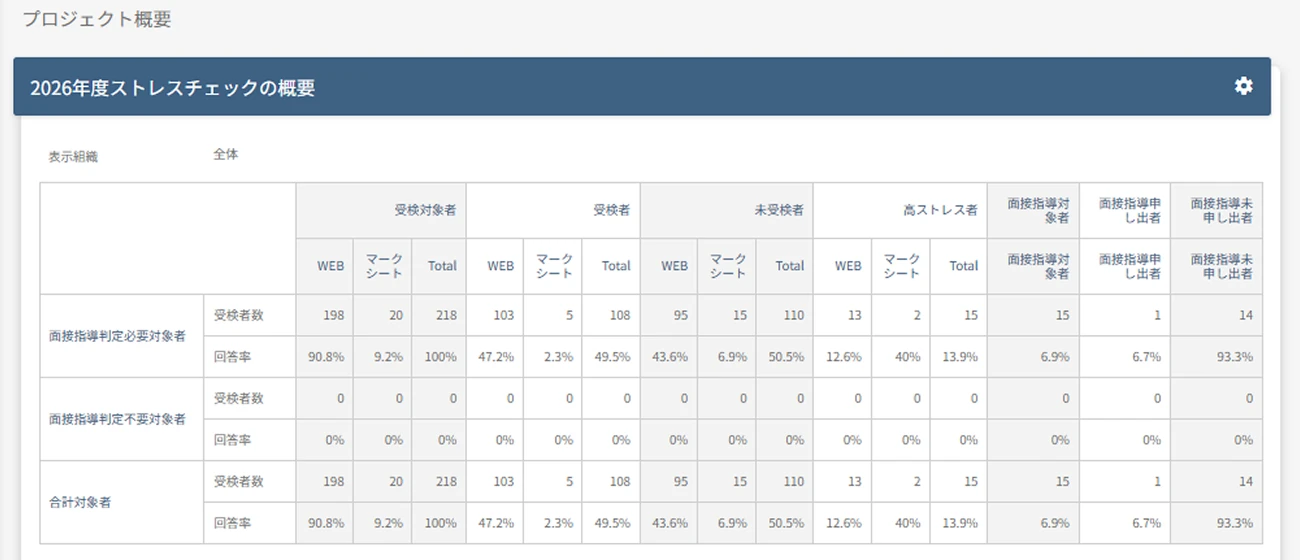

Visualizing the examination rate
Automatically tabulates examination rates for the whole organization, by department, and by location, so you can check progress at a glance.

Automatic generation
of the not‑yet‑taken listInstantly identify who has not yet
taken the check and prevent
follow‑up gaps.
Automation of
reminder notificationsAutomatically send emails on the specified date to only those who have not taken the check.
As the “next move” beyond visualization
Spot departments where
the test completion rate
is stallingAutomatically send test reminder emails to non‑respondents via the individual delivery feature
Early identification of
high-stress individualsIdentify high-stress individuals early and automatically send a physician interview guidance email at the same time as the judgment
Individual reminders
to those who
have not yet requested
a physician interviewFollow up and handle
physician interviews as needed
Real-time group analysis
Visualize your organization's stress trends in real time and check the situation immediately on screen.
Analysis results can be exported as a report, with support for year-over-year comparison of up to three years.
Quickly grasp signs of change and put them to use in improvement.
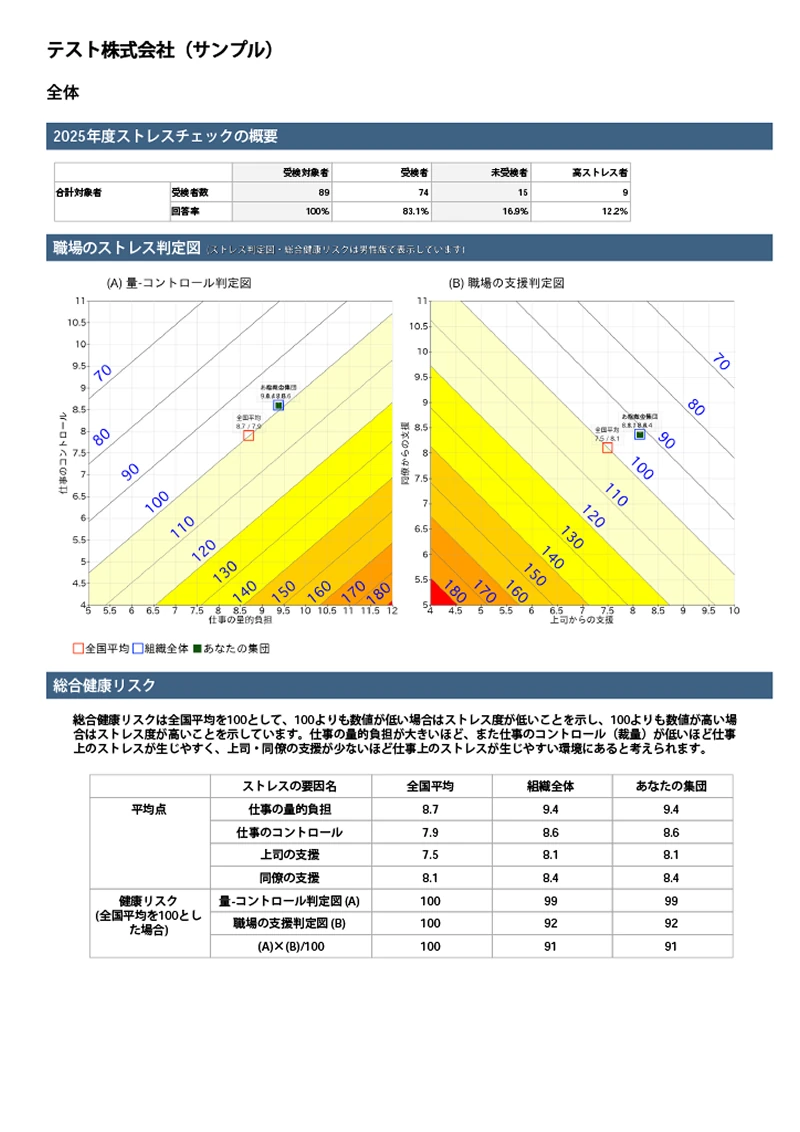

Real-time
visualizationInstantly check stress trends by department, occupation, and more.

Automatic report export
Analysis results can be
exported as a PDF report.
Year-over-year comparison of
up to three yearsGrasp changes from the past and check signs of improvement trends or risk.
Administrator permission settings
You can flexibly set the information each administrator can view and the scope of operations available to them.
Detailed permission settings are also possible within the implementer, implementation staff, and employer roles.
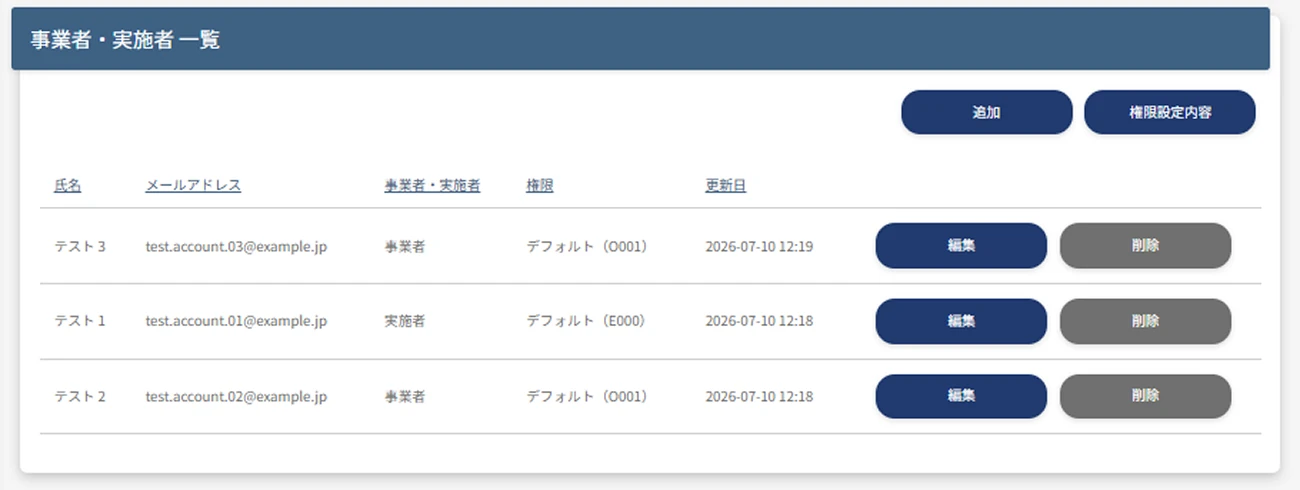

Setting the
assigned examineesExaminees can be assigned to
each administrator.
Setting the notification recipient for physician interview applications
Specify the administrator who receives notifications when an interview application is made.

Setting the person
in charge of
password reissueIndividually designate the administrator who handles password reissue.
Beyond the above, you can configure
permission settings to suit your operations

- Basic settings
operation permissions - Screen wording settings
- Test taker management(add, edit, delete)
- Implementers and employers(add, edit, delete)
- Password setup / reset handling
- Email sending settings(scheduling, delivery status check)
- Individual email sending feature
- Permission to view the test taker list
- Interview guidance
judgment feature - Permission to view the list of physician interview applicants
- Group analysis result
download - Storage feature
Storage feature
When handling sensitive data, using the storage feature enables
safer and more reliable data handover than using email attachments or recording media such as CD-Rs.
Prepare your data and
press upload
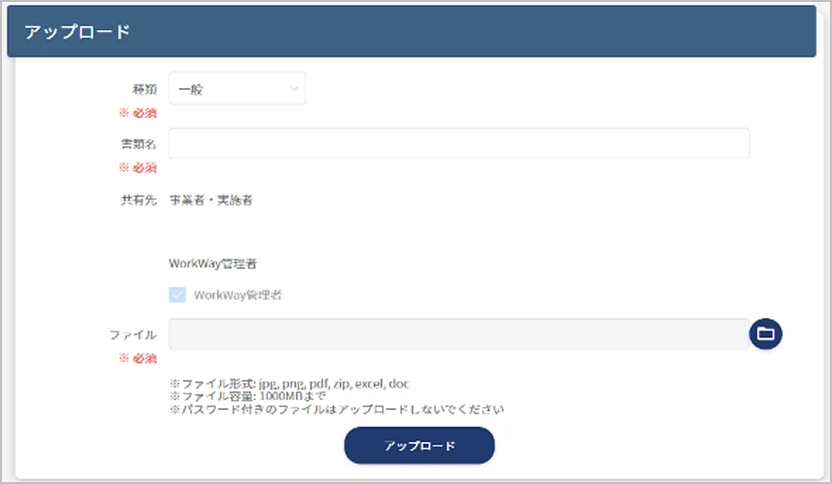
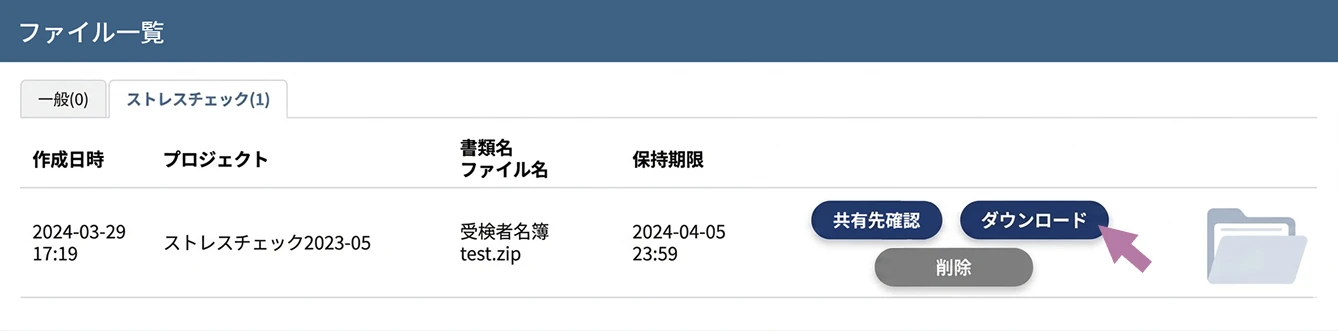
The recipient just
needs to press download!

Secure exchange
within the systemReliably hand over data without using email attachments or CD-Rs.

Large data can
be shared tooSecurely upload and share files
of up to 1,000 MB.
Bulk sharing
with multiple
people in chargeDesignate multiple people as recipients and share data efficiently.