






















Health & Human Solutions

Driving innovation in the health domain through technology, supporting organizational productivity
and the health management of the individuals who work there.

All-in-One Dashboard.

A stress-free
stress check

A feature-rich dashboard designed to follow your implementation flow

  • An overwhelming range of features minimizes operational effort
  • A dashboard designed down to the navigation flow, so you never get lost
  • Flexible management features that meet the needs of any organization

A wealth of management features
that support the stress check

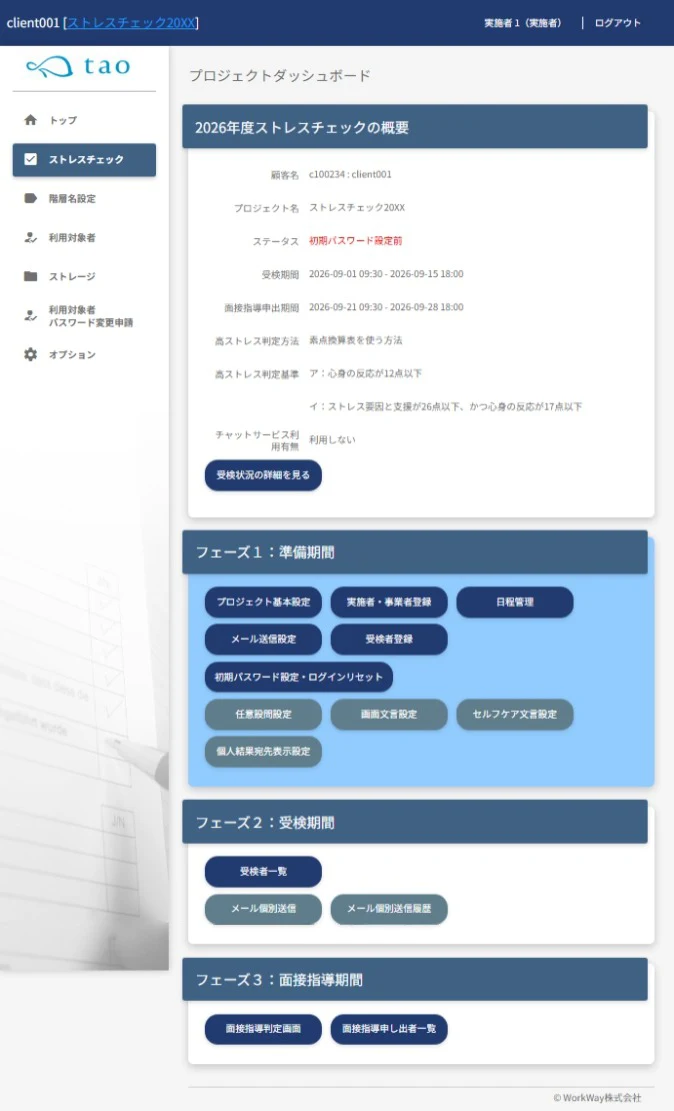
Smoothly manage the entire flow, from stress check preparation and guidance
to post-test follow-up, aggregation, and reporting, with a rich set of features.

STEP1

Preparation

STEP2

Taking the stress check

STEP3

Post-test follow-up

STEP4

Reporting tasks

Fits diverse management structures

An administrator screen that anyone can use with confidence.

  • An administrator screen available in
    both Japanese and English

    From the administrator screen and various templates to individual results and group analysis, everything is available in Japanese and English.

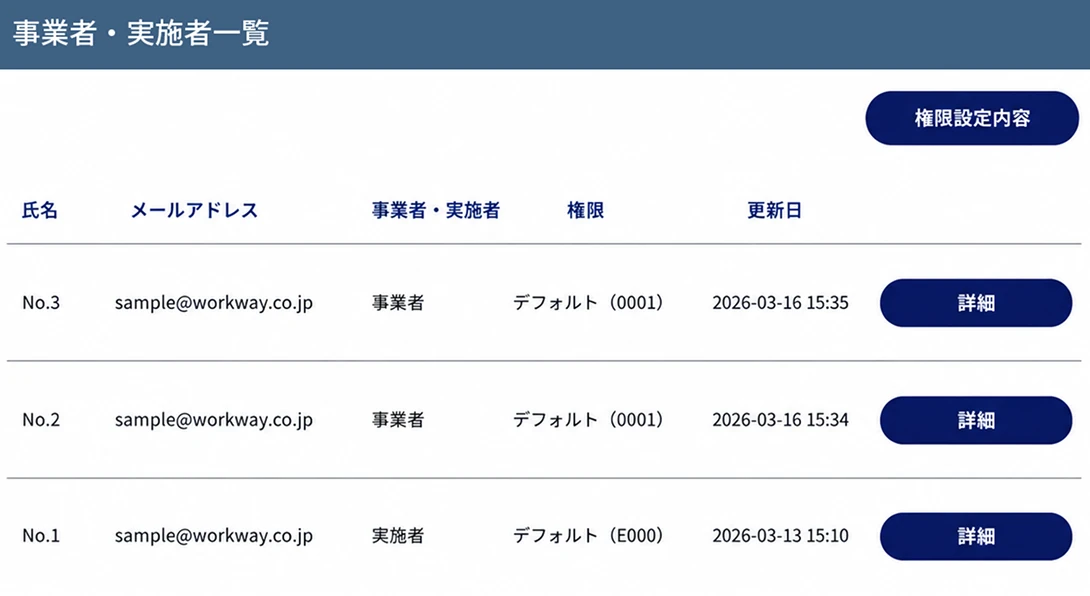
  • Register administrators
    without an email address

    By issuing a login ID, even those who do not have a personal email address or cannot use one due to internal security policies can be registered as administrators.

  • Set up with confidence following the guide

    An easy-to-follow operation guide walks you through the preparations up to the start of testing.
    With test mode, you can check the same test screen as production in advance.

  • Exchange data securely via storage

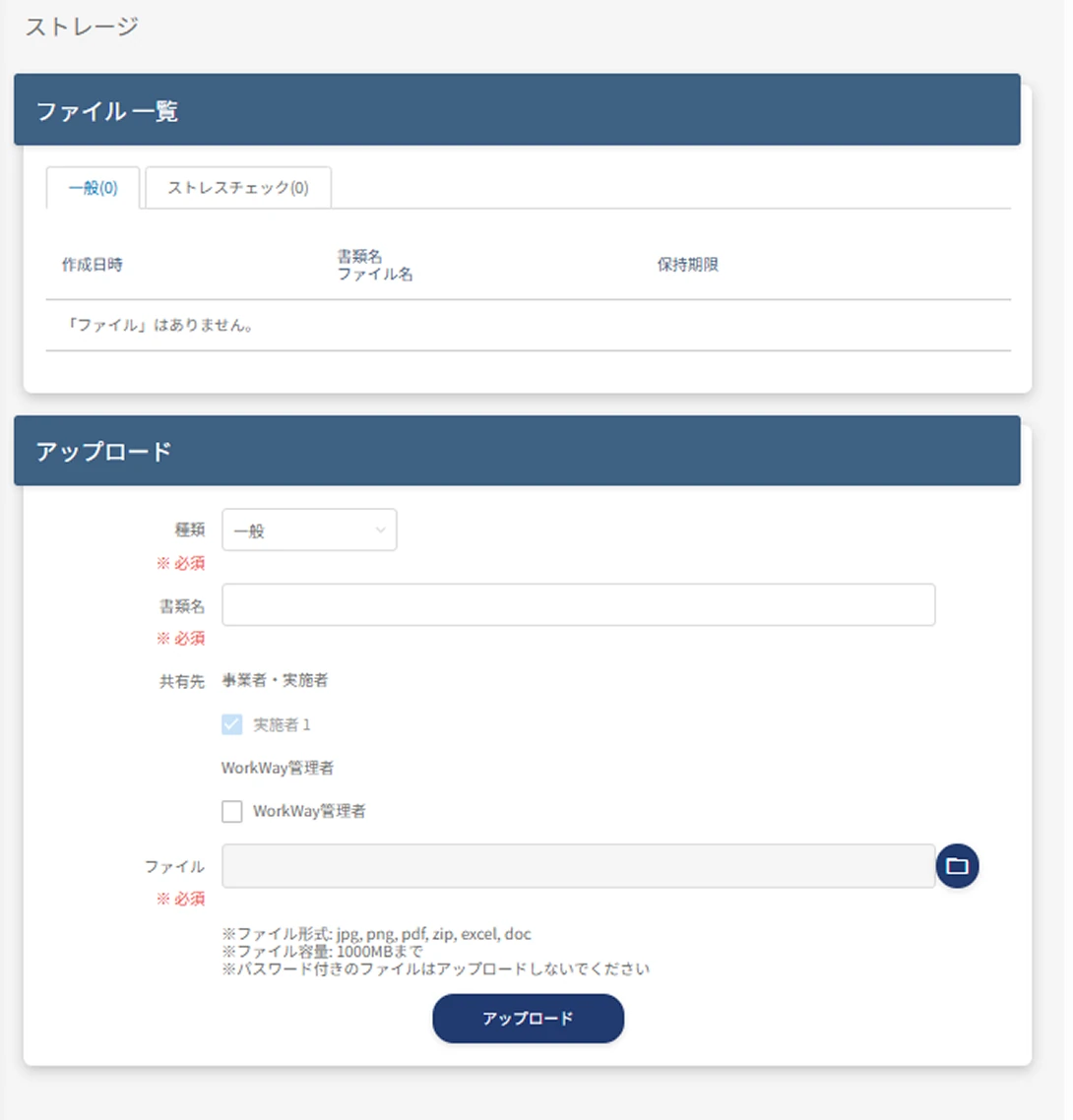
    You can exchange test taker rosters and group analysis data through the storage feature.

  • Automatic application of administrator permissions

    By selecting "implementer / employer" at administrator registration, settings compliant with the latest regulations are applied automatically.

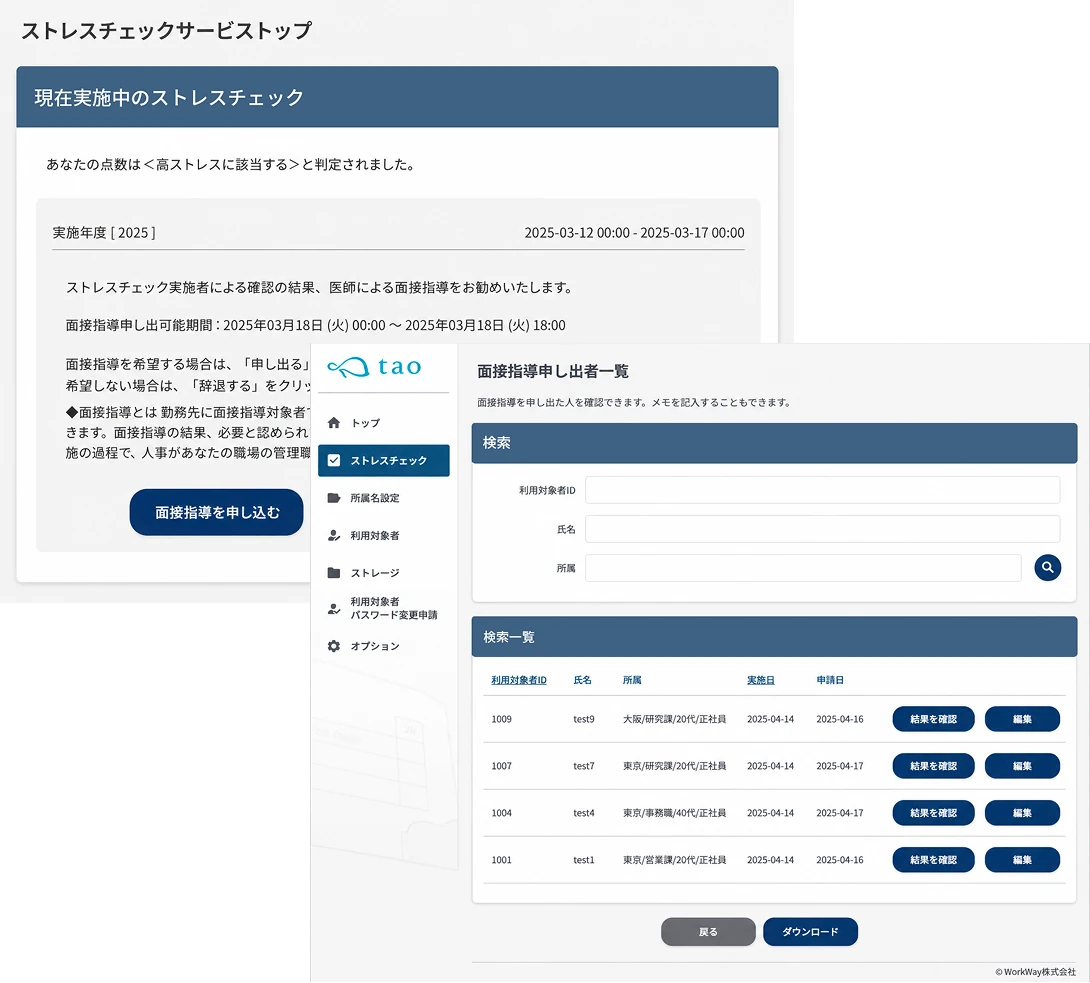
  • Physician interview
    judgment and request management

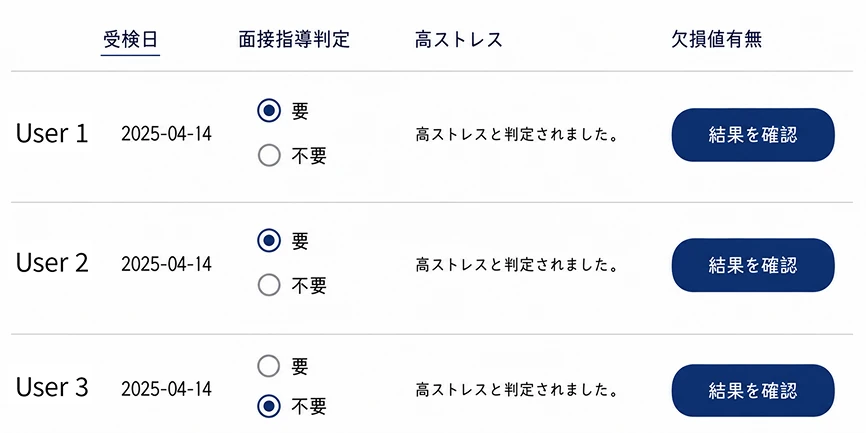
    Handle everything in one place, from checking high-stress judgment results and judgment notifications to managing physician interview requests. You can grasp interview targets and request status all at once on the admin screen.

  • Design settings aligned
    with your brand tone

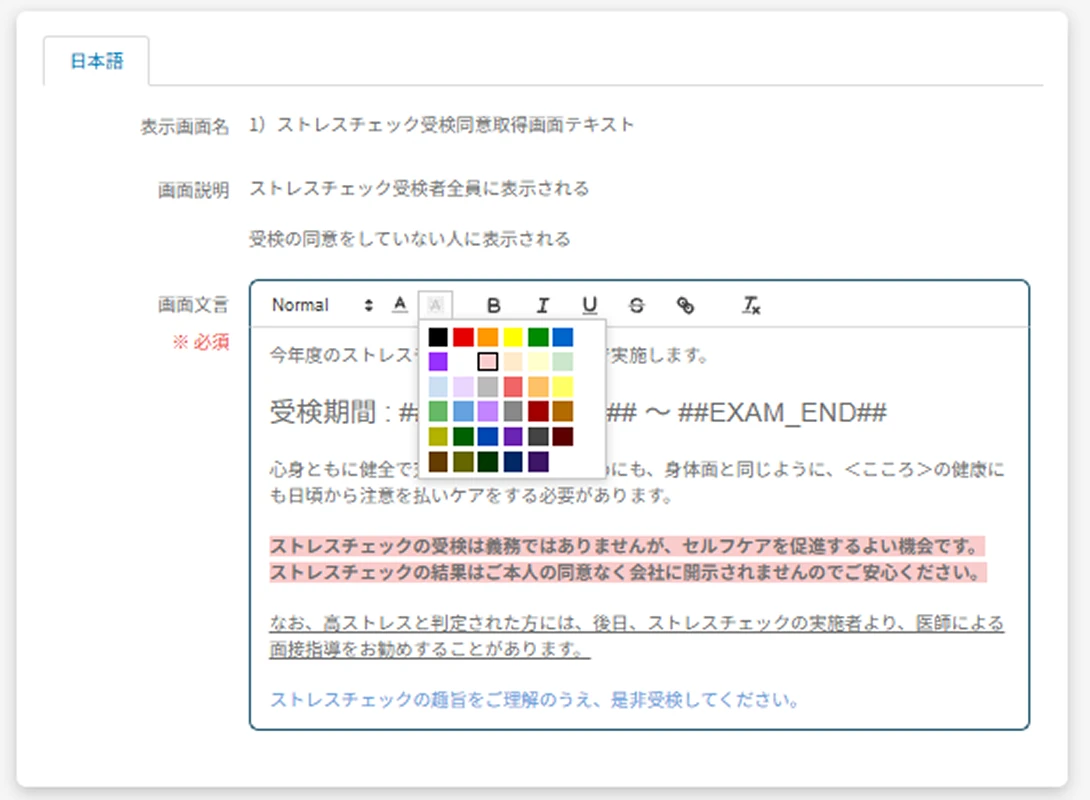
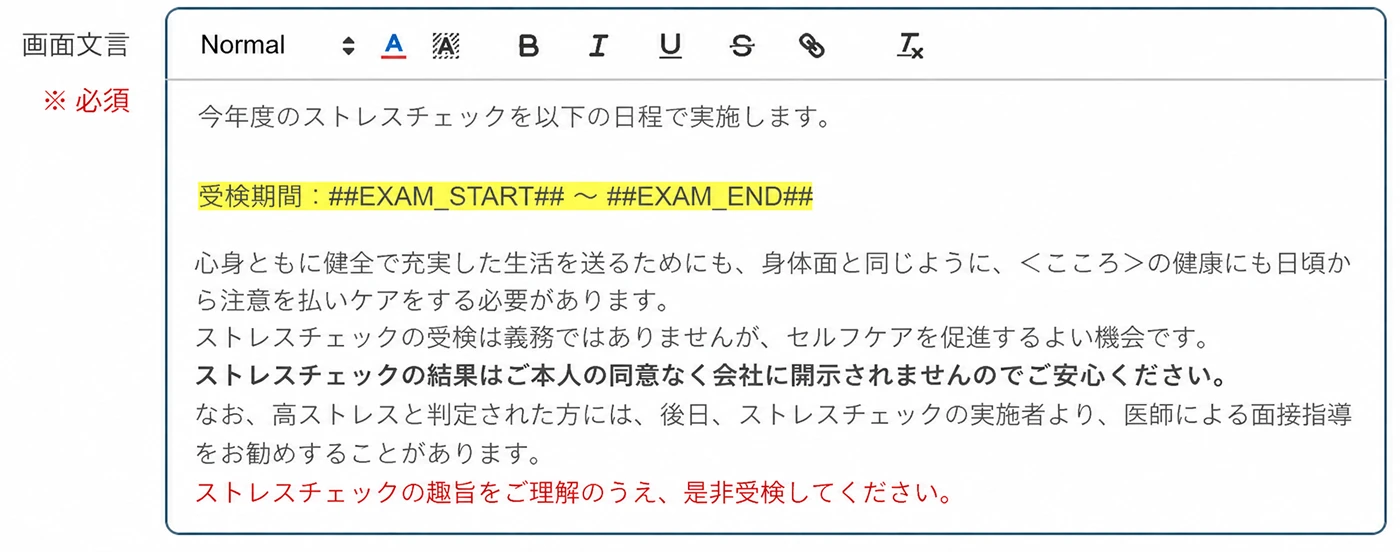
    Adjust the wording, colors, and font size of the test screen. Important messages can be emphasized with markers and more, so you can design screens to match your brand tone.

  • Advanced
    email delivery feature

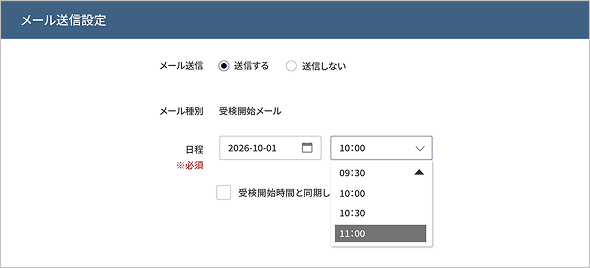
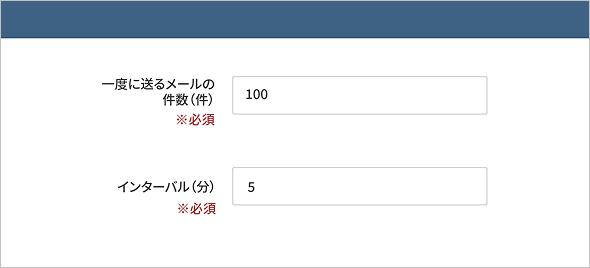
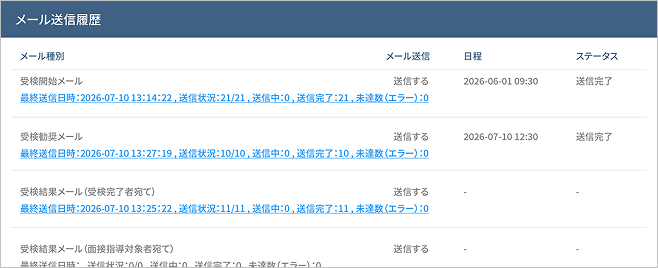
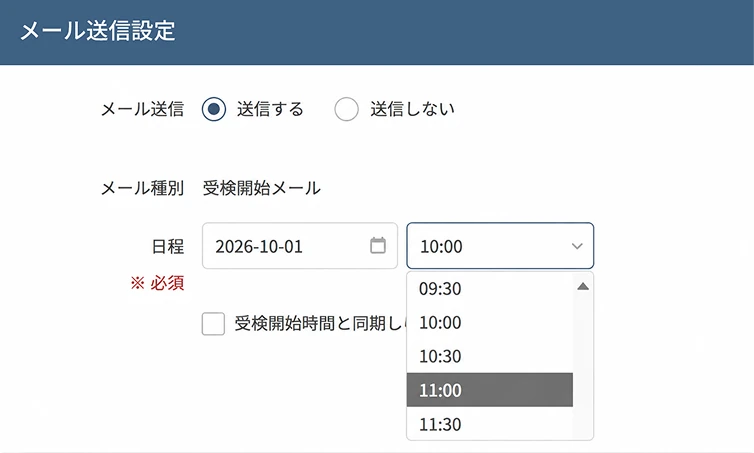
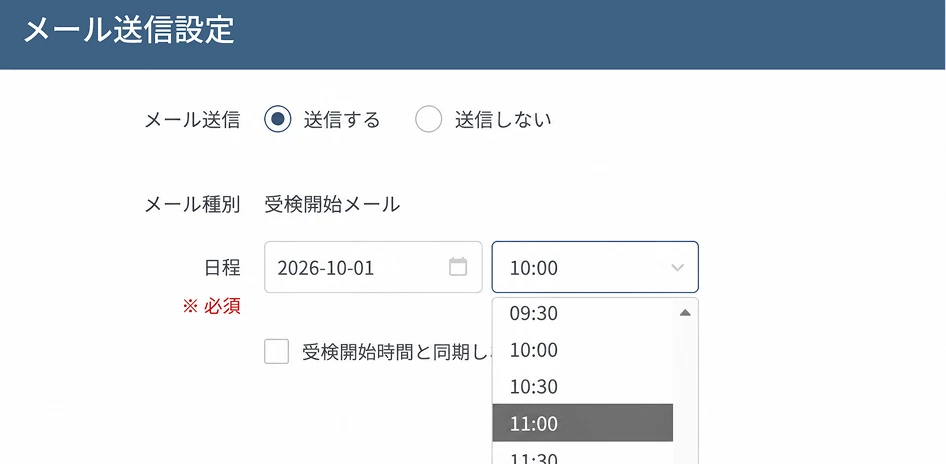
    In addition to 24-hour scheduled delivery in 30-minute increments, it also supports checking delivery status and visualizing undelivered messages.

YOUR MANAGEMENT

Build a management structure
that's uniquely yours
with detailed permissions

Freely customize the viewing scope and operation permissions for each administrator.

  • Settings compliant
    with the latest manual
  • Freely customize the operation and viewing scope per administrator
  • No limit on the
    number of registrations

Simply selecting implementer or employer
auto-applies the right permission settings

Implementer
(administrative staff)

Employer

Permission settings compliant with the Ministry of Health, Labour and Welfare manual are applied automatically.
By setting the viewing and operation scope by role,
you can smoothly start safe, privacy-conscious operations.

Moreover, the information each administrator can view
and the actions they can take can be flexibly customized.

Who manages which test takers?

01 Assigned test taker allocation

When implementers and employers are spread across the country, or when you want to assign test takers by department,
you can clearly divide and set the scope of viewable data.
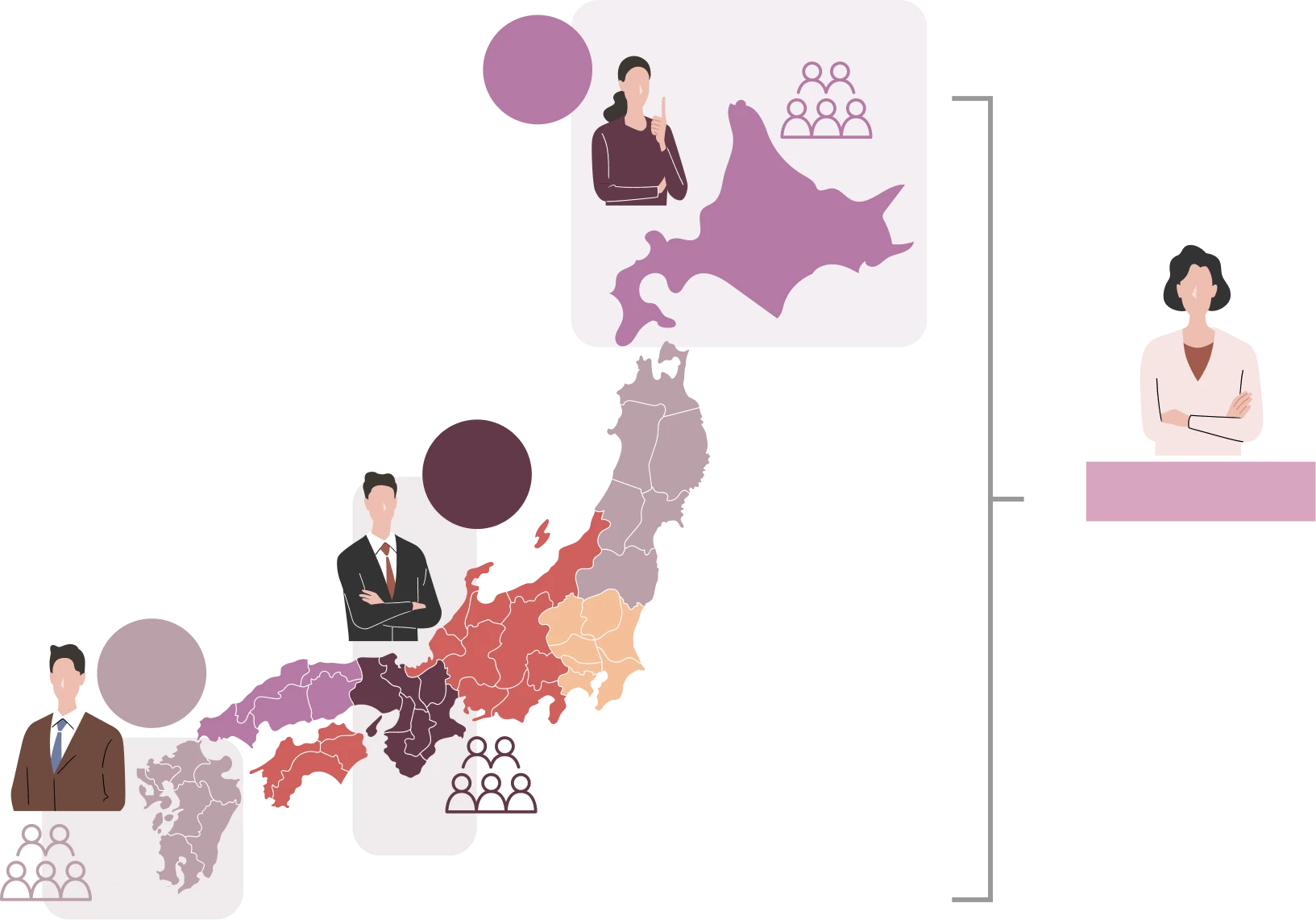
Image of the assigned test taker allocation feature

Implementer
A

Dept. A

Implementer
B

Dept. B

Implementer
C

Dept. C

Implementer D

Manages all
Depts. A/B/C

Image of the assigned test taker allocation feature

Imple-
menter
A

Dept. A

Imple-
menter
B

Dept. B

Imple-
menter
C

Dept. C

Implementer D

Manages all Depts. A/B/C

Instantly notifies you, the person in charge

02 Physician interview request notification

Set which implementers and employers receive real-time notifications
when a test taker requests a physician interview.
Only the relevant staff reliably receive the information, enabling a swift response to requests.

Image of the physician interview request notification feature

Request

Same-day
notification

Assigning a person in charge prevents missed responses

03 Password reissue staff assignment

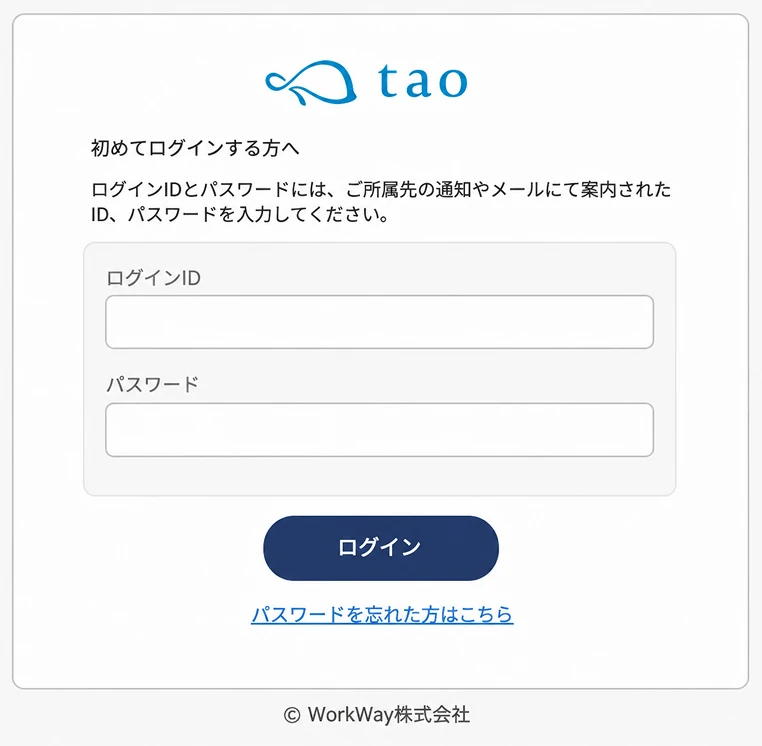
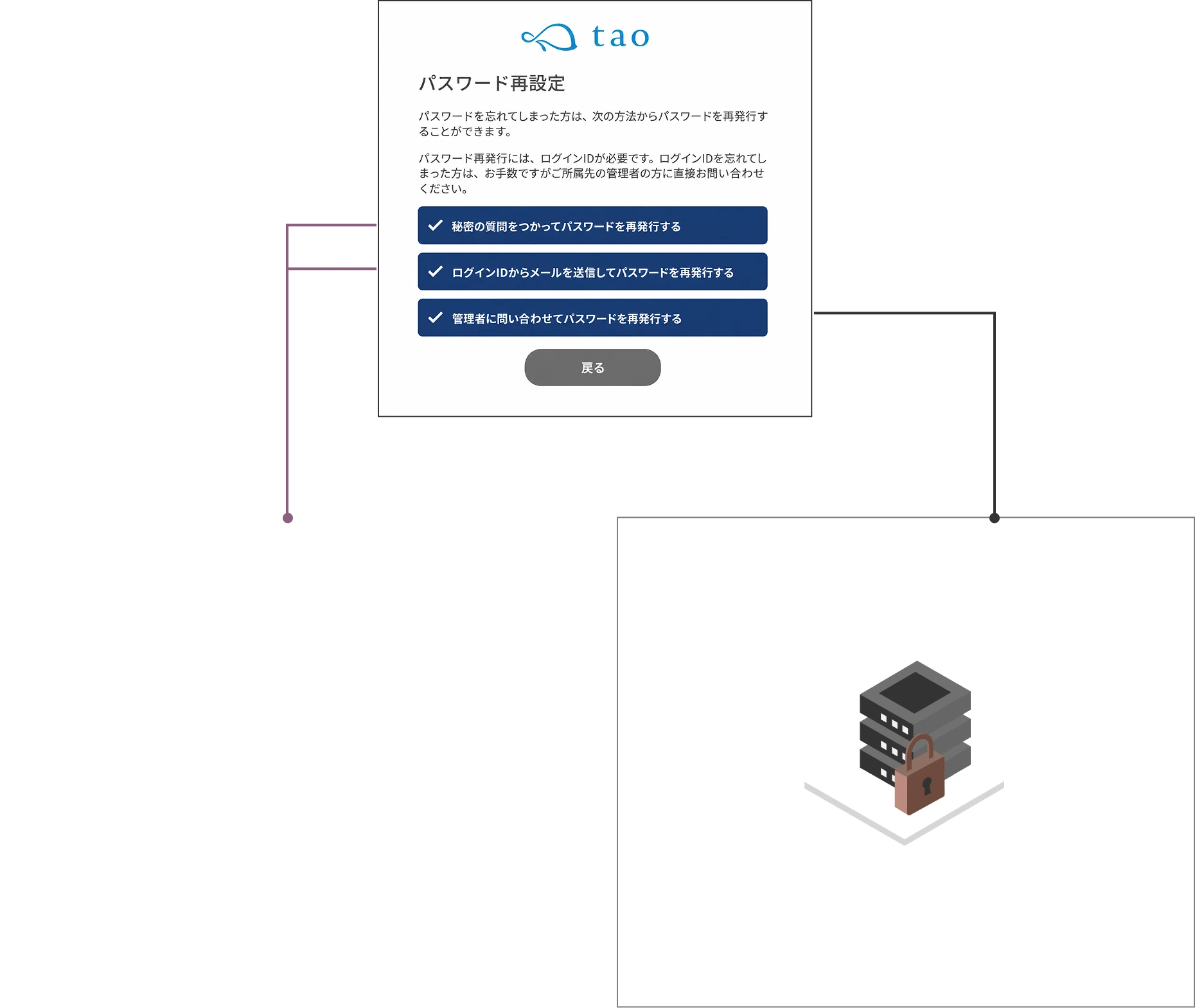
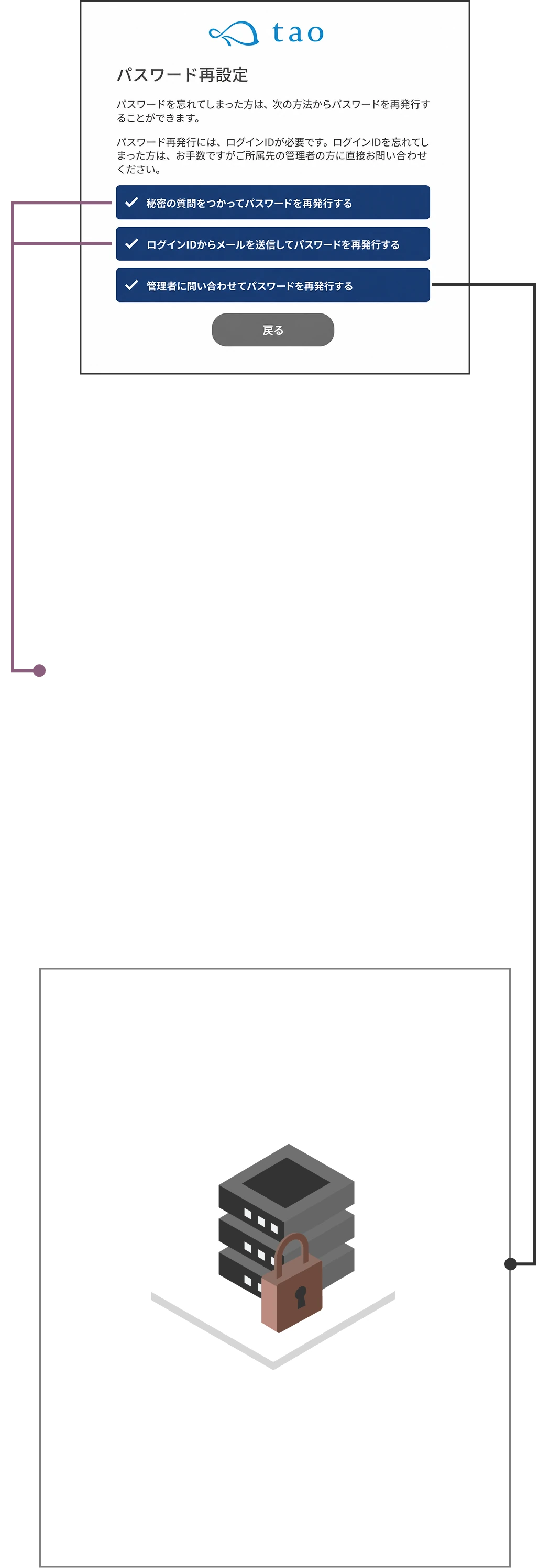
Set the person in charge of responding when a test taker forgets their password.
Enables a swift response.

Flow image of password reissue staff assignment

Forgot my
password...

Password reissue

Identity check/approval

Reissue staff

Same-day
notification

Completed by the test taker

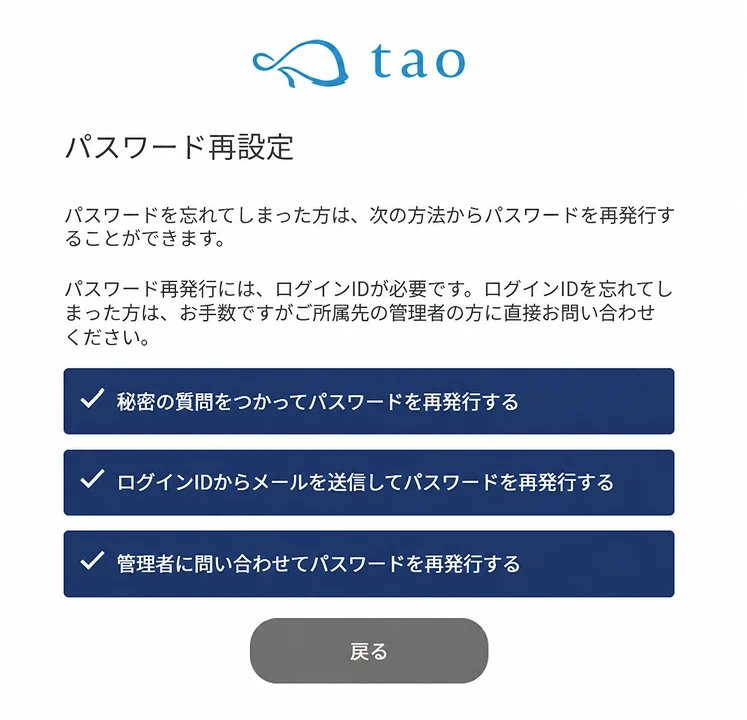
Security question

Reissue using the question and answer the test taker set at first login

Email authentication

After entering the login ID, reissue via the link in the email automatically sent to the registered address

Administrator inquiry

Apply by entering the login ID and a new password

Forgot my
password...

Password reissue

  • Completed by the test taker

    Security question

    Reissue using the question and answer the test taker set at first login

  • Email authentication

    After entering the login ID, reissue via the link in the email automatically sent to the registered address

  • Administrator inquiry

    Apply by entering the login ID and a new password

Same-day
notification

Beyond the above, you can configure
permission settings to suit your operations
  • Basic settings
    operation permissions
  • Screen wording settings
  • Test taker management(add, edit, delete)
  • Implementers and employers(add, edit, delete)
  • Password setup / reset handling
  • Email sending settings(scheduling, delivery status check)
  • Individual email sending feature
  • Permission to view the test taker list
  • Interview guidance judgment feature
  • Permission to view the list of physician interview applicants
  • Group analysis result download
  • Storage feature

CUSTOM STRESS CRITERIA

High-stress individual criteria settings

Choose the method for identifying high-stress individuals
from two options: the "raw-score conversion method"
and the "total-score method".

  • Selectable
    high-stress criteria
    (2 types)
  • Also supports judgment with
    custom score settings
  • Judgment support
    via implementer outsourcing

Raw-score conversion method?
Or total-score method?

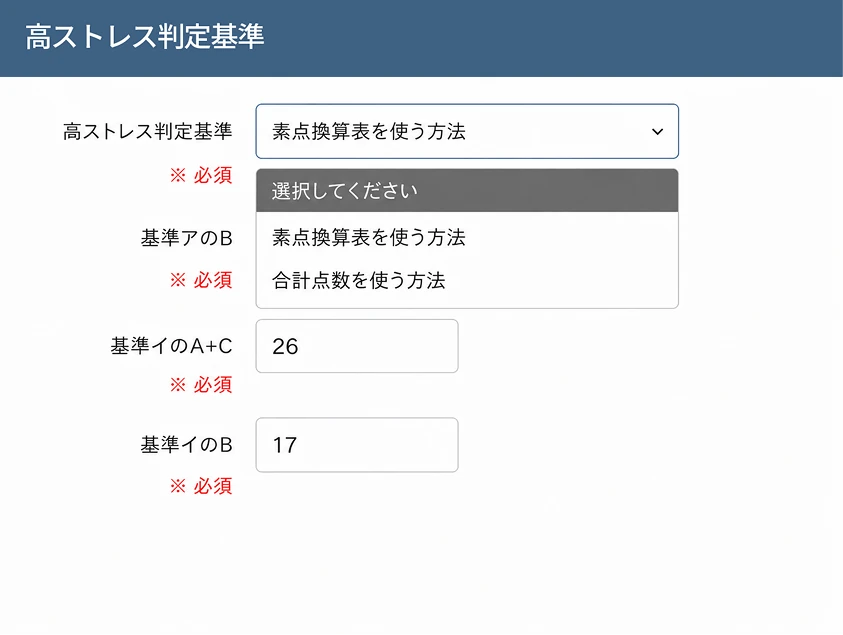
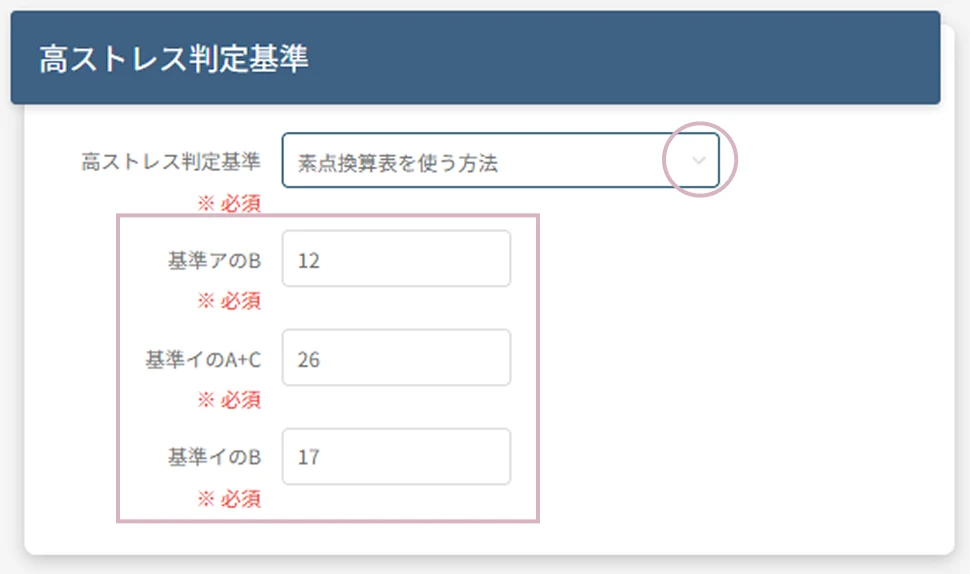
Pulldown settings screen for the raw-score conversion method
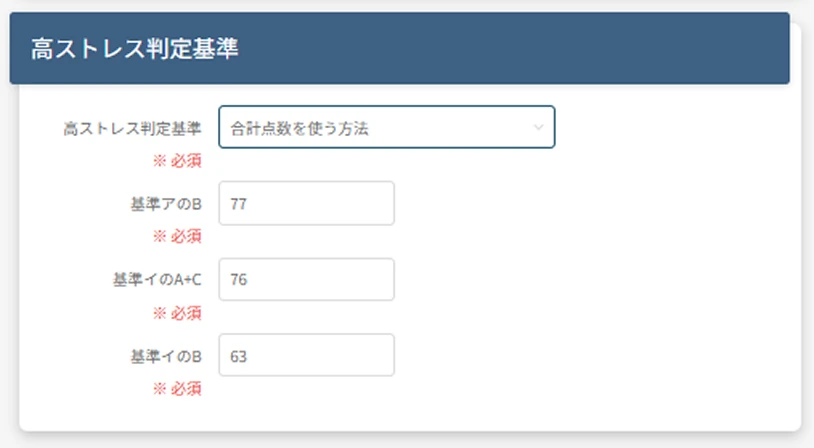
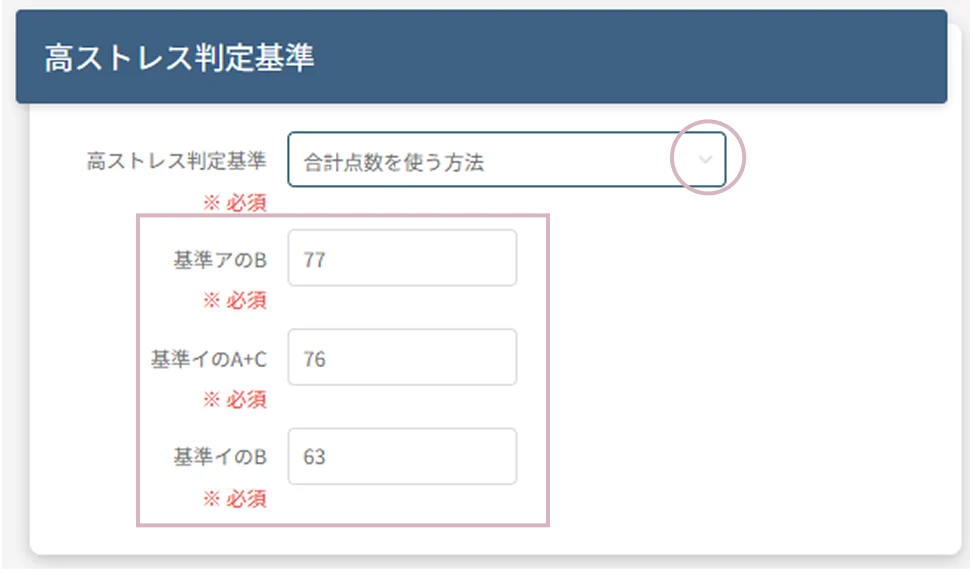
Pulldown settings screen for the total-score method

Just select from the pulldown and
the criteria scores are set automatically.

You can also set your own criteria scores

You can freely set criteria scores for each domain (A: job stressors, B: physical and mental stress reactions, C: support from those around you). Based on your workplace's actual conditions and organizational standards, please choose a method that has been deliberated and communicated by, for example, your health committee.

Efficient assessment with
individual / batch judgment

Determining the need for physician interview guidance is supported both via individual judgment on the administrator screen and
batch judgment through Excel upload.

Individual judgment per test taker on screen

Batch judgment via
Excel upload.

Excel data
Batch judgment

Assessment administrative work can be outsourced

If you do not have a qualified implementer, our qualified staff can perform the implementer's duties on your behalf.

  • Stress check design and administration
  • Determining the need for interview guidance
  • Evaluating and notifying results
  • Conducting group analysis

SCHEDULE

24-hour, flexible
schedule settings

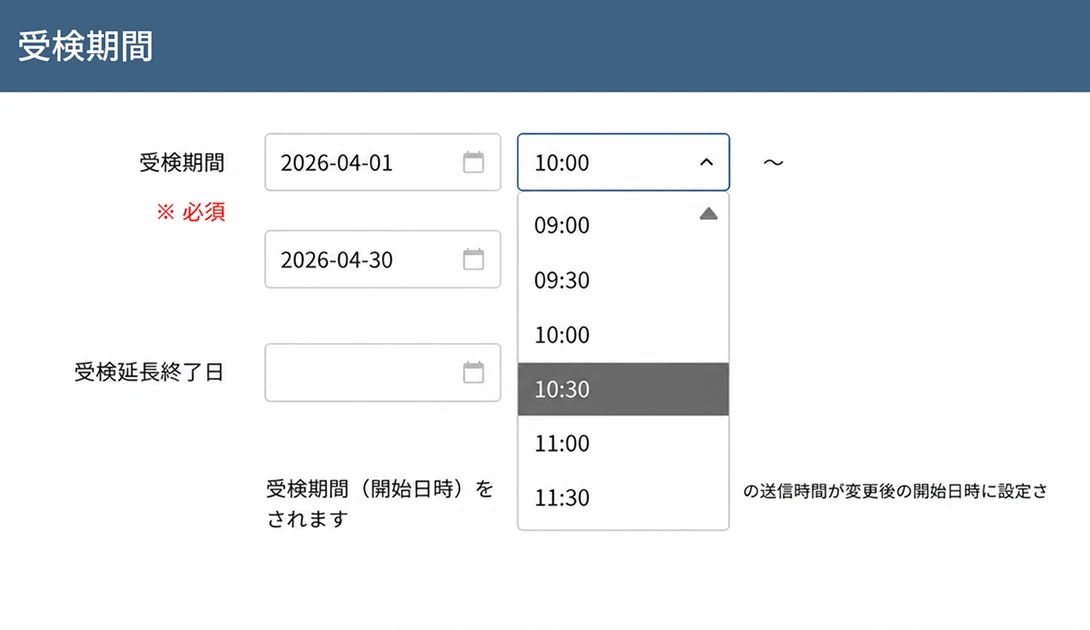
Flexibly set test periods and physician interview request periods around the clock,
in 30-minute increments.

  • Flexible period settingsFinely set test and physician interview request periods "24 hours, in 30-minute units".
  • Email delivery
    can be scheduled
    Set the delivery time and delivery interval.
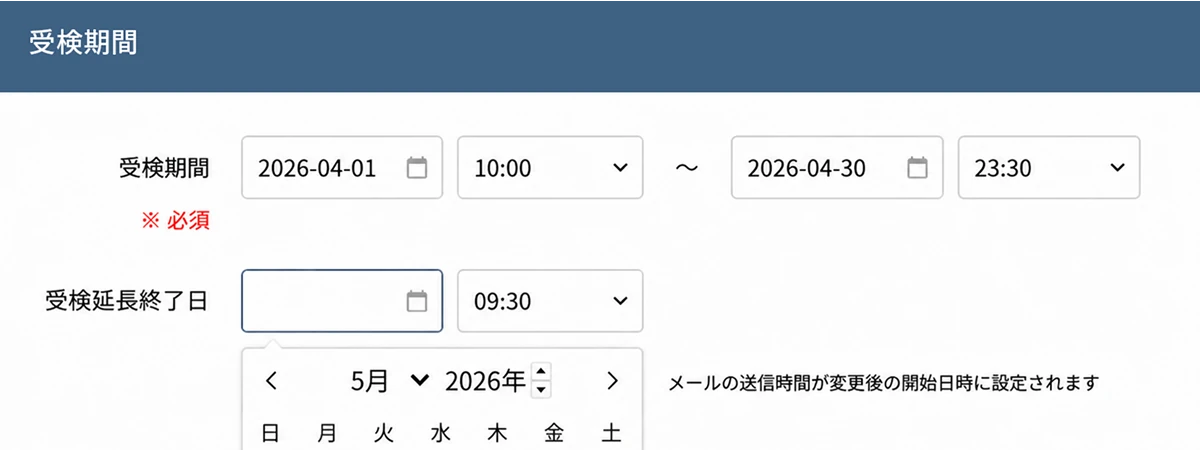
  • Periods can be
    extended
    You can configure extensions of the test period and the physician interview request period.

Test design free from
time and device constraints

Set test periods and email delivery dates and times 24/7, 365 days a year.
Available across multiple devices such as PCs and smartphones, the test schedule design accommodates diverse working styles.

Fits any work arrangement, including
shift work and flextime

Testing is also available from
smartphones and tablets.

Test periods and physician interview request periods
can be changed on the administrator screen.

Email delivery, too, reaches recipients
at the right time, 24/7, 365 days a year

The delivery control feature lets you guide test takers exactly as you wish

  • 24/7, 365-day advance scheduling

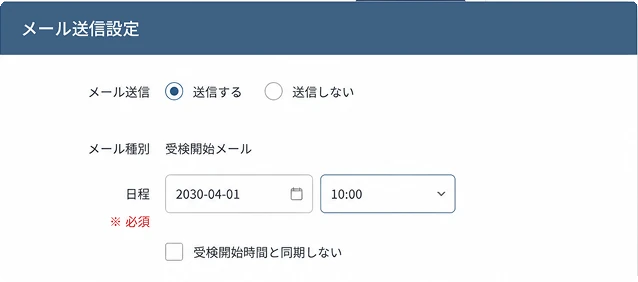
    Set up the various email deliveries 24/7, 365 days a year, in 30-minute units.

  • Put the brakes on sending
    One adjustment accelerates peace of mind

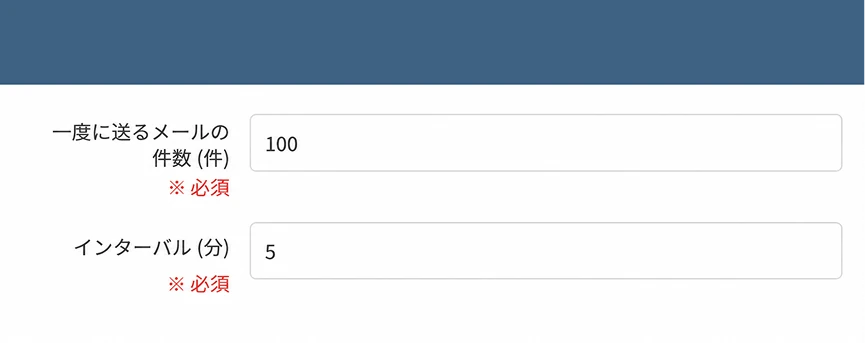
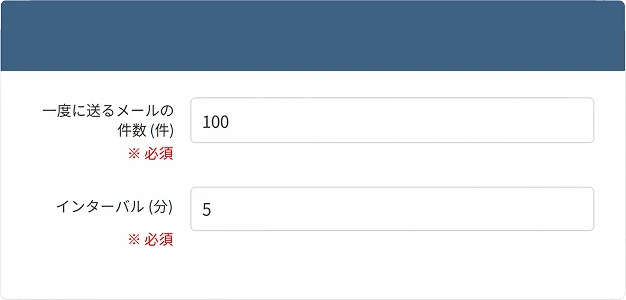
    Customize the number of emails sent at once and the sending interval. This reduces the load on receiving servers during large email sends and helps ensure messages reliably reach test takers.

  • Visualize delivery status for
    zero missed communications

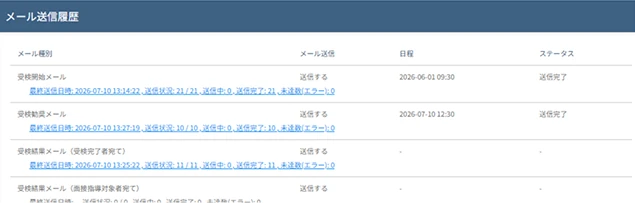
    Check the detailed email delivery log for each test taker. This prevents missed communications with test takers and quickly identifies the cause when a delivery error occurs.

Also supports scene-based
segmented delivery

Limit delivery to specific locations or test takers,
and send the "test start email", "test reminder email", and "physician interview request reminder email".
Use it, for example, when you want to send reminders only to test takers added mid-period or to specific departments.

  • Delivery to test takers added mid-period

    Send the "test start email" only to test takers added during the test period.

  • Targeted delivery based on test progress

    Send the test reminder email only to departments with high non-response rates or to target locations.

  • Resending for issue resolution

    Send to people who did not receive the first email or to recipients after their email address was corrected.

From test guidance to result notification
to physician interview guidance

Test start emailTest reminder emailTest result emailInterview guidance reminder email
Email
type
  • Test URL
  • ID
  • Password
  • Test period

Can be sent any number of times

Sent to test takers

Offers a physician interview opportunity

TargetAll test takersThose who have not yet tested at the time of deliveryThose who have completed the testHigh-stress individuals who are also
physician interview targets
ContentIncludes the information test takers need to log in to the system. You can communicate testing precautions and how personal information is handled.Communicate the test reminder together with login information.Can be sent only to those who have completed the test or to interview guidance targets.Can be sent only to physician interview targets who have not yet indicated whether they will "request / not request" a physician interview.

PASSWORD

A security style
that fits your organization

To match your organization's security policy and operations,
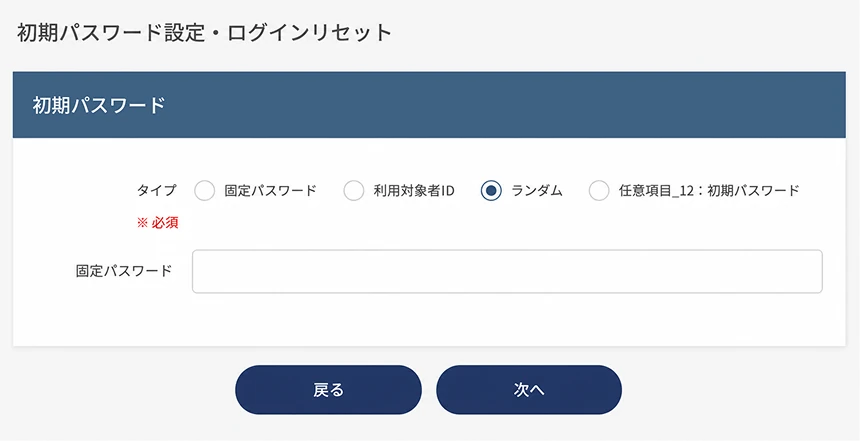
choose from four types of passwords
for when test takers log in to the system for the first time.

  • Four initial passwords
    to choose from as you like
  • No worries if forgotten
    Three selectable
    reissue methods
  • Password lockout on
    incorrect entry

Selectable initial passwords and reissue methods

Choose the initial password from four types,
and combine three reissue methods.

Four selectable initial passwords

To match your organization's security policy and operations,
choose from four types of passwords for when test takers log in to the system for the first time.

  • Shared password

    All test takers use the same password

  • Random password

    Randomly generated for each test taker

  • Same as ID

    The employee number or test number registered as the ID

  • Test taker's date of birth

    (e.g.) 20170901

Multiple password reissue methods

When a test taker forgets the password they set, choose fromthree reissue methods, and combine them.

Reissue handled by the test taker

Reduce the time spent on each
password reissue request

Reissue using the question set at first login
and its answer

e.g., What was the first dish you learned to cook?

Email authentication

After entering the login ID, reissue via the link
in the email automatically sent to the registered address

*Only for those with a registered email address

Reissue handled by the administrator

Prevents information leakage to third parties

The administrator receives a reissue request email and
manually reissues the password after verifying identity

Reissue handled by the test taker

Reduce the time spent handling each
password reissue

Reissue using the question set at first login
and its answer

e.g., What was the first dish you learned to cook?

Email authentication

After entering the login ID, reissue via the
link in the email automatically sent to
the registered address

*Only for those with a registered email address

Reissue handled
by the administrator

Prevents information leakage to third parties

The administrator receives a reissue
request email and manually reissues
the password after verifying identity

Solid functionality within ease of use

  • Issue a dedicated
    test URL

  • Test takers select
    their language
    (Japanese or English)

  • Password can be changed
    after first login

  • Password lockout
    on incorrect entry

  • Session
    timeout feature

REHEARSAL

Experience the entire test flow
A rehearsal before going live

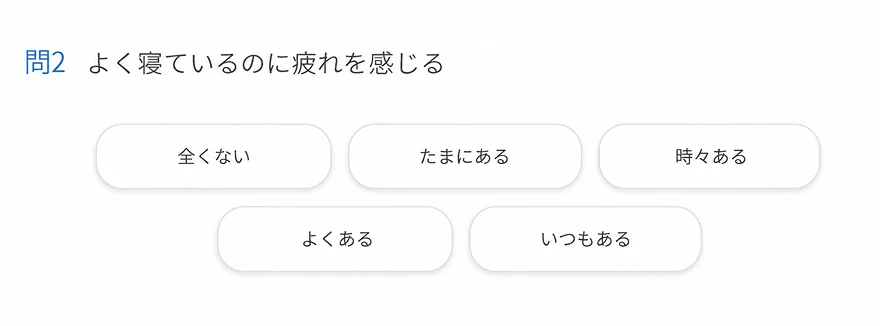
In test mode, you can fully reproduce the same screens and navigation
as test takers before going live.

  • Pre-validation of
    email delivery
  • Full-screen check from
    the test taker's perspective
  • Early detection of configuration mistakes

Zero go-live anxiety,
thanks to test mode

In test mode, you can reproduce the same screens, navigation, and email behavior as test takers before going live.
Since you can check settings, emails, and screen transitions in advance, you can avoid first-day anxiety and configuration mistakes.

  • Full-screen check from
    the test taker's perspective

    Experience every step a test taker actually sees, exactly as it is.

    • Login method
    • Test screen wording
    • Unanswered-question alerts
    • Self-care display
    • Physician interview request screen, etc.
  • Pre-validation of email delivery

    Check in advance what the configured emails look like and what sender information they arrive with.

    • Test guidance email
    • Reminder email
    • Judgment notification email
    • Interview guidance reminder email, etc.
  • Also usable as-is for
    internal demos

    With test mode, you can use it as an internal demo to show the entire test flow as-is to stakeholders such as HR, managers, and occupational physicians.

DESIGN

Why not start a stress check
with great design?

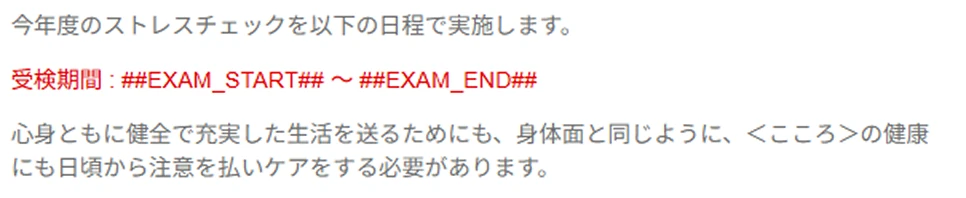
Freely customize the font, color, and more of the wording
displayed on the test taker screen.

  • Screen design aligned
    with your
    brand tone
  • Built-in hashtag
    feature to prevent
    input errors
  • Preview feature

A design that fits
your organization

With a customization feature that freely changes fonts and colors,
you can set a test screen that matches your brand tone.

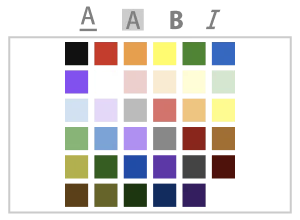
  • Color change

  • Font size change

  • Emphasis
    (bold, italic, underline)

  • Link insertion


Built-in hashtag feature
to prevent input errors

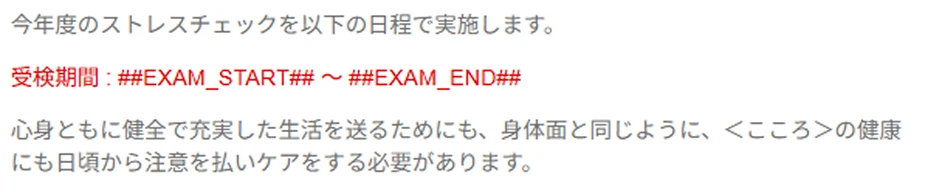
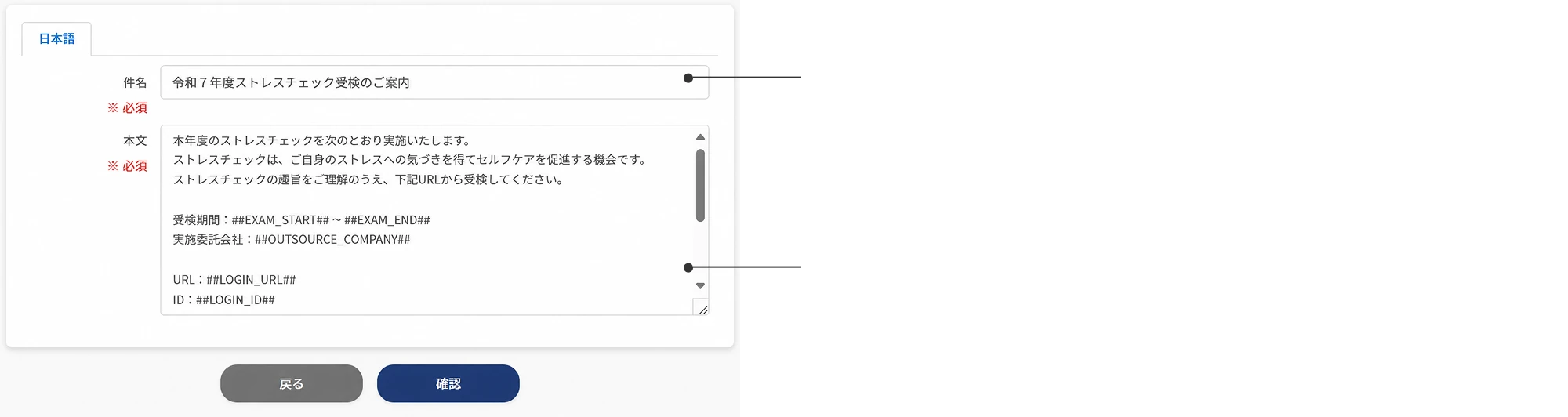
With the hashtag feature, information registered in the system, such as the implementation year and test period, is inserted automatically.
This greatly reduces the effort and errors of writing text from scratch. English can also be specified.

Hashtag examples

##YEAR##
: implementation year
##EXAM_START##
: test start date
##EXAM_END##
: test end date
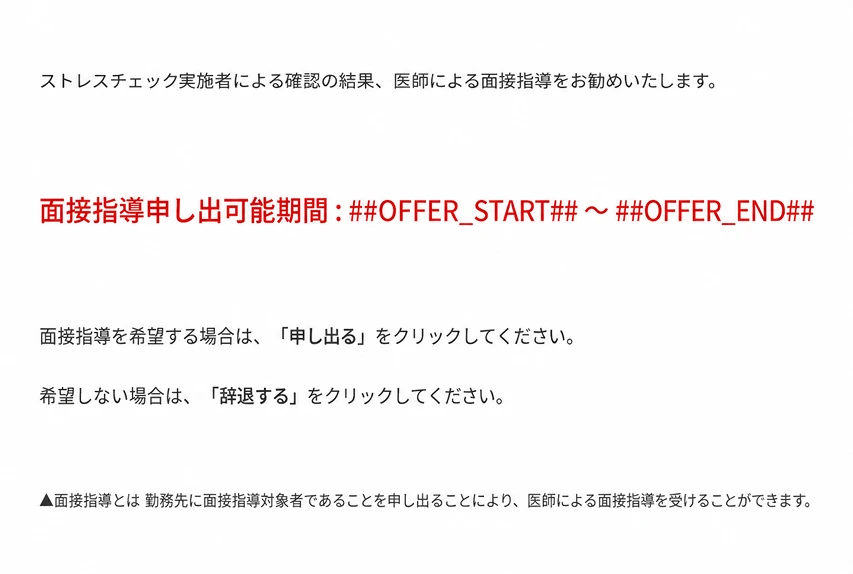
##OFFER_START##
: interview guidance request start date
##OFFER_END##
: interview guidance request end date
##OUTSOURCE_COMPANY##
: outsourcing company
##LOGIN_URL##
: login URL
##LOGIN_ID##
: login ID
##PASSWORD##
: password

Wording can be changed
per scene.

Edit screen wording freely based on templates.
You can also enter your organization's name, such as "This is a notice from the XX department."

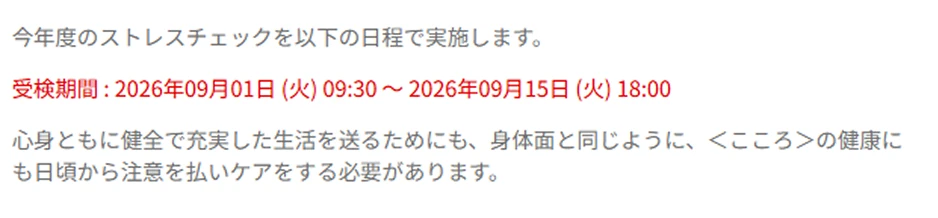
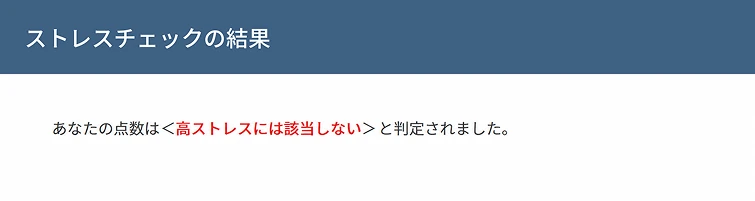
For non-high-stress individuals

Example customizable screens

  • Test consent acquisition screen
  • Individual result screen (all test takers)
  • Individual result screen
    (by stress level judgment)
  • Screen for interview guidance targets / non-targets
  • Screen for requesting / declining a physician interview

For high-stress individuals

You can also edit the wording shown after physician interview targets are selected.


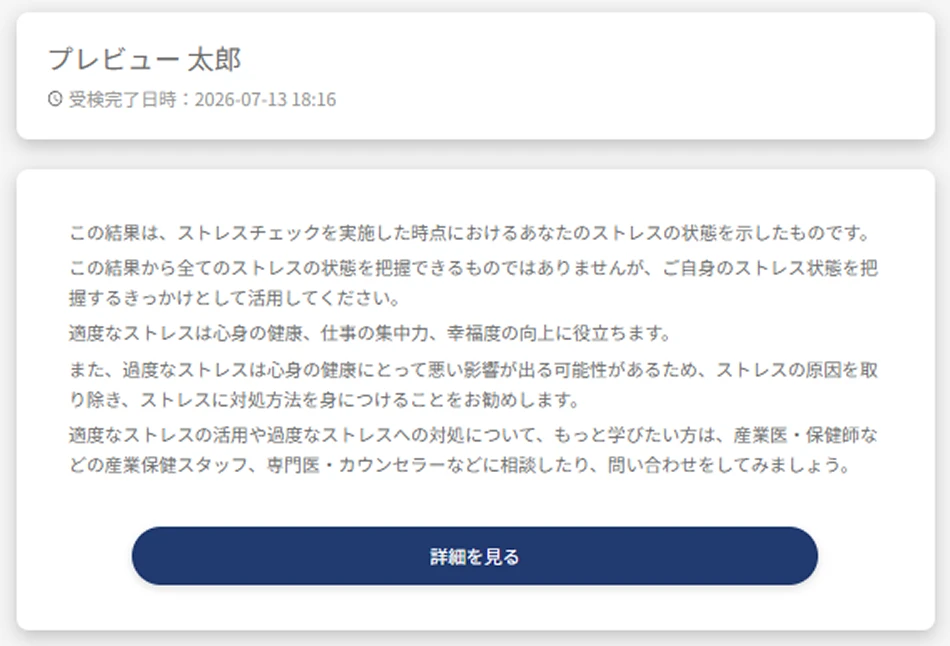
Preview feature

You can check your edits in advance with the "preview feature".
In addition to the web screen, you can also check the PDF output image.

Web preview

PDF preview


Optimal self-care
advice display

For test takers identified as high-stress individuals, the scale with the highest stress level is highlighted,
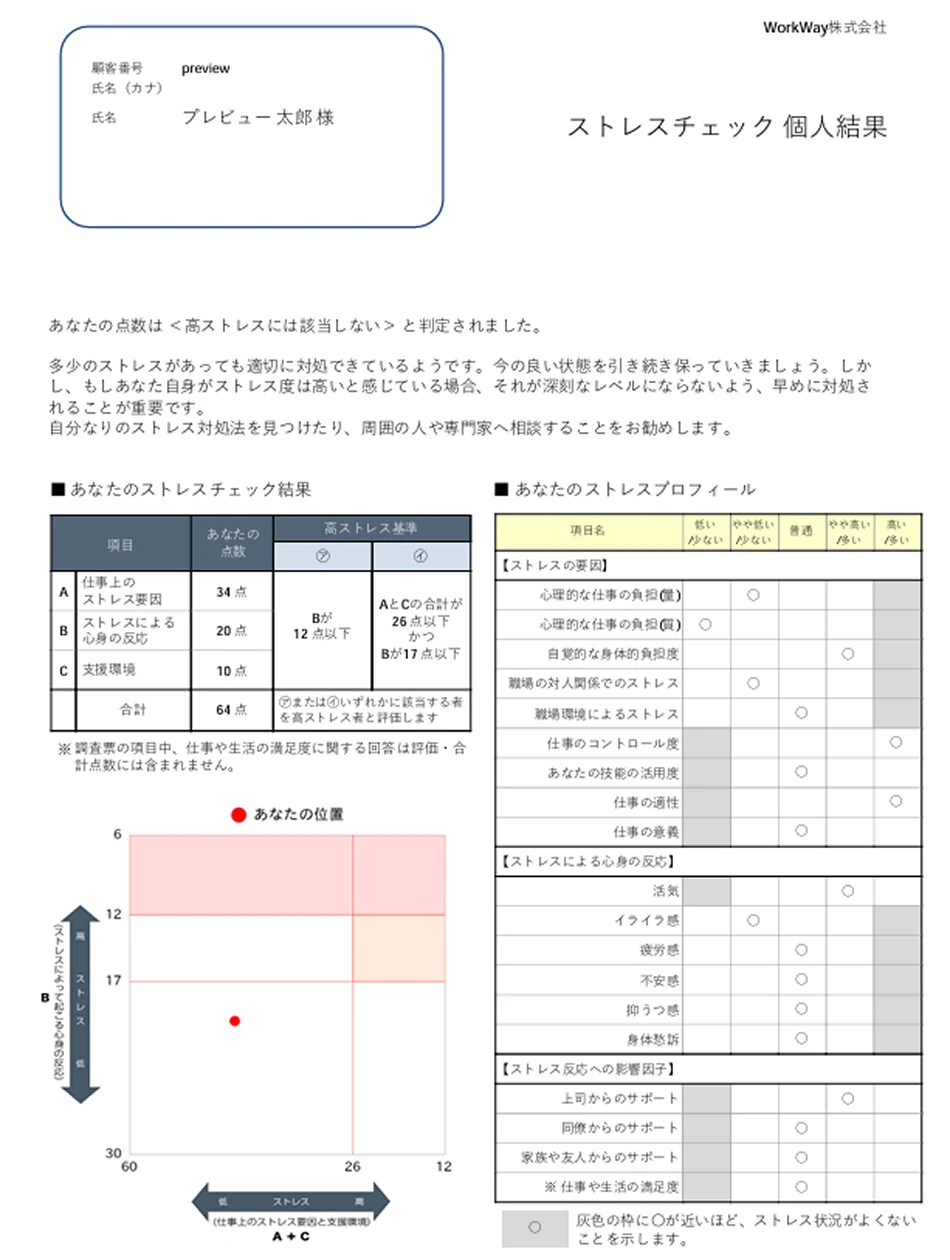
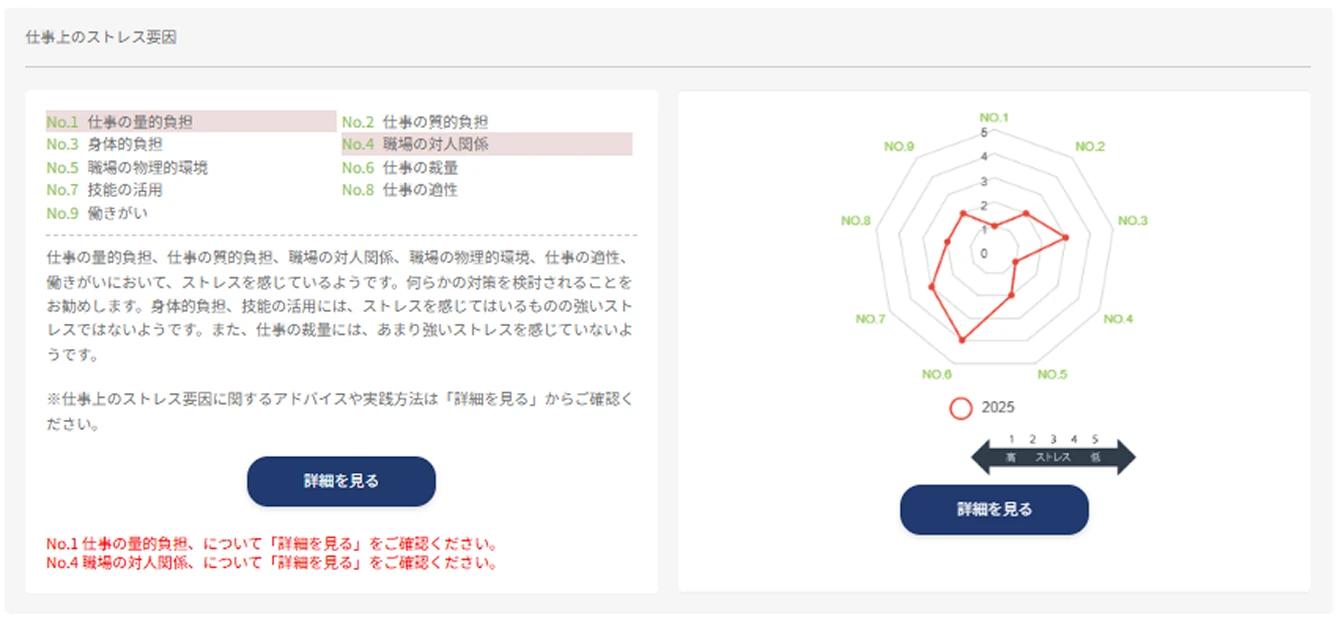
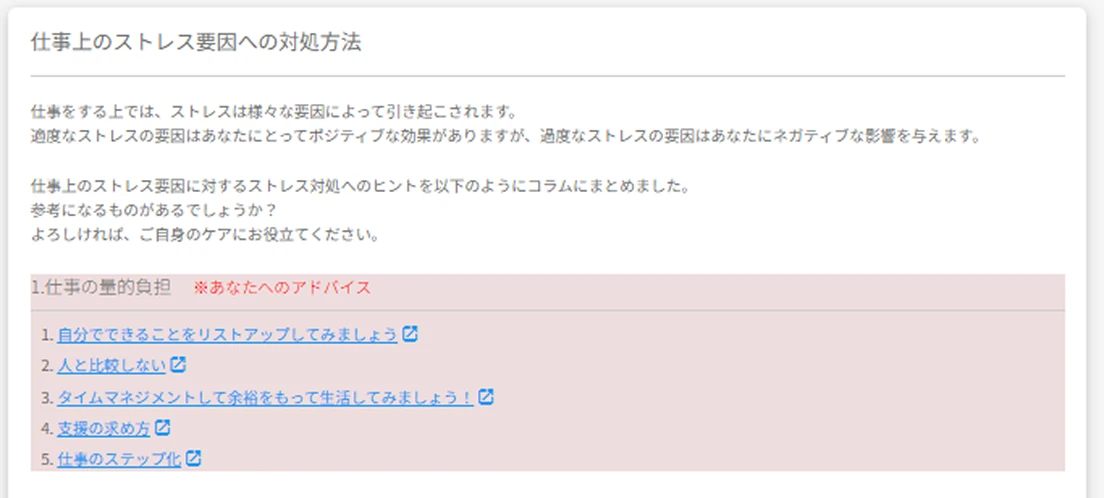
and optimal self-care advice based on their answers can be displayed.


Notice display feature

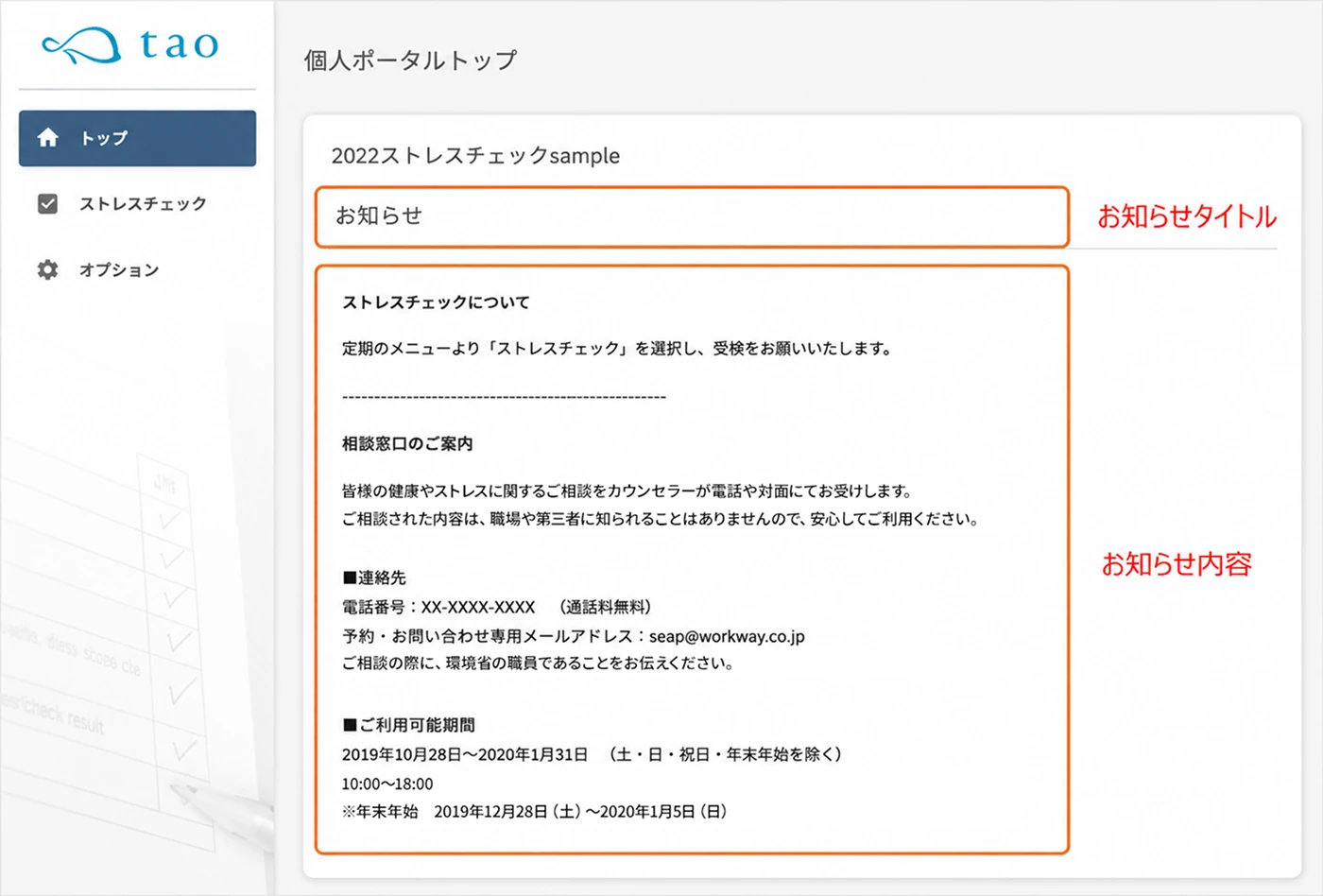
Display important notices, contact desks, and other guidance on the top page.
Post information you want to communicate to all test takers all at once.

MAIL

That single email can
make or break a
stress check.
Email sending settings

Schedule in advance 24/7, 365 days a year, in 30-minute units,
and flexibly set up additional guidance and reminders.
Reliable email delivery supports test participation.

  • 24/7, 365-day
    advance scheduling
  • Sending control
    feature
  • Visualize
    delivery status
    for zero missed
    communications

Flexible test guidance with
the delivery control feature

Set the delivery times for various emails
24/7, 365 days a year, in 30-minute units.

  • Take the test from anywhere in the country
  • Take the test from smartphones and tablets

Reliable control design
for guaranteed delivery

Put the brakes on sending.
One adjustment,
and peace of mind accelerates.

Customize the number of emails sent at once and the sending interval. This reduces the load on receiving servers during large email sends and helps ensure messages reliably reach test takers.

Visualize delivery status for
zero missed communications.

Check the detailed email delivery log for each test taker. This prevents missed communications with test takers and quickly identifies the cause when a delivery error occurs.

Also supports scene-based
segmented delivery

Limit delivery to specific locations or test takers,
and send the "test start email", "test reminder email", and "physician interview request reminder email".
Use it, for example, when you want to send reminders only to test takers added mid-period or to specific departments.

  • Delivery to test takers added mid-period

    Send the "test start email" only to test takers added during the test period.

  • Targeted delivery based on test progress

    Send the test reminder email only to departments with high non-response rates or to target locations.

  • Resending for issue resolution

    Send to people who did not receive the first email or to recipients after their email address was corrected.

“Freedom” is a strength.
But “templates” are your ally.

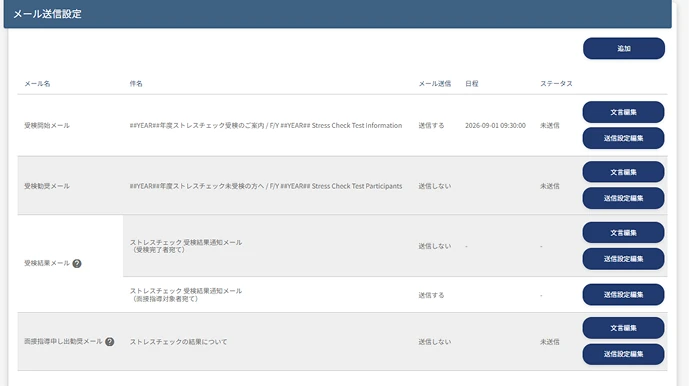
You can freely edit the wording of delivery emails.

Customize the subject line freely

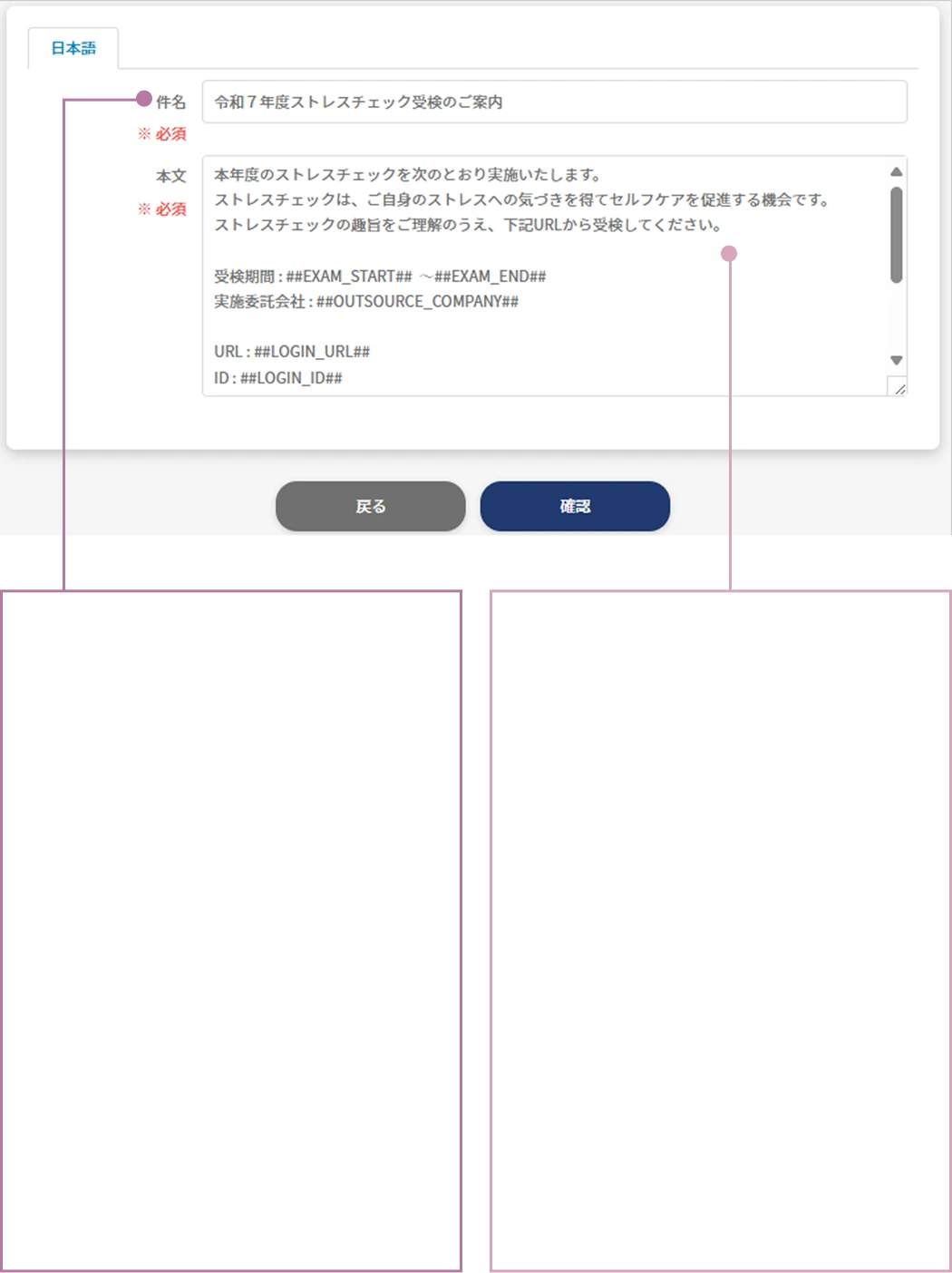
Freely setting the subject line lets you tailor guidance to your organization's culture and tone. An intuitive, easy-to-grasp title also helps improve open rates.

Responsive templates provided

We provide templates for all delivery emails, from test guidance and result notifications to physician interview guidance.

Customize the
subject line freely

Freely setting the
subject line lets you
tailor guidance to
your organization's
culture and tone.
An intuitive title
also helps improve
open rates.

Responsive
templates
provided

We provide templates
for all delivery
emails, from test
guidance and result
notifications to
physician interview
guidance.

Hashtag feature

With hashtags, configured information such as the implementation year and test period is inserted automatically. This greatly reduces the effort and errors of writing text from scratch. English can also be specified.

From test guidance to result notification
to physician interview guidance

Test start emailTest reminder emailTest result emailInterview guidance reminder email
Email
type
  • Test URL
  • ID
  • Password
  • Test period

Can be sent any number of times

Sent to test takers

Offers a physician interview opportunity

TargetAll test takersThose who have not yet tested at the time of deliveryThose who have completed the testHigh-stress individuals who are also
physician interview targets
ContentIncludes the information test takers need to log in to the system. You can communicate testing precautions and how personal information is handled.Communicate the test reminder together with login information.Can be sent only to those who have completed the test or to interview guidance targets.Can be sent only to physician interview targets who have not yet indicated whether they will "request / not request" a physician interview.

QUESTION

Ask everything
you want to ask
Unlimited additional questions

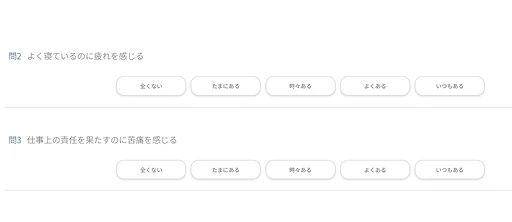
Freely add custom questions and
customize without limit.

  • Standard questions57-question and 80-question versions available
  • Custom question additionAdd your own custom questions
    without limit
  • Aggregated resultsExport in Excel format and
    easily process and aggregate

Questions selectable from two types

The questions you select are automatically reflected in the system.

Standard questions

57-item version

  • (1) Workplace stressors
    (workload, job control, etc.)
  • (2) Physical and mental stress reactions
    (anxiety, depression, fatigue, etc.)
  • (3) Support from those around you
    (support from supervisors, colleagues, family, etc.)

80-item version

A detailed version that adds elements such as "job satisfaction" and "work engagement" to the 57-item version.

Paper, braille, and English testing are also
supported for the 57-item / 80-question versions

Add the questions you want, without limit
Custom question examples
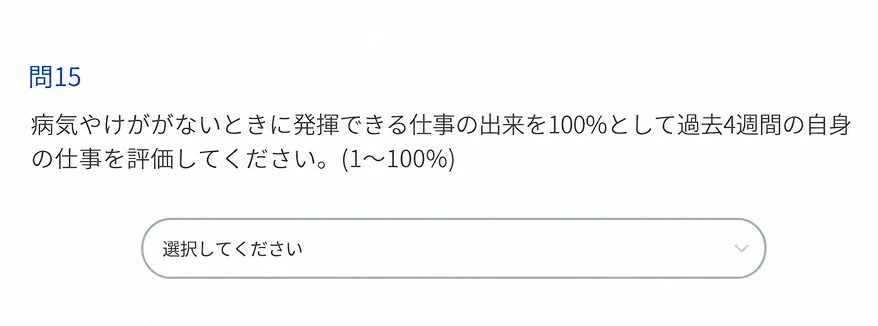
Presenteeism
In the past month, have you felt that your usual work performance declined due to poor physical condition or mood?
Harassment
Are you aware that there is a harassment consultation desk at your workplace?
About overtime hours
About how many hours of overtime did you average over the past month?

Reference examples

  • Frequency of and satisfaction with remote work / telework
  • Self-assessment of workload and discretion
  • Awareness of overtime hours and flexibility of working hours
  • Ease of communication with supervisors and colleagues
  • Whether there is someone to consult at the workplace
  • Whether you have experienced harassment or inappropriate behavior
  • Awareness of internal consultation desks and support programs
  • Ease of using mental health measures and programs
  • Free comment field

Three selectable answer formats

  • Pulldown

  • Radio buttons

  • Text box

REALTIME CHECK

Real-time check
of test progress

  • Check test progress in real time across the whole organization, by department, and by individual.
  • In addition to the number of test takers and the test completion rate, information such as high-stress individuals and interview guidance targets is clearly displayed in a list.
  • Emails support both bulk sending and individual sending, and you can freely set the content and timing.

Organization analysis
visualized in real time

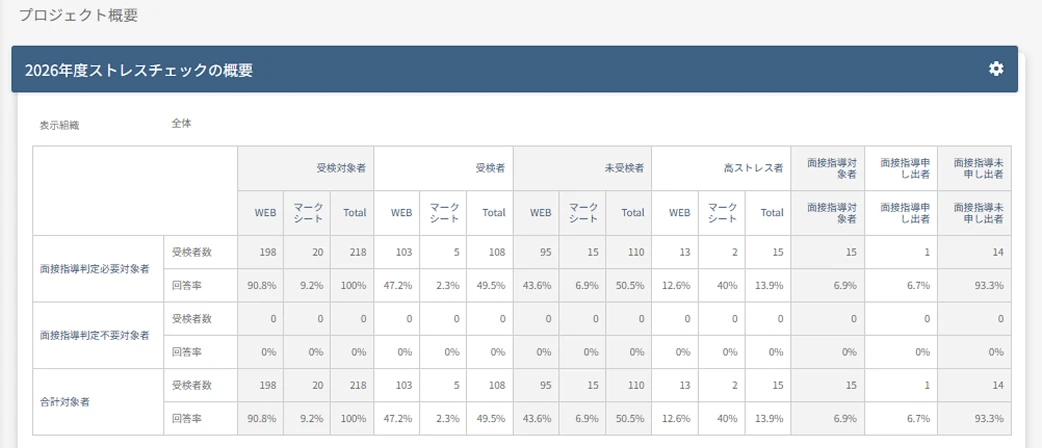
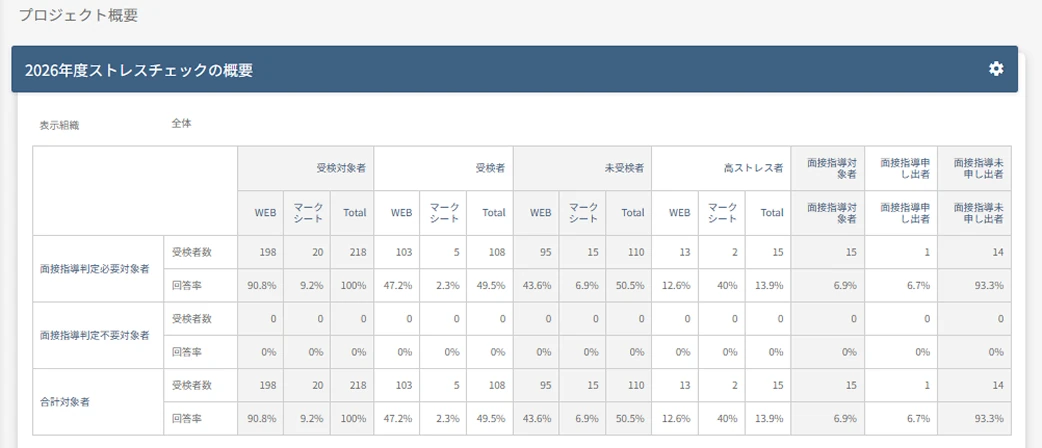
Check, in real time, the number of test takers, test completion rate, number of high-stress individuals, number of interview guidance targets, and number of applicants, from the whole organization down to departments and individuals.
With list display and data download available in one click, you can quickly grasp your organization's health status.

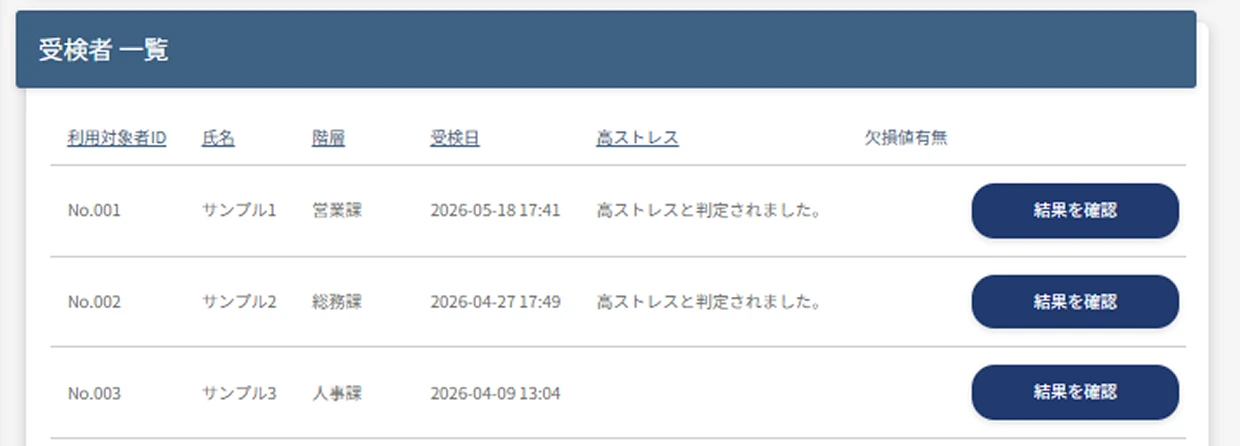
Status check per test taker

You can check the test progress and results for each test taker.

Assigned test taker settings

Even in organizations where the person in charge differs by location or department, only the scope corresponding to each person's permissions is displayed automatically,
so you can operate with confidence while protecting privacy.

Image of the assigned test taker allocation feature

Implementer
A

Dept. A

Implementer
B

Dept. B

Implementer
C

Dept. C

Implementer D

Manages all
Depts. A/B/C

Image of the assigned test taker allocation feature

Imple-
menter
A

Dept. A

Imple-
menter
B

Dept. B

Imple-
menter
C

Dept. C

Implementer D

Manages all Depts. A/B/C

The “next move” beyond visualization

  • Spot departments where
    the test completion rate
    is stalling

    Automatically send test reminder emails to non‑respondents via the individual delivery feature

  • Early identification of
    high-stress individuals

    Identify high-stress individuals early and automatically send a physician interview guidance email at the same time as the judgment

  • Individual reminders
    to those who
    have not yet requested
    a physician interview

    Follow up and handle
    physician interviews as needed

Also supports scene-based
segmented delivery

Limit delivery to specific locations or test takers,
and send the "test start email", "test reminder email", and "physician interview request reminder email".
Use it, for example, when you want to send reminders only to test takers added mid-period or to specific departments.

  • Delivery to test takers
    added mid-period

    Send the "test start email" only to test takers added during the test period.

  • Targeted delivery based
    on test progress

    Send the test reminder email only to departments with high non-response rates or to target locations.

  • Resending for
    issue resolution

    Send to people who did not receive the first email or to recipients after their email address was corrected.

REALTIME CHECK

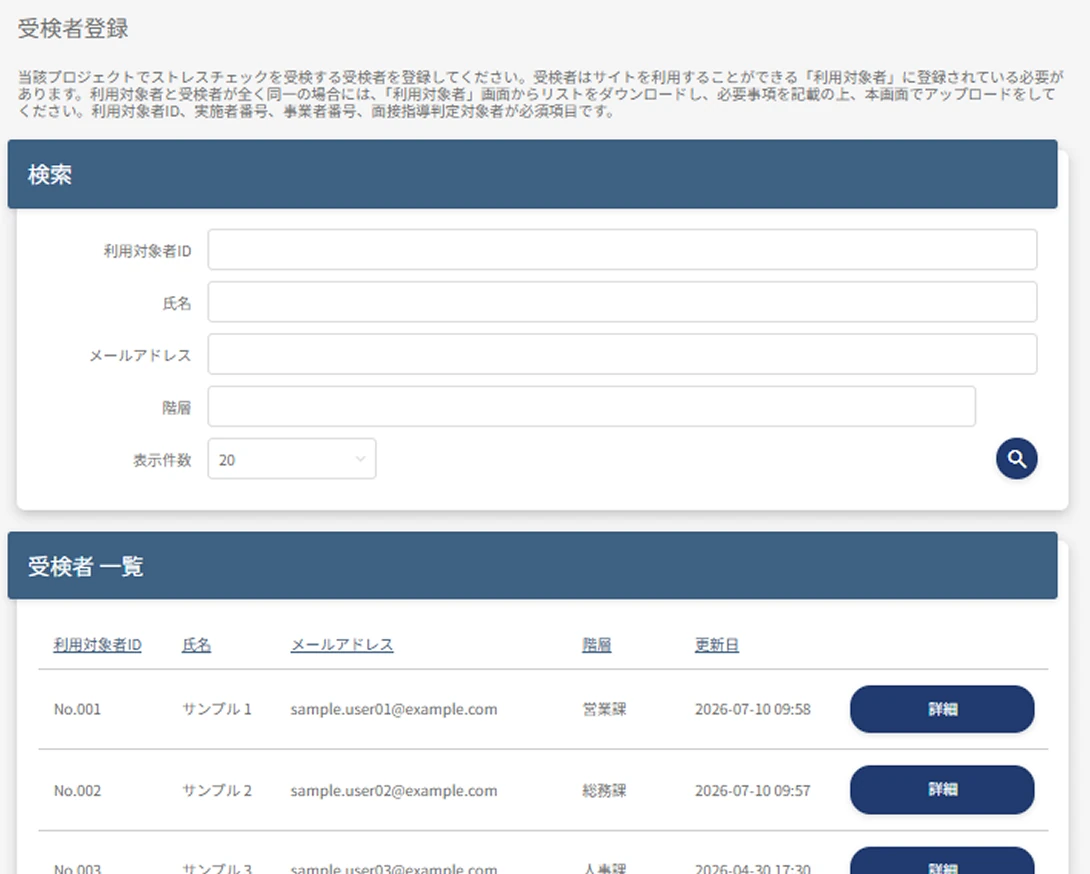
Test taker information management

Test taker registration and management are completed entirely within the system and can be updated at any time.

  • Register up to 18 attributes
  • Bulk roster registration
    in Excel format
  • Implementer outsourcing available

Smooth registration and extraction
of test taker rosters

Test taker information can be bulk-registered in Excel format, and after registration, individual editing and updating are also supported.
You can also download the registered test taker roster in Excel format.

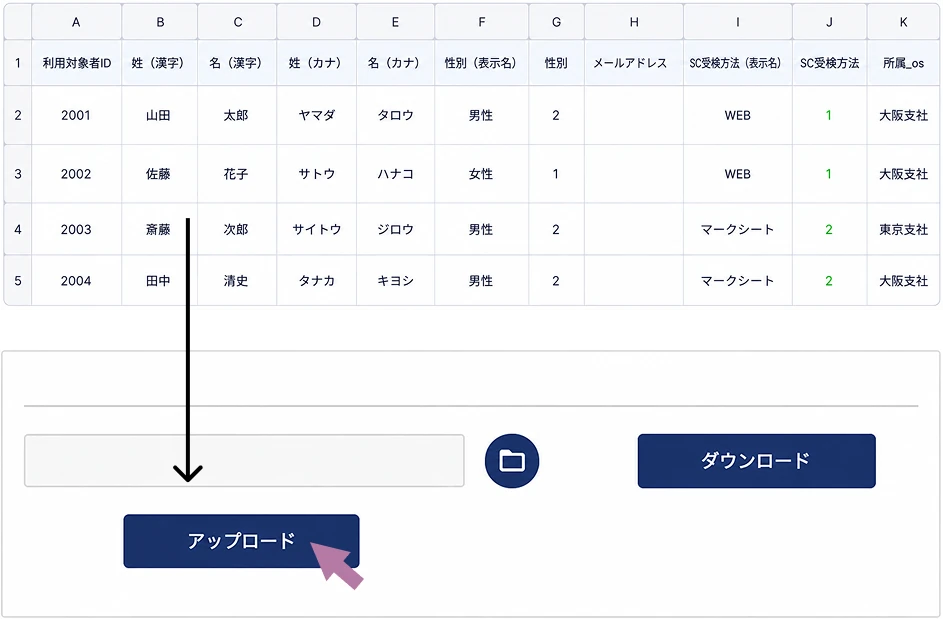
Registering and updating test taker information

You can upload test taker information in bulk using an Excel file.
When information is updated in the system, the updated roster can be exported with one click.

At minimum, this is all you need to register

  • Target user ID
  • Gender
  • Last name / first name
  • Test method

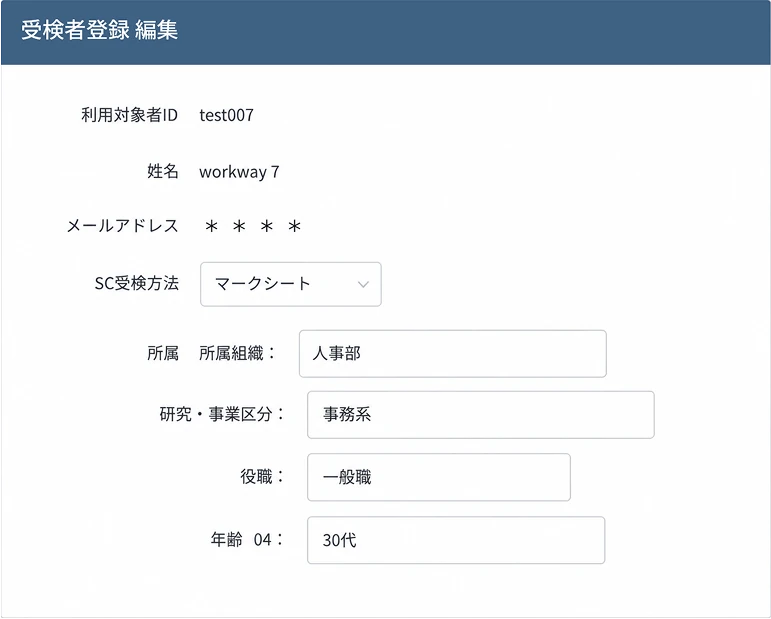
Register up to 18 attributes

In addition to required information such as the target user ID and name, you can register up to 18 attributes, including department, position, and work location. You can also perform cross-tabulation combining these.

Fits flexible HR operations

Since test taker information can be added and updated, you can flexibly respond to changes in HR information such as transfers and organizational changes.

  • Quickly add mid-career hires as test targets.
  • Remove employees who no longer need to test due to resignation, leave of absence, etc.
  • Update the affiliation information of employees who have transferred or changed departments.

Not subject to interview guidance,
but you still want them to take the stress check.

You can operate by conducting only the stress check without interview guidance. This also accommodates cases such as temporary staff, where the obligation to implement lies with the staffing agency but you still want results reflected in group analysis.

Implementer outsourcing

If you do not have a qualified implementer, our qualified staff can perform the implementer's duties on your behalf.

  • Stress check design and administration
  • Determining the need for interview guidance
  • Evaluating and notifying results
  • Conducting group analysis

STORAGE FUNCTION

Safe and smooth
information sharing
with the storage feature

Various data can be shared and downloaded via in-system storage.
Even with multiple administrators,
you can operate safely by specifying the share recipients.

  • Data sharing
    feature
  • Viewer control
    feature
  • Large capacity
    Files up to
    1000MB

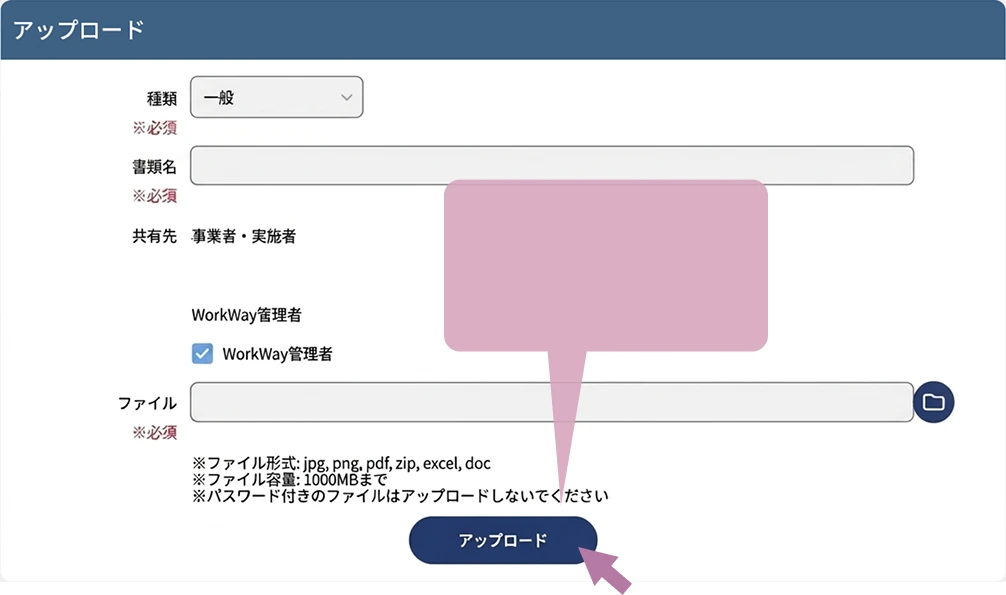
Prepare your data
and press
upload

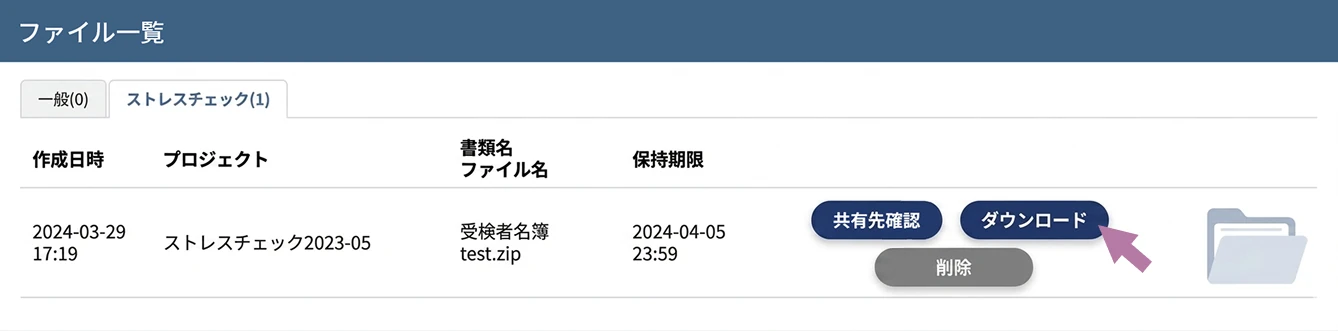
The recipient just
needs to press download!

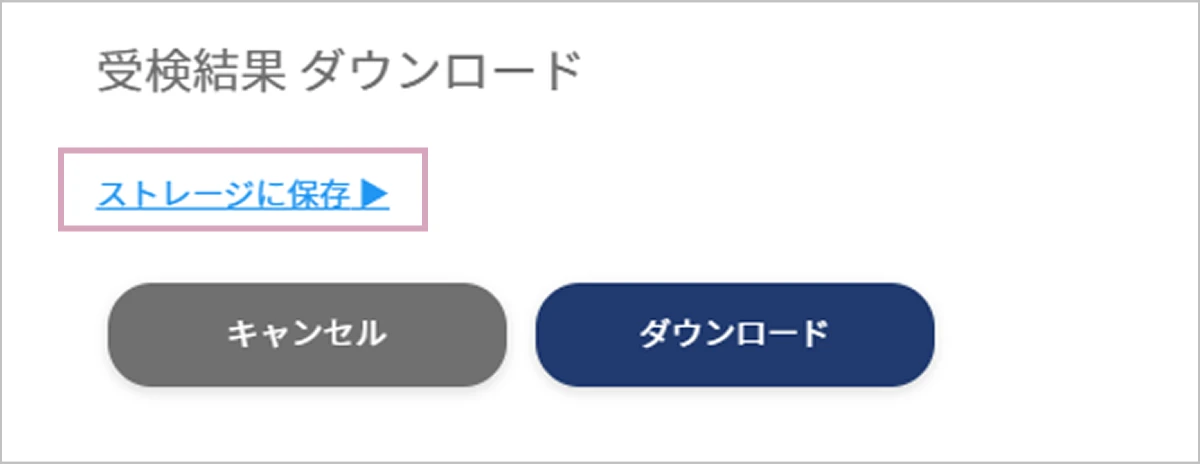
Instead of downloading the various data, you can also save it directly to the storage feature.

Enabling smooth information sharing

A storage feature that lets you smoothly share information, including large data, with the relevant stakeholders.

  • Peace of mind
    on
    security

    Personal information and group results are managed securely within the system rather than stored externally.

  • Permission settings enable secure and flexible sharing

    You can specify who data is shared with, reducing the risk of information leakage.

  • Large data can
    also be shared

    You can share large files such as individual results, group analyses, and reports.

  • Bulk sharing to multiple employers is possible

    When there are multiple share recipients, you can specify them all at once.

STORAGE FUNCTION

Automatically collect, notify,
and manage
physician interview requests

From determining interview candidates and sending notifications
to exporting the applicant list (in Excel format),
everything can be completed smoothly on the administrator screen.

  • Instant notification
  • Manage in a list
  • Automatically send
    reminder emails

Centralized management of physician interview handling

Handle everything related to physician interviews, from judgment and notification to applicant management and sending interview reminder emails,
all together on the administrator screen.

  • Instant notification

    You can instantly receive notifications of physician interview requests.

  • List management

    Applicants can be checked on screen and the list can be downloaded.

  • Staff memo feature

    Implementers and employers can record memos about the request content. (The employer's memos are hidden from implementers.)

  • Automatically send reminder emails

    Based on the interview guidance judgment, automatically schedules and sends interview application reminders to the targets.

Are you struggling with
occupational physician interviews?

  • Our occupational physician
    won't take on physician interviews...
  • We have worksites without
    an occupational physician...
  • Our contracted occupational physician
    isn't well-versed in
    mental health...

Physician interview outsourcing

If arranging physician interviews is difficult, we arrange the physician and coordinate the interviews on your behalf.
For those who request physician interview guidance, we conduct the physician interview either in person or online.
Available in Japanese and English. (Interview time: 30 minutes, one session only.)

  • In person

  • Online

  • Report

GROUP ANALYSIS

Visualize your organization from every angle
Group analysis feature

Group analysis data visualizes stressors in the workplace and
can be used as material for improving the work environment.

  • Cross-analysis of up
    to 18 attributes
  • Year-over-year comparison
    for up to 3 years
  • See the results of a
    specified group at a glance

Group analysis

Through the job stress assessment chart, comparison with past data, and cross-tabulation,
you can clearly visualize trends across the whole organization and by attribute.

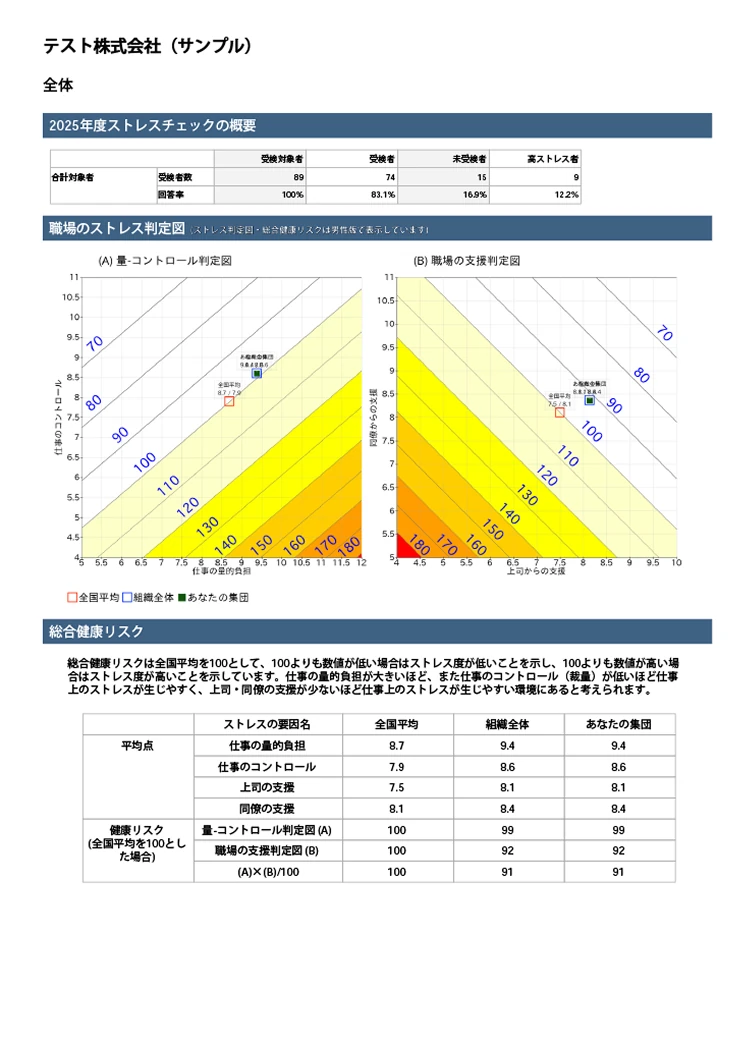
Job stress assessment chart

Use the job stress assessment chart to
evaluate the health risk of each group

Cross-tabulation

Supports cross-analysis of up to 18 attributes

Comparison with past data

Compare up to 3 years of results year over year / import data from other companies

Download aggregated results

You can output PDF reports and download aggregated results (Excel)

Japanese / English support

Supports report creation in Japanese and English

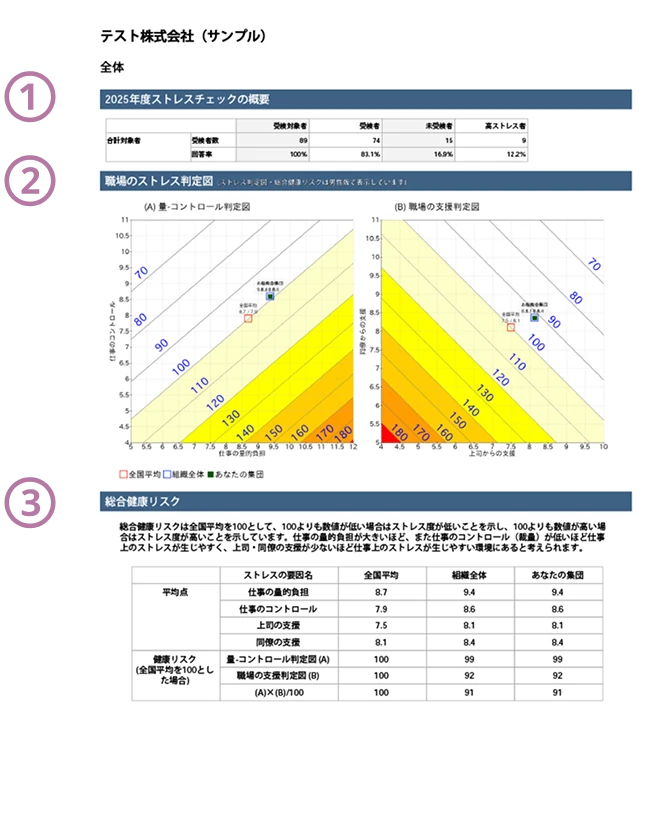
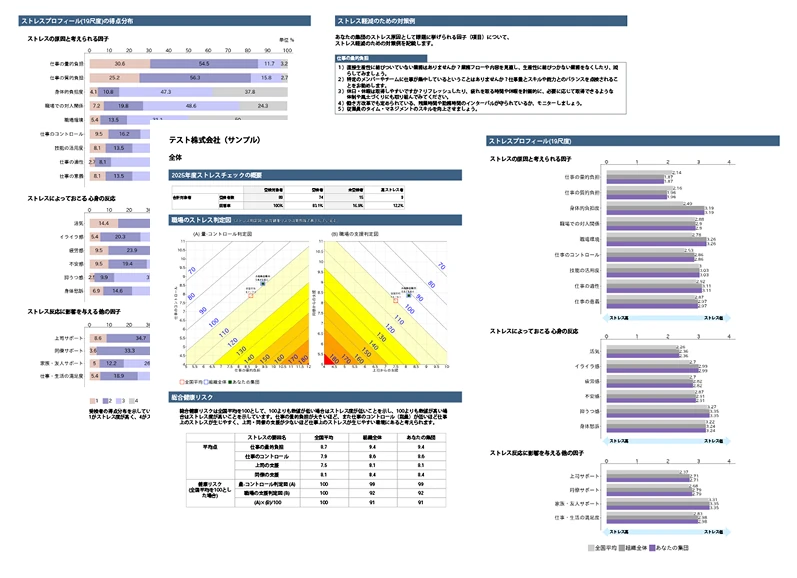
(1) Stress check overview

Outputs, in table form, the number of test targets, test takers, non-respondents, high-stress individuals, and more, for the whole organization and for each selected group (by department, age group, etc.).

(2) Workplace stress assessment chart

It uses a stress assessment chart based on the Ministry of Health, Labour and Welfare specifications, plotting the national average, the whole organization, and the analyzed affiliation's results on the chart.
On the A: Demand-Control chart, the further toward the lower right, the higher the stress level. On the B: Workplace Support chart, the further toward the lower left, the higher the stress level. You can select the gender (male/female) of the chart used.

(3) Overall health risk

Outputs the overall health risk in table form for the national average, the whole organization, and by selected organization.
*Overall health risk uses the national average as 100; a value below 100 indicates a lower stress level, and a value above 100 indicates a higher stress level.

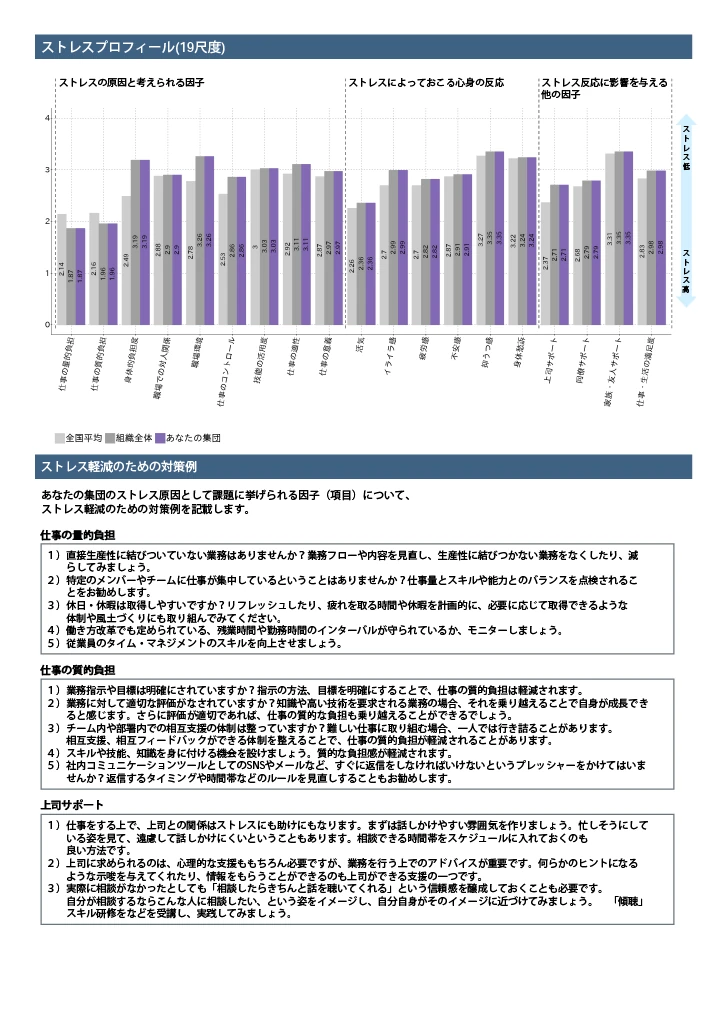
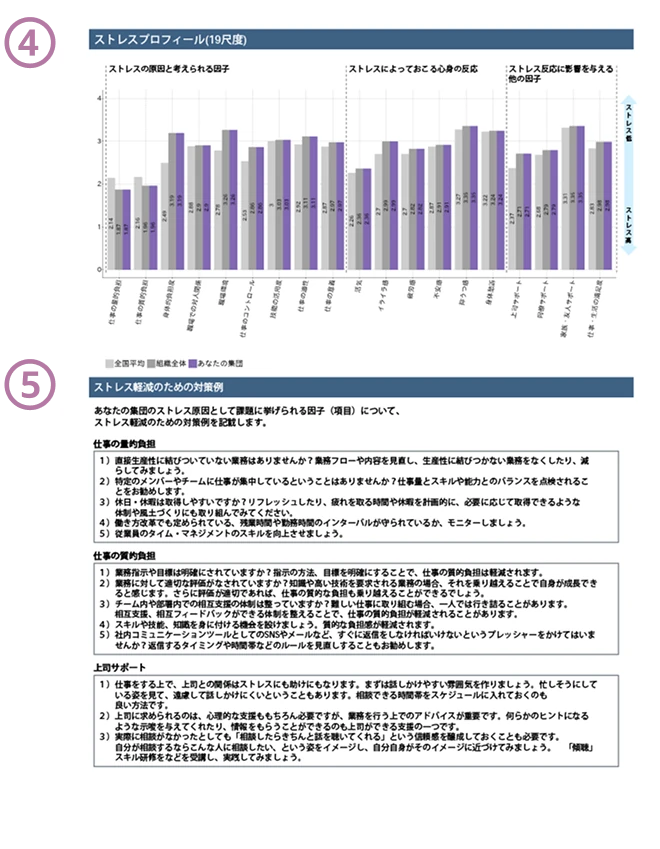
(4) Stress profile (19 scales)

The affiliation's average scores are shown for the stress profile. On a scale of 1 to 4, the lower the score, the higher the stress level.

(5) Examples of measures to reduce stress

It describes examples of measures to reduce stress for the factors identified as issues causing stress in the affiliation. The factors are selected from those with low average scores in the affiliation's stress profile (19 scales).

In the 80-question version, the vitality distribution chart, which visualizes workplace cohesion and individual work engagement, together with the stress profile, which shows the balance of job resources and demands, lets you clearly grasp the state of both the workplace and the individual.

Conveying analysis results
in a more “understandable” form

  • Minimum analysis group size setting

    You can set the minimum number of people for an organization to be included in group analysis. If an organization at or below the specified number is analyzed, no judgment results are output, protecting the privacy of small departments.

  • Stress assessment chart
    design customization

     You can freely specify whether to display the items below.
    - Display of the national average
    - Analysis results for the whole organization
    - Analysis results for the selected organization
    - Plot display within the chart
    You can compare national organizations with the selected organization, display multiple groups at once, and more.

  • Grasp 3 years of change at a glance

    Since you can compare up to 3 years year over year, you can use it as a reference for understanding changes in stress trends.

  • Capturing the reality of your organization from many angles

    You can perform group analysis from various angles, such as by affiliation, department, area, position, gender, and age group.