





Driving innovation in the health domain through technology, supporting organizational productivity
and the health management of the individuals who work there.
Email delivery features that support operation
Stable operation is possible even when sending large volumes of email. Delivery dates can be scheduled in advance, and both individual and bulk delivery are supported.
Content can be automatically varied according to assessment status and high-stress determination results. A tracking feature for checking delivery status is also available.
Email text can of course use templates, and can also be freely edited.

DRIVING ASSESSMENT COMPLETION
Advanced email delivery features
Reliable communication and reminders to recipients
prevent gaps in assessment completion.
By unifying everything from delivery to follow-up, we drive assessment completion.
 Segment-based
delivery Templates included
 Checking delivery logs
Bulk delivery support
Delivery dates and times can be scheduled in advance 24/7, 365 days a year,
and the number of emails sent and the interval can also be adjusted.
Segmented delivery based on stress determination and assessment status is also supported.
Scheduled delivery
in 30-minute units,
24 hours
a day,
365 days a year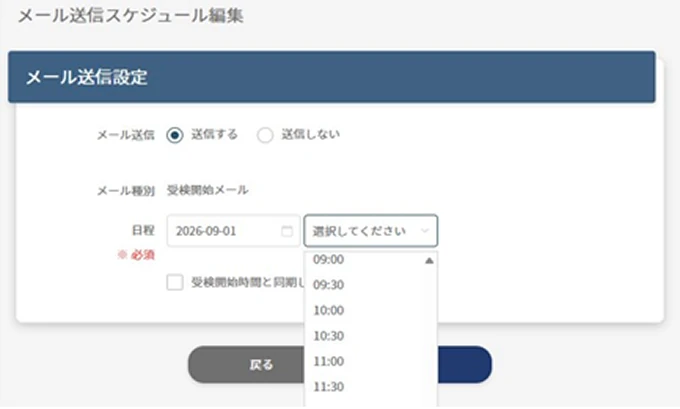
Bulk delivery support
(volume / interval settings)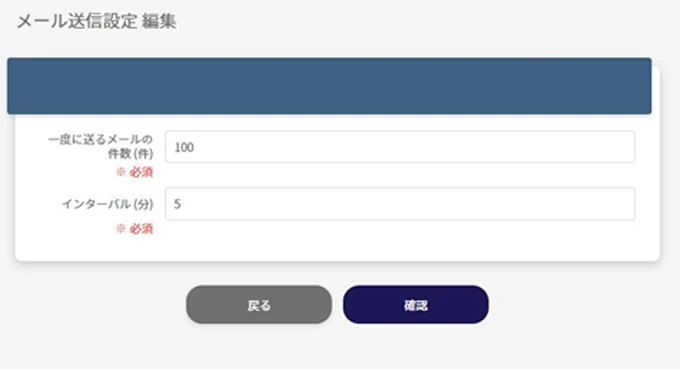
Supports broadcast / individual delivery
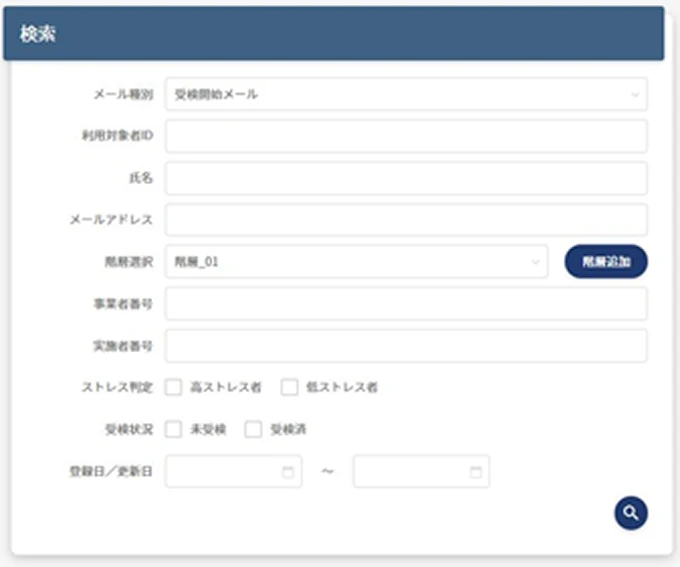
Also supports scene-based
segmented delivery
Limit delivery to specific locations or test takers,
and send the "test start email", "test reminder email", and "physician interview request reminder email".
Use it, for example, when you want to send reminders only to test takers added mid-period or to specific departments.

Delivery to test takers
added mid-periodSend the "test start email" only to test takers added during the test period.

Targeted delivery based on
test progressSend the test reminder email only to departments with high non-response rates or to target locations.

Resending for issue resolution
Send to people who did not receive the first email or to recipients after their email address was corrected.
Email tracking feature
With email tracking that lets you check delivery status and error reasons,
you can grasp the delivery status of each respondent and respond to errors quickly.
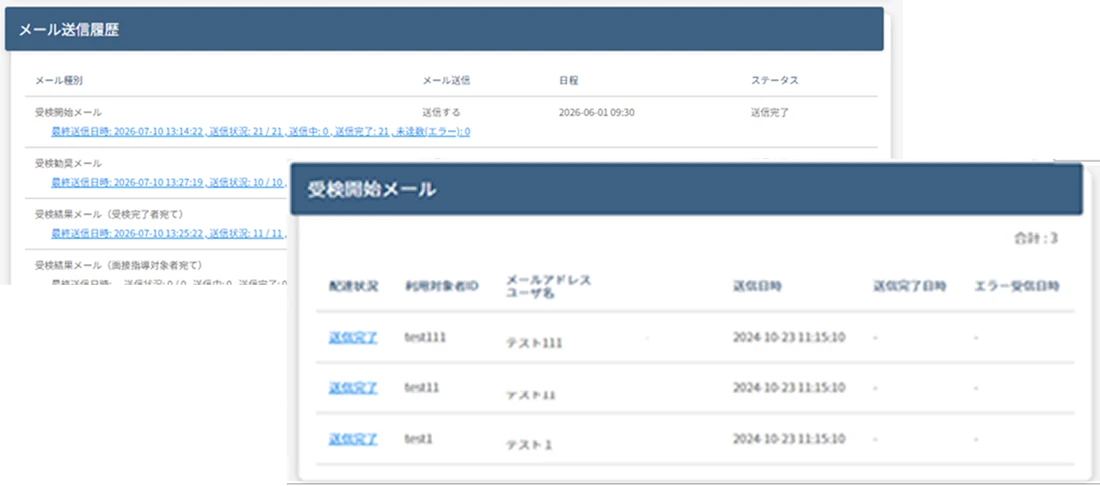
See delivery volume, delivery status, and error counts at a glance.
You can even check detailed error reasons such as permanent and temporary rejections.
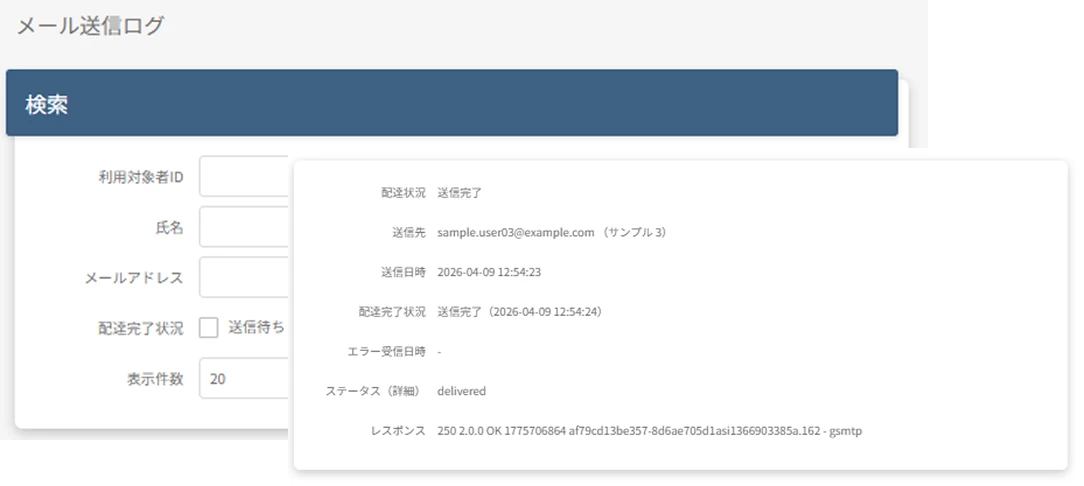
By entering a user ID, email address, or name in the search field, you can individually check the delivery status of a specific test taker.
Quick email creation with
templates + free editing
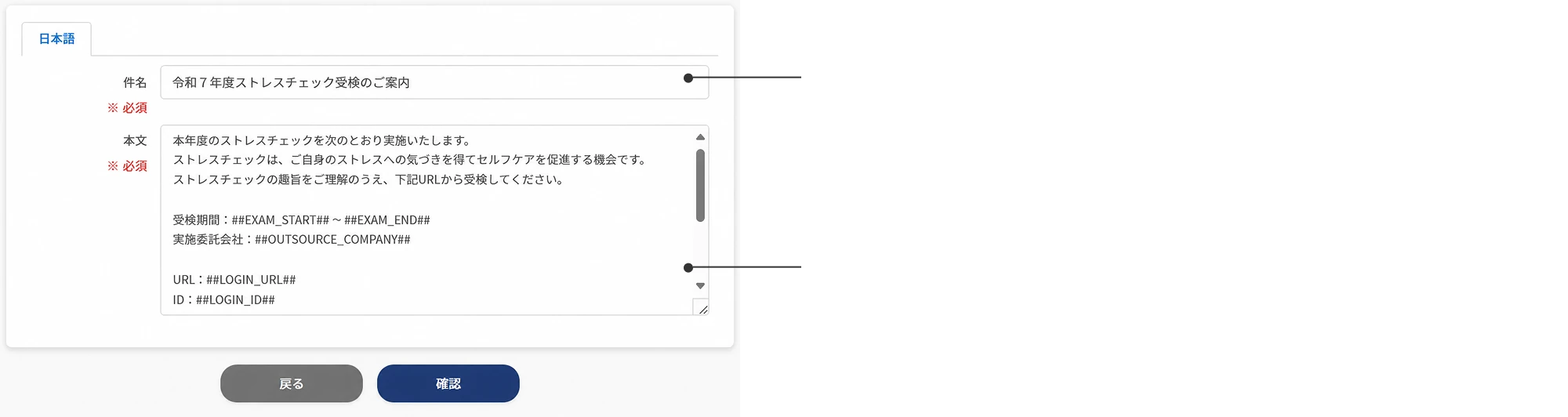
Customize the subject line freely
Freely setting the subject line lets you tailor guidance to your organization's culture and tone. An intuitive, easy-to-grasp title also helps improve open rates.
Responsive templates provided
We provide templates for all delivery emails, from test guidance and result notifications to physician interview guidance.
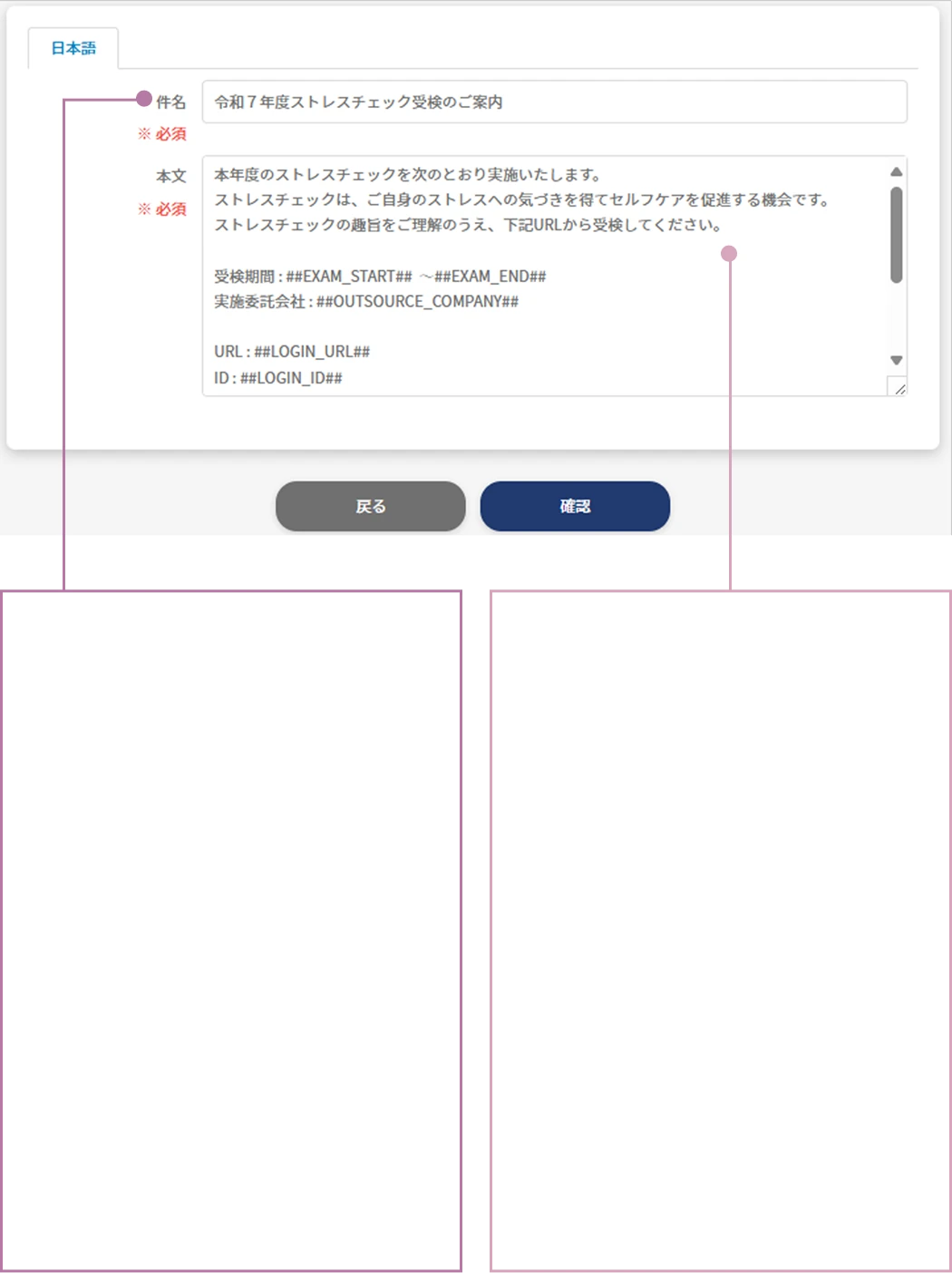
Customize the
subject line freely
Freely setting the
subject line lets you
tailor guidance to
your organization's
culture and tone.
An intuitive title
also helps improve
open rates.
Responsive
templates
provided
We provide templates
for all delivery
emails, from test
guidance and result
notifications to
physician interview
guidance.
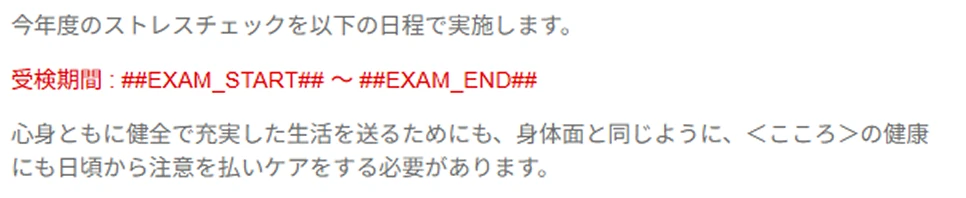
Hashtag feature
With hashtags, configured information such as the implementation year and test period is inserted automatically.
This greatly reduces the effort and errors of writing text from scratch. English can also be specified.