








Health & Human Solutions

Driving innovation in the health domain through technology, supporting organizational productivity
and the health management of the individuals who work there.

Rich features to meet every need

Rich features that
can meet any need

We provide a comprehensive set of features that adapt flexibly to diverse sites and situations.

  • From implementation ahead of the under‑50 mandate to company‑wide rollouts at large organizations
  • The optimal stress check
    for your purpose
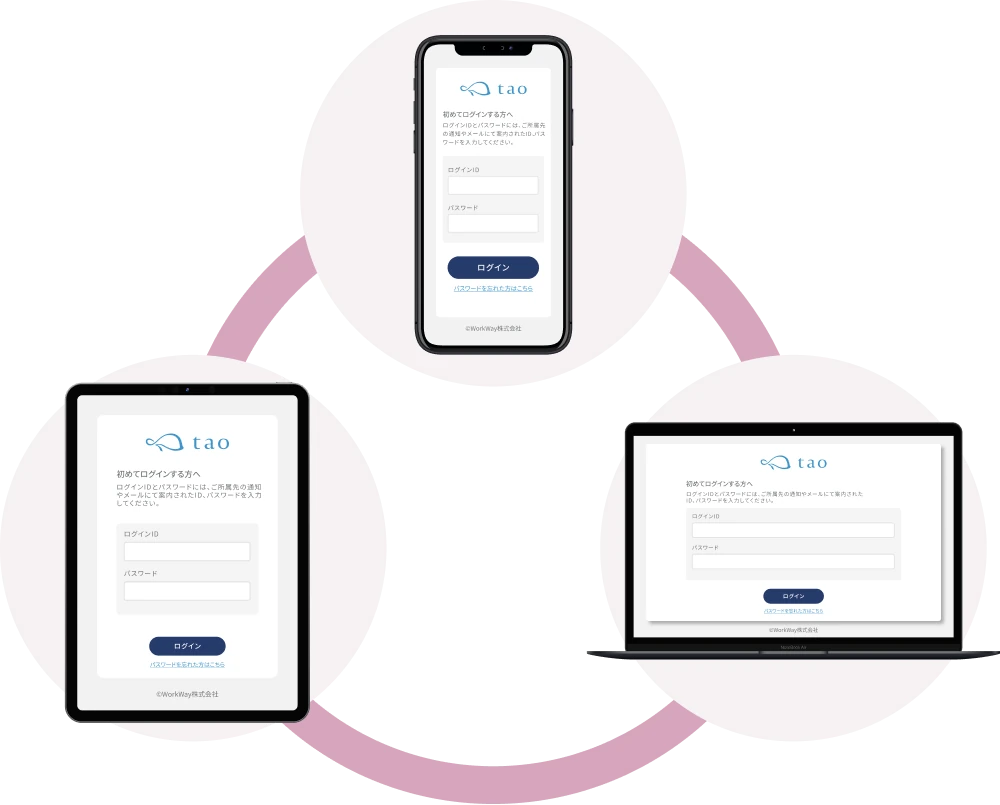
  • Optimized for all devices,
    including smartphone, tablet, and PC

A stress check tailored to
your organization size

Regardless of organization size, we provide a stress check that the person in charge can use without confusion.

Organizations with fewer than 50 employees

A stress check you can operate reliably, without strain.

The preparations and guidance documents required by the program are prepared in advance, providing an environment where the person in charge can proceed without confusion. The design lets compliant operation be achieved as-is, so the check can be conducted smoothly even without specialized knowledge.

  • Operational design for legal compliance

    Settings in line with the program are applied automatically, so preparations are complete without confusion.
    Even small organizations can conduct a stress check in accordance with the law.

  • A support structure that lets you proceed without confusion

    We provide careful follow-up so that even a first-time person in charge can proceed without confusion.
    We can also act as a proxy implementer as needed.

  • Ready-to-use templates

    We provide ready-to-use templates such as email wording and on-screen wording.
    This enables speedy, program-compliant examination implementation.

Organizations with 50 or more employees

Smooth operation, from managing examinations across multiple departments to handling physician interviews

Examination status for the whole organization and for each department is visualized in real time, and follow-up of those who have not taken the check, management of physician interview applications, and group analysis can all be managed centrally through a detailed administrator screen.

  • Examination management across multiple departments

    Control multiple departments from the administrator screen.
    You can send examination reminder emails to those who have not taken the check, and quickly reach out to departments with many high-stress individuals.

  • Advanced group analysis

    Analyze freely by location, department, occupation, and more.
    Cross-analysis combining up to 18 attributes lets you grasp trends in greater detail.

  • Online physician interview management

    Various physician interview assessment features and subsequent arrangements are completed within the administrator screen.

Large organizations

A stress check you can operate safely and efficiently,
even at a nationwide scale

A stable system running 24/7/365, together with robust security and a redundant configuration, protects personal information. We also accommodate flexible customization tailored to your operations and requirements.

  • Advanced administrator permission control

    Permission control is possible at the department and examinee level.
    Detailed permission settings are also possible within the implementer, implementation administrative staff, and business operator roles.

  • SSO (single sign-on) support

    Linking with your existing ID infrastructure reduces the login burden.
    Centralizing account management balances security with convenience.

  • Email distribution that reliably reaches even hundreds of thousands of people

    You can check the number of messages sent, interval settings, and detailed logs.
    We flexibly handle bulk distribution, individual distribution, distribution limited to specific locations, and more.

Number of
test takers
1 person50 people1,000 people10,000 people
Implementer agency service
Examination preparation
Selection of 57- or 80-question version
Addition of original questions
Four initial password settings
Common PW / random / same as ID / birthday
SSO
(single sign-on)
Examinee self-service
password reissue
Password reissue after identity verification
through an administrator
Examinee on-screen / email wording templates
Examinee on-screen / email wording
customization
Legal compliance
automatic administrator permission assignment
Permission segregation / view-range control
Bulk upload & download of the examinee roster
Scheduling of advance email distribution date/time (24/7/365 distribution)
Test mode
Examination
Multilingual support (Japanese / English)
PC / smartphone / tablet support
Email distribution scheduling feature
Examination status check
Real-time tabulation by location
Download of the not-yet-taken list
Reminder email distribution by location
Individual result

creation
Instant web result display / PDF · Excel export
Optimal self-care display / 20 self-care patterns
Year-over-year comparison of individual results
Self-check feature
E-learning feature
Physician interview

support
Physician interview proxy service
Assessment criteria settings (raw-score conversion / total-score / custom criteria)
Individual assessment
Bulk assessment via Excel upload
Applicant list management
Applicant list Excel download
Applicant memo recording feature
Physician interview recommendation email
Physician interview application notification email
Group analysis
Web analysis result display / PDF · Excel export
Minimum assessment headcount setting
Comparison by organization,
location, and occupation
Cross-analysis of up to 18 attributes
Year-over-year comparison of group analysis
Storage feature

A stress check suited to
every organization

A design that meets a wide range of needs,
fitting the situation of each organization

Your first
stress check

Organizations with fewer than 50 employees

Start program compliance
easily and without confusion

  • New to the stress check program and unsure where to begin
  • Want to handle the law and personal information correctly
  • Want to conduct it as simply and efficiently as possible

Implementation and management design you can run efficiently

  • The administrator screen handles everything from implementation settings to result confirmation
  • Set the examination screen and email distribution without confusion using templates
  • Check in advance with test mode to ease concerns before going live
  • Grasp implementation status (those who have not taken the check / progress) at a glance

A reassuring design that considers privacy

  • Group analysis in which individuals cannot be identified, thanks to a minimum analysis headcount setting
  • Administrator permissions compliant with the law are assigned automatically

Aiming for flexible operation

Organizations with 50 or more employees

Leverage your current operations and
customize only the features you need

  • Operation and customization tailored to your company are not in place
  • It is hard to see the situation by department, and results are not fully utilized
  • It ends with implementation and does not lead to improvement

Flexible examination and operation design

  • With hybrid web / paper support, the examination method can be chosen to match the situation at each site or location
  • Even with diverse examination methods, results are managed centrally

Analysis and follow-up that connect to issues

  • Group analysis by department, attribute, and over time visualizes trends and changes for each organization
  • We handle everything from determining physician interview candidates to providing guidance

Wanting to improve and advance

Large organizations / group organizations

Leverage data and
connect it to organizational improvement
toward operation optimized for your company

  • With many locations and departments, management has become complex
  • You cannot analyze from the angle that fits your company's issues
  • You feel your existing stress check is lacking

Operation and visualization that do not stall even at scale

  • Consolidate examination results dispersed across the nation and many locations into a single screen
  • Advanced administrator permission control
  • Email distribution that reliably reaches even hundreds of thousands of people

Analysis that captures issues in multiple dimensions

  • Visualization of changes and trends through group analysis and year-over-year comparison
  • Analysis tailored to the organizational structure, such as by hierarchy, location, and occupation
  • Support for cross-analysis of up to 18 attributes

Regardless of organization size
or operational situation,
it is a stress check designed
to meet every need

Features that can meet
any need

We introduce features you can choose to match each organization’s challenges and needs,
organized by purpose.

Making "protection"
simpler

A smooth stress check while protecting personal information

  • Assigned test taker
    assignment settings

    You can configure things so that administrators can view only the information and results of their assigned test takers.

  • Initial password settings

    Initial passwords can be chosen from four types, and the reissue method from three types. SSO (Single Sign-On) is also supported, reducing the effort of managing IDs and passwords.

  • Limit on group analysis headcount

    You can set a minimum number of people for analysis in advance to restrict it so that individuals cannot be identified.

  • Storage feature

    You can exchange data safely and reliably without using email attachments or recording media such as CD-Rs.

Assessment across multiple departments

Grasp the status of each site in real time

  • Advanced administrator permission control

    When there are multiple administrators, you can control things so that each can view only the information and results of their assigned test takers.

  • Control multiple departments
    from the admin screen

    You can check non-respondents and high-stress individuals in real time, enabling a quick response.

  • Hybrid
    web x paper operation

    You can choose the assessment format to fit the workplace environment, such as "web for headquarters, paper for branches."

  • Automatic generation
    of department reports
    (PDF / Excel)

    You can create reports not only overall but also by department, job type, and site, and even aggregate by combining up to 18 attributes.

Reduce effort and
smooth out operations

Automate repetitive manual work and greatly cut operating time

  • Bulk registration of test takers

    You can register a test taker roster created in Excel format all at once.

  • Email /
    on-screen copy templates

    Each type of email and the copy within assessment screens is available in both Japanese and English.

  • Automatic reminders
    to non-respondents

    You can send reminder emails targeting only those who have not taken the assessment as of a pre-scheduled date and time.

  • Flexible assessment /
    interview request periods

    You can freely set start and deadline dates to match organizational rules and circumstances.

Assessment environment customization

Abundant customization available at each phase

  • A rich range of
    assessment variations

    Web assessment, paper assessment, QR code assessment, and more are available. Assessment is also possible in environments without a PC or email address.

  • On-screen copy can be edited

    You can edit copy, of course, and also apply font emphasis and change text color.

  • Japanese / English support

    Templates for each type of email and on-screen copy are available in two languages.

  • Optional question settings

    You can add an unlimited number of questions, such as those about presenteeism or overtime hours.

Password management

Authentication design matched to your organization’s security policy

  • Initial password settings

    You can choose from random, same as ID, a shared password, date of birth, and more.

  • Password reissue methods

    When a test taker forgets their password, you can combine three reissue methods: a security question, entering an email address, or requesting it from an administrator.

  • SSO
    (Single Sign-On)

    By linking with internal accounts, you reduce the effort of managing IDs and passwords.

Reliable physician interview follow-up

Reliably manage everything from selecting interview candidates to applications

  • Selecting interview candidates

    Selecting physician interview candidates supports both bulk and individual determination.

  • Notification to candidates

    In conjunction with selecting physician interview candidates, you can instantly notify candidates with an application guide.

  • Notification to administrators

    The moment a candidate applies for a physician interview, you can receive an instant notification.

  • Physician interview agency service

    We arrange physicians and coordinate interviews on your behalf.

Detailed group analysis settings

Automatically generate group analysis reports and connect them to workplace improvement

  • Department reports
    (PDF / Excel)

    You can aggregate not only overall but also by department, job type, and site.

  • Cross tabulation

    You can analyze by combining up to 18 attributes, such as department, gender, and age group.

  • Year-over-year comparison

    You can create reports comparing up to three years of results.

You can freely combine WEB and paper.

You can choose the assessment format to match the workplace environment,
such as "WEB at the head office, paper at branches."

WEB assessment

WEB
assessment
190 people

Advantages

  • Speedy from assessment to aggregation
  • An alert feature that prevents unanswered items
  • No costs for enveloping, mailing, etc.

Disadvantages

  • Requires an internet connection and a device

Paper assessment

Paper
assessment
10 people

Advantages

  • Can be taken without using a PC or smartphone
  • The peace of mind of a paper record
  • Tends to increase the participation rate

Disadvantages

  • Collection and aggregation take time and effort
  • Risk of entry errors, blanks, and missed collection

You can freely specify and combine assessment methods
on a per-person basis, such as 190 people via WEB assessment
and 10 people via paper assessment.

We support diverse
assessment patterns

Employees with diverse ways of working
  • We want to use different assessment methods for remote workers and office workers

    You can flexibly choose to match the workplace environment, such as WEB for remote workers and paper for those who come into the office.

  • We want to deliver an assessment opportunity to employees working in remote areas as well

    Even for those in work environments where they do not routinely use a device, the paper assessment lets them take it without strain.

  • We want to take the assessment on paper but show the results online

    With hybrid operation of paper assessment + WEB results viewing, you can operate the assessment method and the results-provision method separately.

  • We want to let employees themselves choose the assessment method

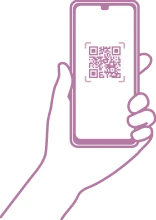
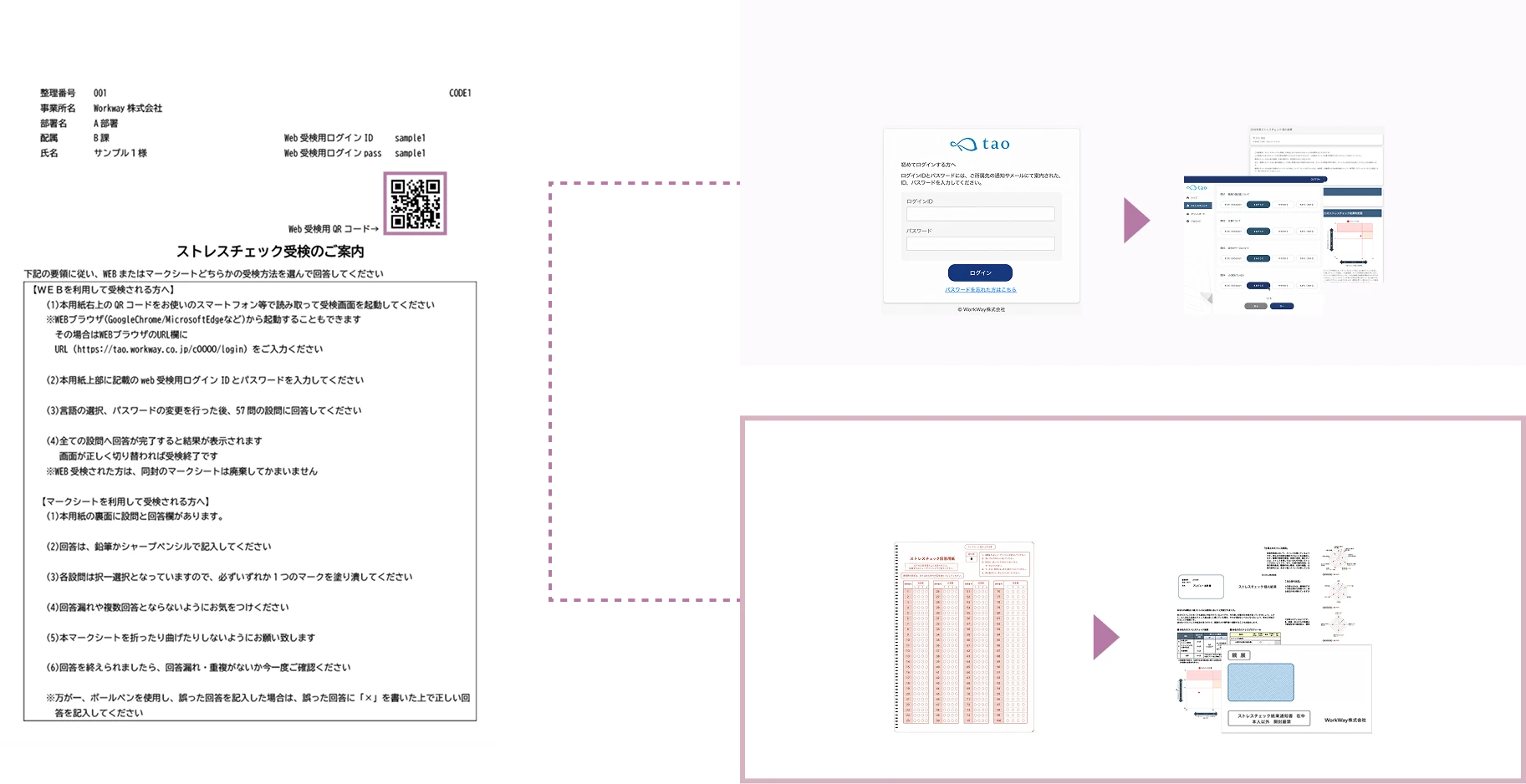
    By using mark sheets with a QR code, participants can choose WEB or paper on the spot.

  • We need to distribute on paper but want to encourage WEB assessment

    Even when, due to internal rules or the work environment, the assessment guidance must be distributed on paper, you can maintain paper distribution while promoting WEB assessment by distributing notifications that include the assessment URL, ID, and PW.

Choosable assessment styles

WEB assessment

Take the assessment anytime from a PC, smartphone, or tablet. Everything from assessment to checking results is completed on the WEB.

View details

Paper assessment

Assessment via mark sheets, handled on a paper basis from answering to results notification. Reliably carried out even in work environments that do not use devices.

View details

QR code assessment

A QR code is printed on the mark sheet, and the participant chooses "paper or WEB."

View details

Paper-digital assessment

Assessment URL/ID/password
is provided on paper.
WEB assessment is possible
even without an email address.

View details

Half & half assessment

Digital assessment, paper results
Paper assessment, digital results
Both are possible

View details

QR code assessment

A natural transition to WEB
with QR code mark sheets

Recommended for organizations that want to transition "from paper to WEB" but have concerns.
Instead of suddenly switching everyone to WEB assessment, we have prepared a method
in which participants themselves can choose "mark sheet assessment" or "WEB assessment."

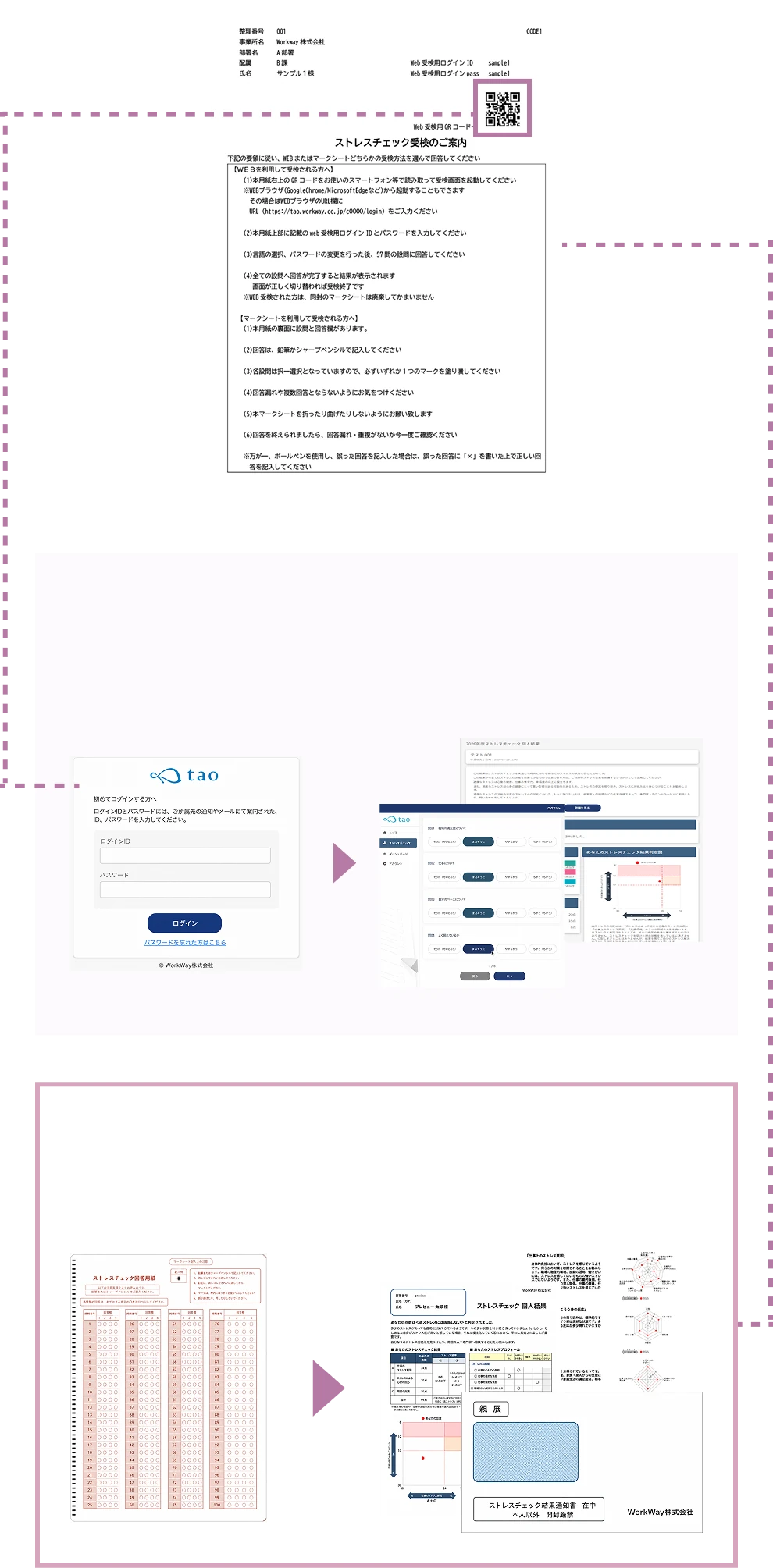
An image of branching from a QR-code mark sheet to web assessment or paper assessment

Scan the QR code
for WEB assessment

Write answers on the mark sheet
for paper assessment

An image of branching from a QR-code mark sheet to web assessment or paper assessment

Scan the QR code for
WEB assessment

Write answers on the
mark sheet for paper assessment

Paper-digital assessment

WEB assessment is possible
even without an email address

We deliver a notification containing the assessment URL, ID, and password.
Even without an email address, the assessment can be taken
from your own PC, smartphone, or tablet device.

People taking the assessment on a smartphone, tablet, or PC

Half & half assessment

A fusion of analog and digital

Take the assessment on a mark sheet and check the results on a WEB screen.
Take the assessment on the WEB and receive the results in paper form.
You can take the best of both analog and digital.
"It's a paper assessment, but I want to deliver the results quickly!"
"It's a WEB assessment, but I want to keep the results on hand"—we accommodate such needs.

An image of taking the assessment by filling in a mark sheetAn image of checking results on a smartphone

With cross analysis
of up to 18 attributes
and 3-year comparison,
visualize your organization’s
“changes” and “challenges”

You can visualize trends from various angles such as department, age group, and employment category,
and we provide analysis features for reading your organization’s state from multiple perspectives.

Visualize challenges with cross analysis of up to 18 attributes

Grasp trends from multiple angles, such as by department, age group, and employment type.

  • Trends across the whole organization
  • Characteristics of each department
  • Stress factors by attribute

Spot signs of change with 3-year comparison

Compare up to three years of data to see improvement trends or rising risk at a glance.

  • Measuring the effect of measures
  • Early detection of increasing risk
  • Materials for explaining to management

Smooth reporting with automatic report output

Automatically generate reports in PDF and Excel formats.

  • Charts and metrics created automatically

  • A layout that organizes the items you need.

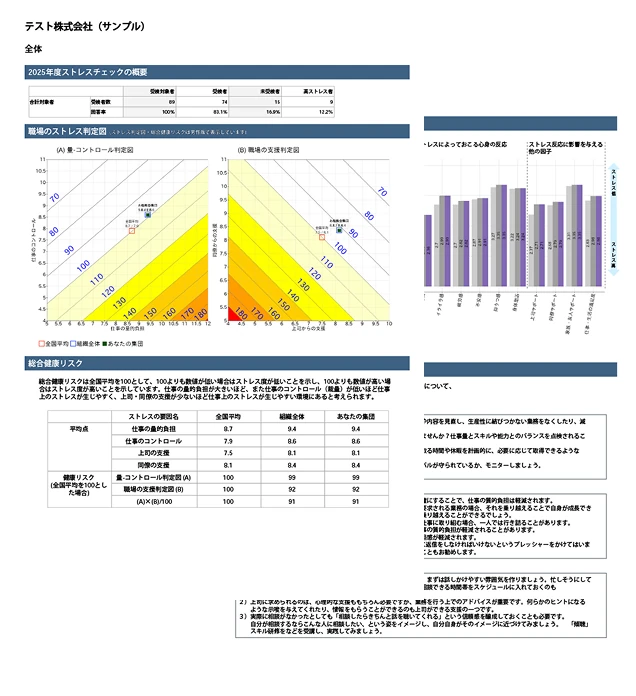
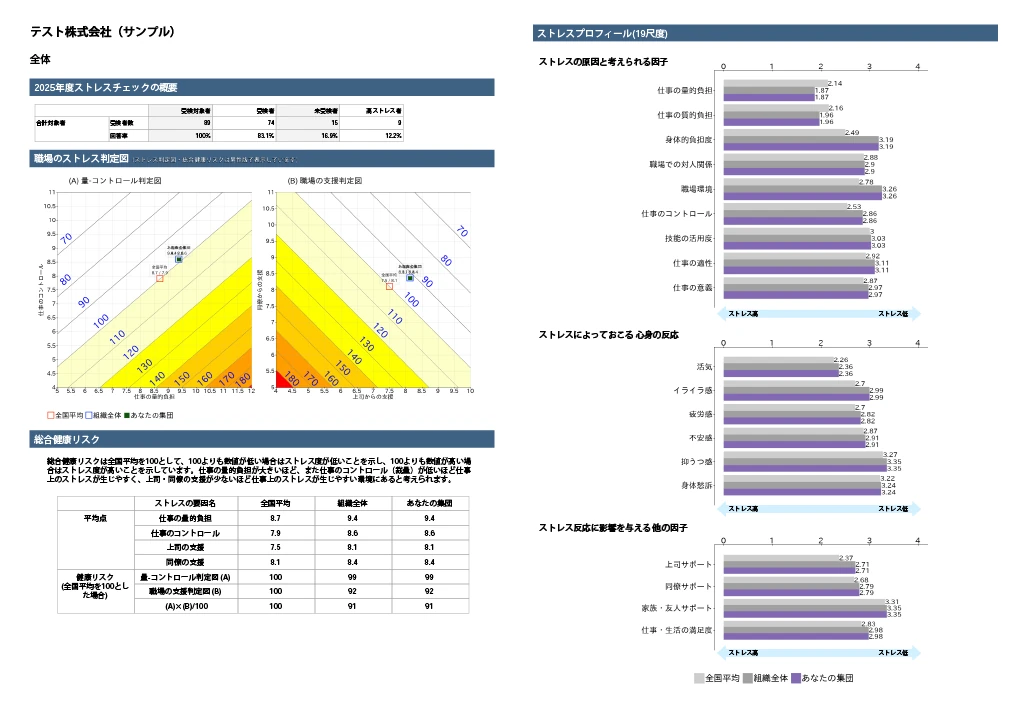
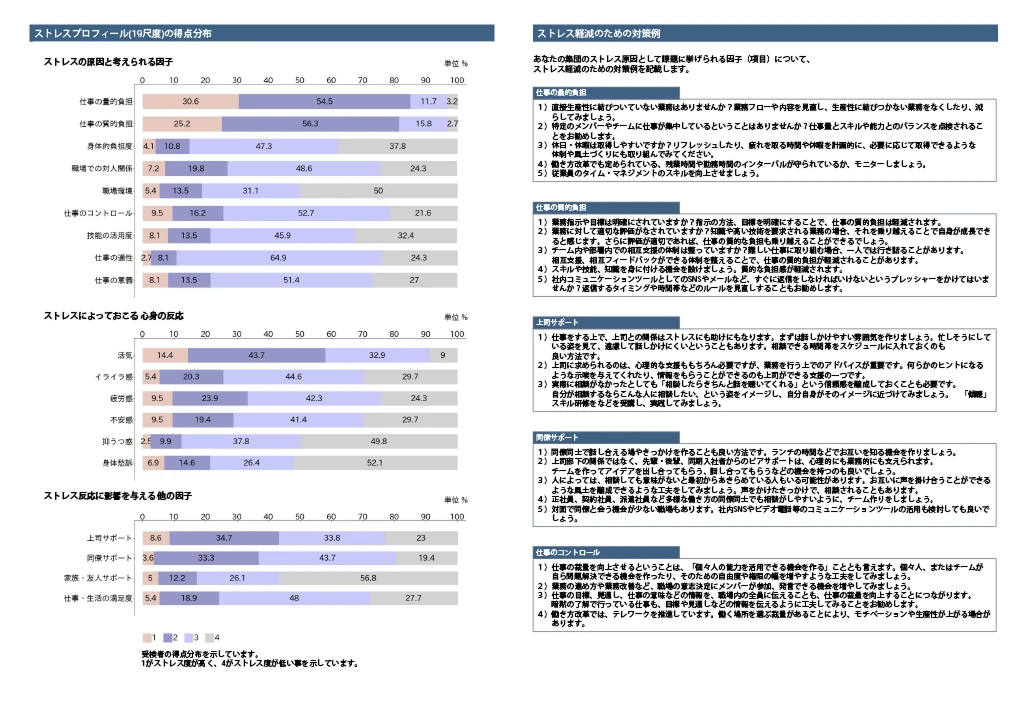
In the 80-question version, the vitality distribution chart, which visualizes workplace cohesion and individual work engagement, together with the stress profile, which shows the balance of job resources and demands, lets you clearly grasp the state of both the workplace and the individual.

Implementation that combines a rich set of programs, such as group analysis and workplace environment improvement training

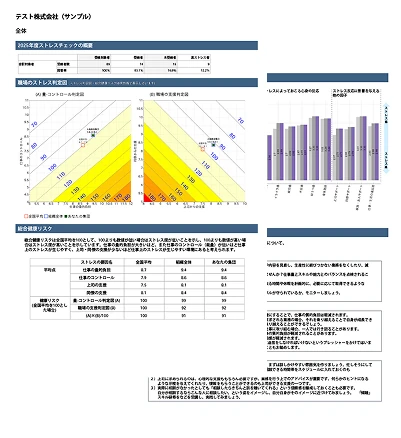
Group analysis report

A group analysis report that allows
score comparison by department (automatic PDF output)

Year-over-year comparison of up to three years is possible

Workplace environment
improvement training

Explanation by an instructor

Led by instructors holding qualifications such as Certified Public Psychologist or Industrial Counselor

Held online

In principle held online (in-person can be discussed)

English support available

Supports both Japanese and English

Physician interviews
handled as needed

For those who apply for physician interview guidance, we conduct physician interviews in person or online. We support Japanese and English.

In person

Held online

Report

Anywhere, on any device, at your own pace

Wherever you like,
on whatever device,
at your own pace.

At home, at the office, or on the go — free from constraints of time and place,
you can take the assessment at your own pace from a PC or smartphone.

Multi-device support

You can take the stress check from any device, including PC, smartphone, and tablet.
Furthermore, not only the assessment but also consultations and training can be completed online.

An online-complete mechanism

  • Online support for everything from assessment to consultation and training

  • An assessment environment regardless of office, home, or being out

  • Usable from PC / smartphone / tablet

  1. 1. Calmly check your results at home

    Result checking that feels exposed on an office PC can be done calmly at home in a relaxed environment.

  2. 2. Easily run a self-check from your smartphone

    Whenever needed, you can use the self-check right away from your smartphone.

  3. 3. Take e-learning while relaxing

    You can take slide-format e-learning anywhere you like, such as on your bed or sofa.

Recommended operating environment

OS

  • Windows
  • Mac

Browser

  • Microsoft Edge (latest)
  • Google Chrome (latest)
  • Firefox
  • Safari

Supported devices

  • PC
  • Tablet
  • Smartphone