














Health & Human Solutions

Driving innovation in the health domain through technology, supporting organizational productivity
and the health management of the individuals who work there.

POWERFUL & SECURE

Reliable multifunctionality,
unwavering security

With an operational foundation that balances efficiency and safety, you can use it with peace of mind,
regardless of your number of employees or usage environment.

  • Strong security
    • Encryption
    • ISMS compliant
    • Access permission settings
  • Versatile convenient features
    • Automatic email delivery
    • Automatic report generation
    • Real-time progress management
  • Supports large organizations
    • Stable operation at the scale of hundreds of thousands
    • English support
    • SSO

High functionality that supports operation

From security features such as single sign-on and permission management, to email delivery and storage,
we provide features that streamline administrative work.

Stable assessment
at the scale of
hundreds of
thousands

High-functionality
email delivery

Japanese / English
support

Storage

Advanced permission
management(implementer permissions)

SSO(Single Sign-On)

High-functionality email delivery

Storage

SSO
(Single Sign-On)

Japanese / English support

Stable assessment at the scale
of hundreds of thousands

Advanced permission management
(implementer permissions)

  • ISMS certified

  • PrivacyMark

  • Data encryption

Our system supports
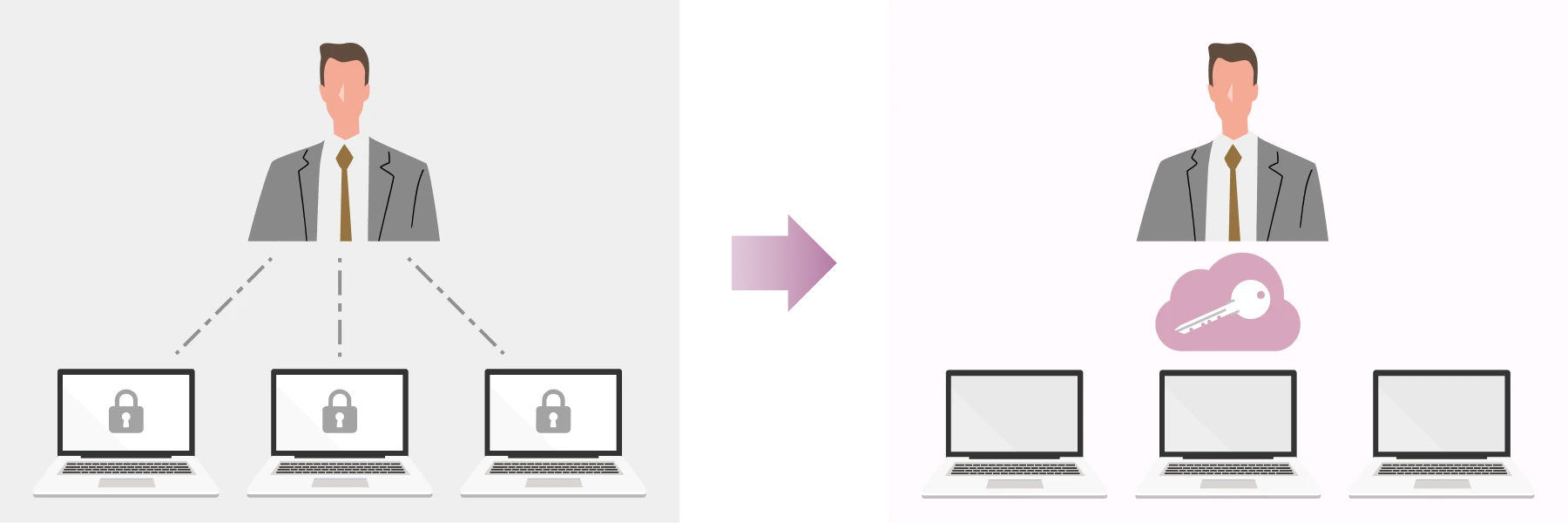
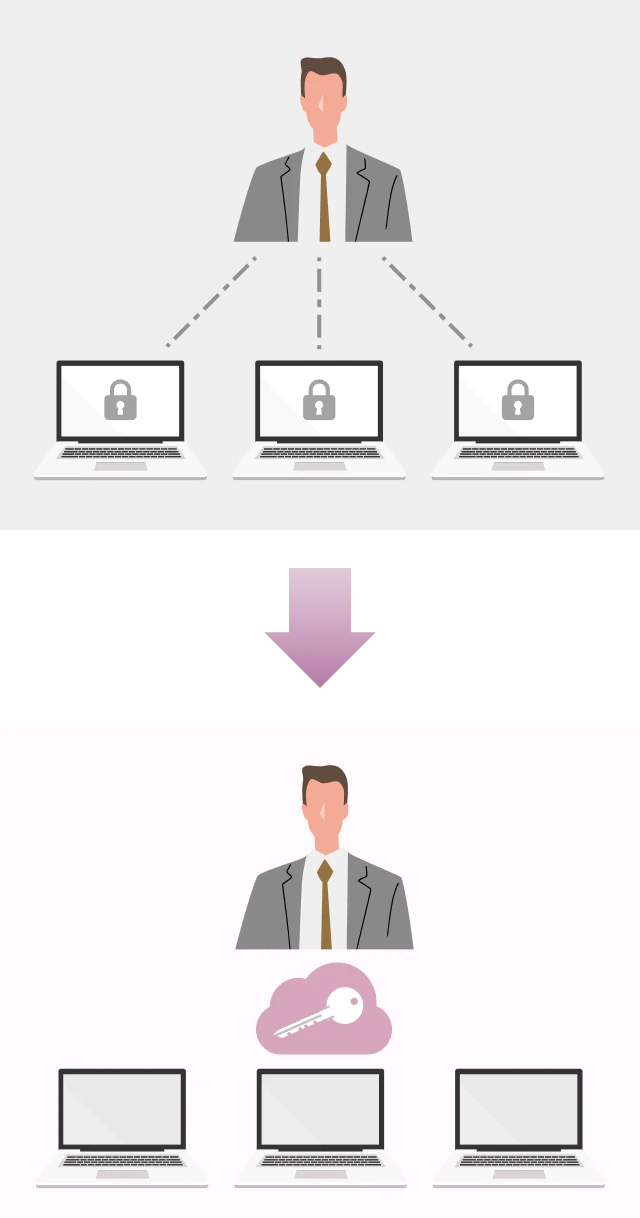
SSO (single sign-on)

By integrating with your organization's existing ID infrastructure,
you reduce employees' login burden while centralizing account management.
We achieve both enhanced security and improved convenience at the same time.

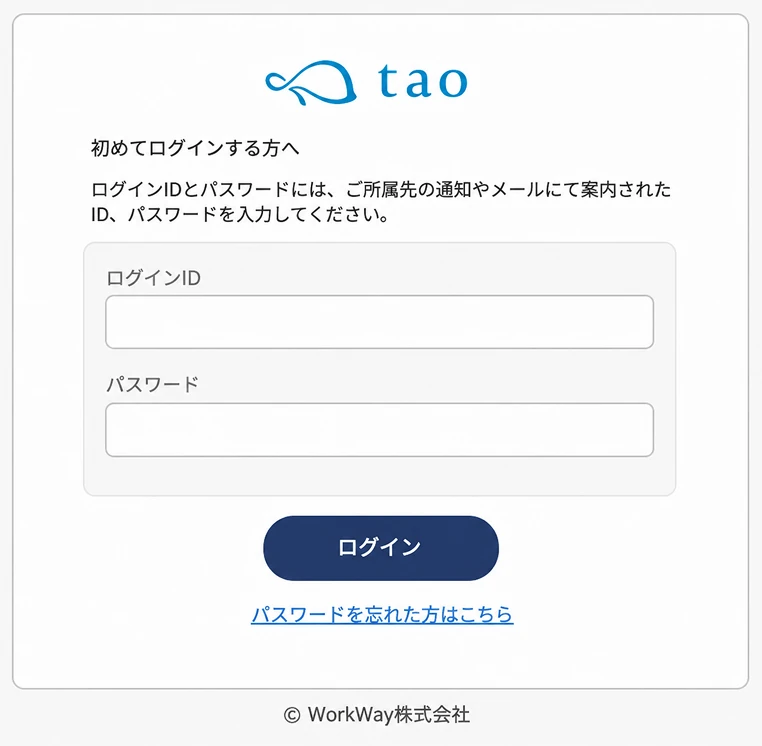
Selectable initial passwords and
reissue methods

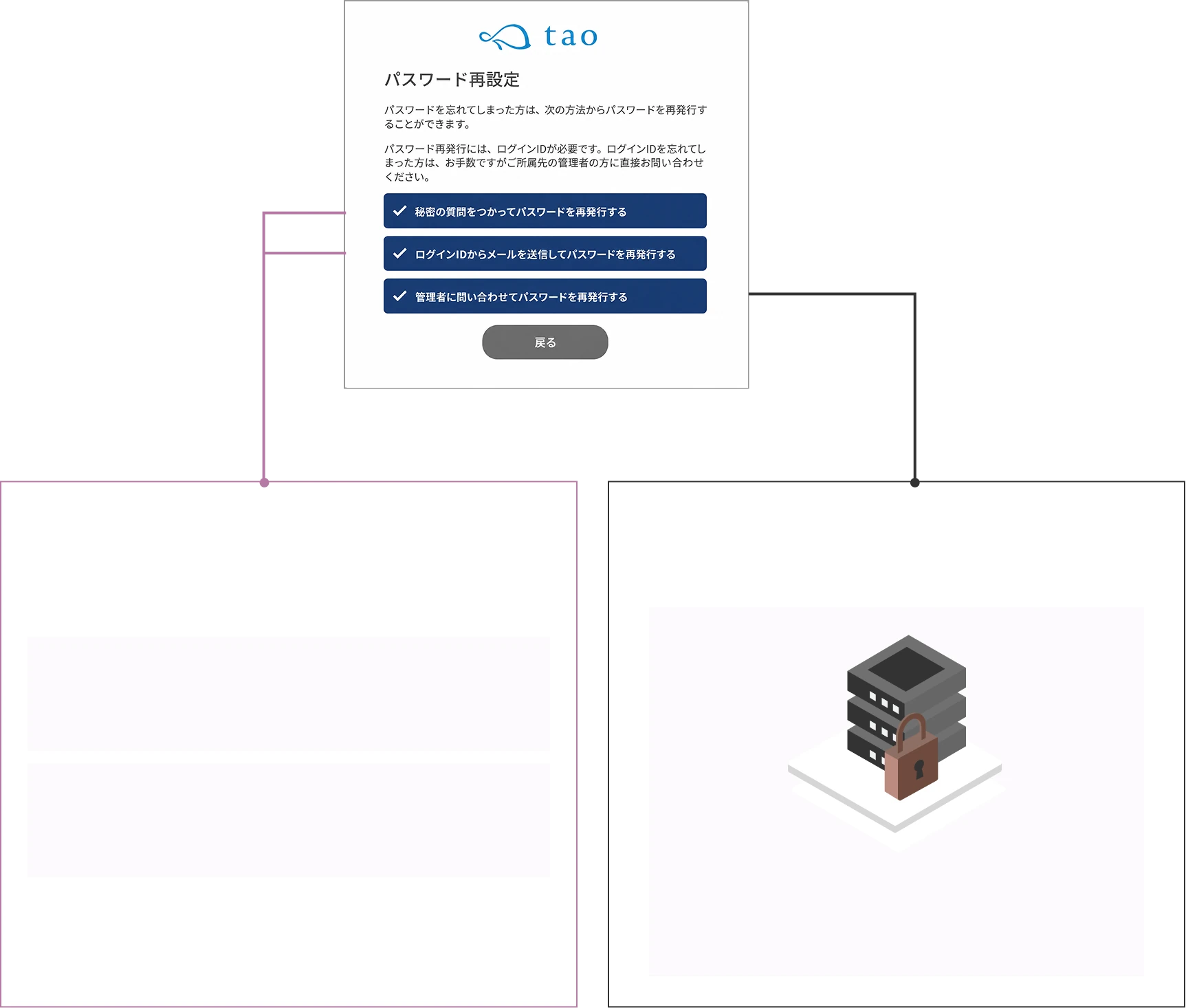
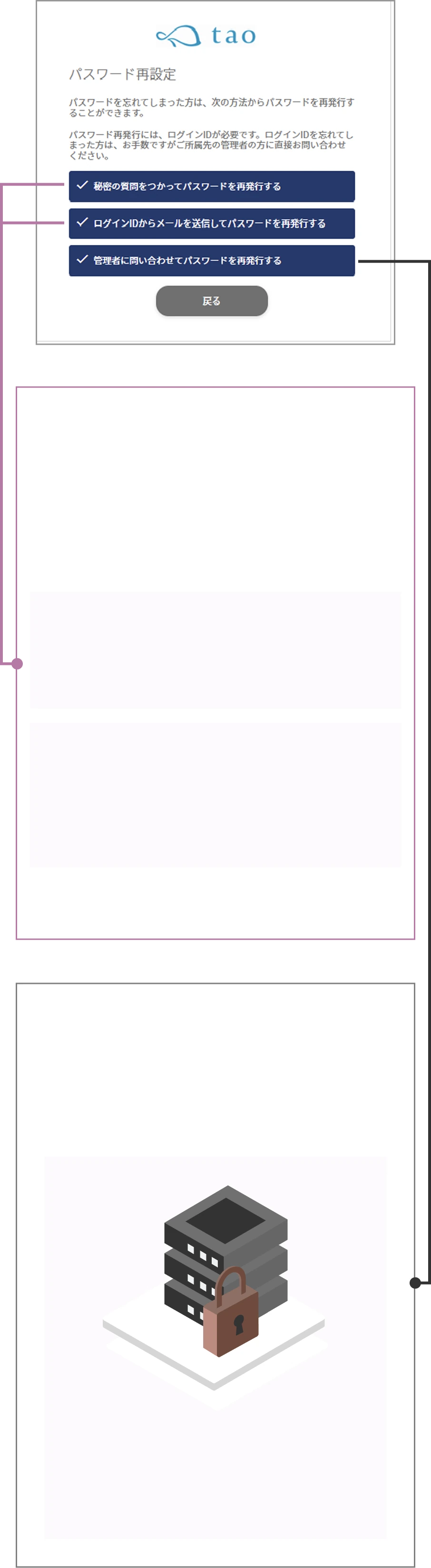
Choose the initial password from four types, and combine three reissue methods.

Four selectable initial passwords

To match your organization's security policy and operations,
choose from four types of passwords for when test takers log in to the system for the first time.

  • Shared password

    All test takers use the same password

  • Random password

    Randomly generated for each test taker

  • Same as ID

    The employee number or test number registered as the ID

  • Test taker's date of birth

    (e.g.) 20170901

Multiple password reissue methods

When a test taker forgets the password they set, choose fromthree reissue methods, and combine them.

Reissue handled by the test taker

Reduce the time spent on each
password reissue request

Reissue using the question set at first login
and its answer

e.g., What was the first dish you learned to cook?

Email authentication

After entering the login ID, reissue via the link
in the email automatically sent to the registered address

*Only for those with a registered email address

Reissue handled by the administrator

Prevents information leakage to third parties

The administrator receives a reissue request email and
manually reissues the password after verifying identity

Reissue handled
by the test taker

Reduce the time spent handling each
password reissue

Reissue using the question set at first login
and its answer

e.g., What was the first dish you learned to cook?

Email authentication

After entering the login ID, reissue via the
link in the email automatically sent to
the registered address

*Only for those with a registered email address

Reissue handled
by the administrator

Prevents information leakage to third parties

The administrator receives a reissue
request email and manually reissues
the password after verifying identity

Simply selecting implementer or employer
auto-applies the right permission settings

Implementer
(administrative staff)

Employer

Permission settings compliant with the Ministry of Health, Labour and Welfare manual are applied automatically.
By setting the viewing and operation scope by role,
you can smoothly start safe, privacy-conscious operations.

Moreover, the information each administrator can view
and the actions they can take can be flexibly customized.

Who manages which test takers?

01 Assigned test taker allocation

When implementers and employers are spread across the country, or when you want to assign test takers by department,
you can clearly divide and set the scope of viewable data.
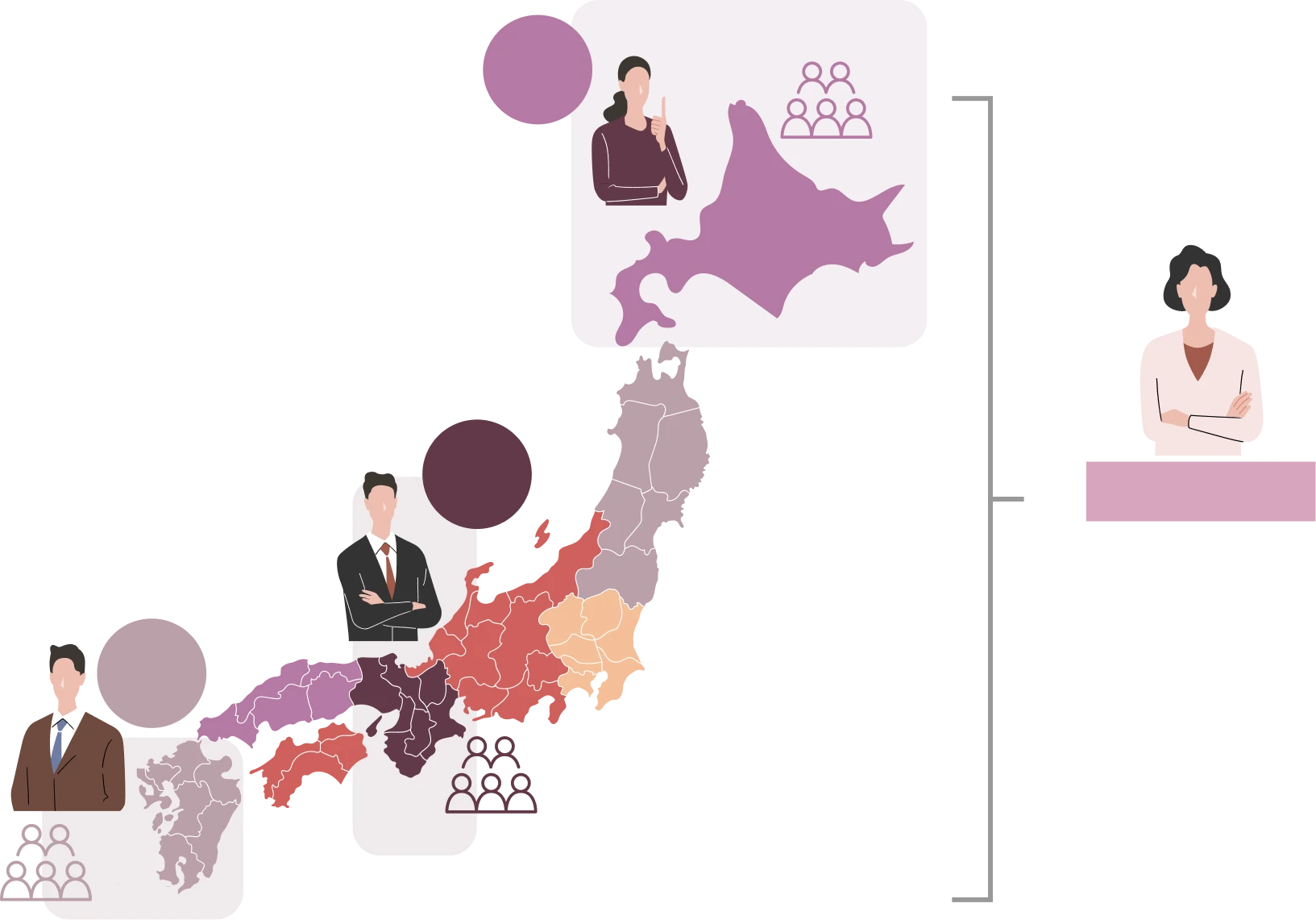
Image of the assigned test taker allocation feature

Implementer
A

Dept. A

Implementer
B

Dept. B

Implementer
C

Dept. C

Implementer D

Manages all
Depts. A/B/C

Image of the assigned test taker allocation feature

Imple-
menter
A

Dept. A

Imple-
menter
B

Dept. B

Imple-
menter
C

Dept. C

Implementer D

Manages all Depts. A/B/C

Instantly notifies you, the person in charge

02 Physician interview request notification

Set which implementers and employers receive real-time notifications
when a test taker requests a physician interview.
Only the relevant staff reliably receive the information, enabling a swift response to requests.

Image of the physician interview request notification feature

Request

Same-day
notification

Assigning a person in charge prevents missed responses

03 Password reissue staff assignment

Set the person in charge of responding when a test taker forgets their password.
Enables a swift response.

Flow image of password reissue staff assignment

Forgot my
password...

Password reissue

Identity check/approval

Reissue staff

Same-day
notification

Completed by the test taker

Security question

Reissue using the question and answer the test taker set at first login

Email authentication

After entering the login ID, reissue via the link in the email automatically sent to the registered address

Administrator inquiry

Apply by entering the login ID and a new password

Forgot my
password...

Password reissue

  • Completed by the test taker

    Security question

    Reissue using the question and answer the test taker set at first login

  • Email authentication

    After entering the login ID, reissue via the link in the email automatically sent to the registered address

  • Administrator inquiry

    Apply by entering the login ID and a new password

Same-day
notification

Beyond the above, you can configure
permission settings to suit your operations
  • Basic settings
    operation permissions
  • Screen wording settings
  • Test taker management(add, edit, delete)
  • Implementers and employers(add, edit, delete)
  • Password setup / reset handling
  • Email sending settings(scheduling, delivery status check)
  • Individual email sending feature
  • Permission to view the test taker list
  • Interview guidance judgment feature
  • Permission to view the list of physician interview applicants
  • Group analysis result download
  • Storage feature

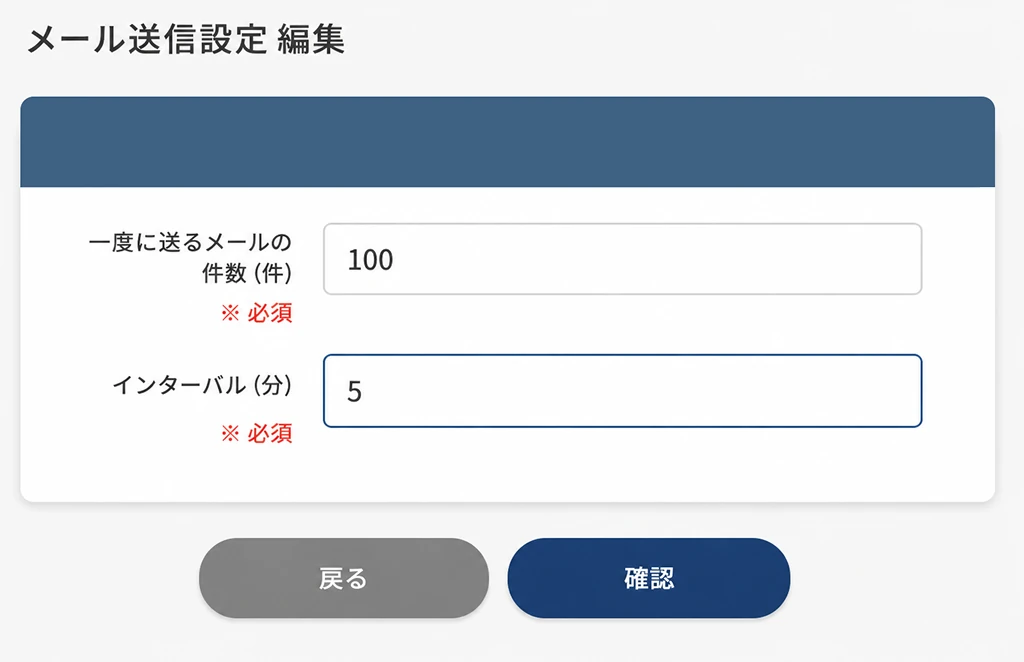
Email delivery that arrives reliably even for
assessments at the scale of hundreds of thousands

By optimizing the number of emails sent and the interval, we prevent server load and spam classification,
delivering assessment guidance safely and reliably.

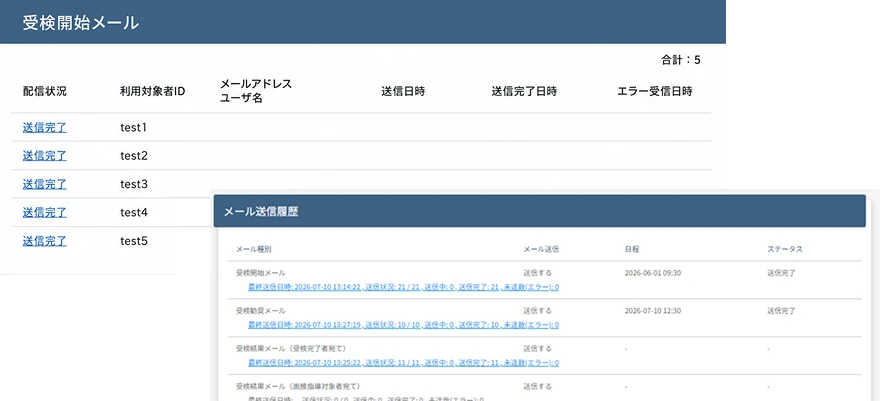
Visualizing delivery status to
drive transmission gaps to zero

An implementer-only feature that lets you check the detailed email delivery log for each test taker.
Prevent communication gaps with test takers, and when a delivery error occurs, identify the cause immediately.

  • Delivery status
  • Last sent date and time
  • Number / list of non-deliveries
  • Confirmation of error causes, etc.

Also supports scene-based
segmented delivery

Limit delivery to specific locations or test takers,
and send the "test start email", "test reminder email", and "physician interview request reminder email".
Use it, for example, when you want to send reminders only to test takers added mid-period or to specific departments.

  • Delivery to test takers added mid-period

    Send the "test start email" only to test takers added during the test period.

  • Targeted delivery based on test progress

    Send the test reminder email only to departments with high non-response rates or to target locations.

  • Resending for issue resolution

    Send to people who did not receive the first email or to recipients after their email address was corrected.

“Freedom” is a strength.
But “templates” are your ally.

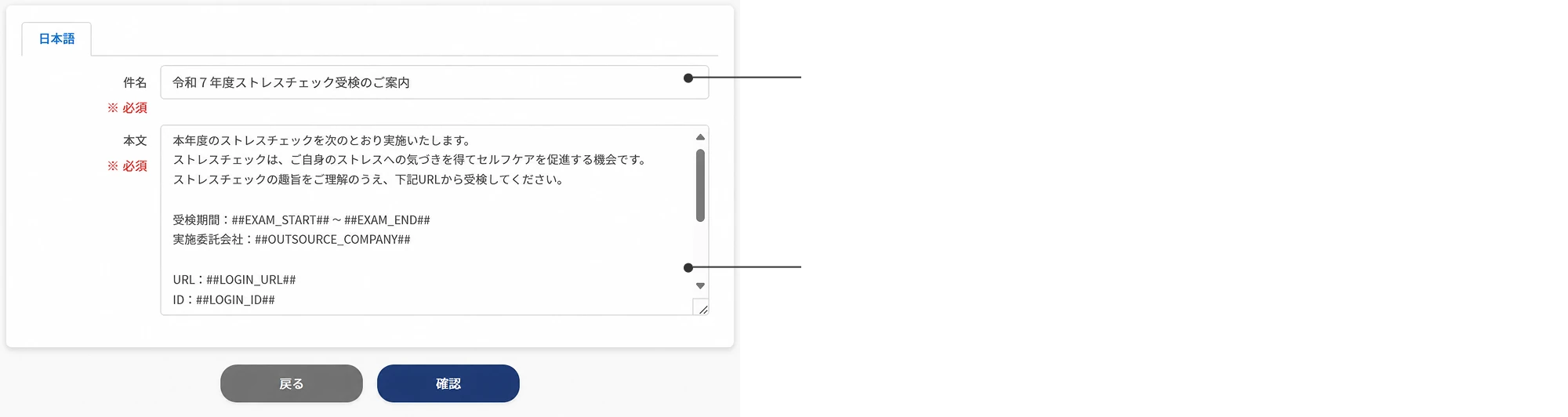
The text of delivery emails can be freely edited.

Customize the subject line freely

Freely setting the subject line lets you tailor guidance to your organization's culture and tone. An intuitive, easy-to-grasp title also helps improve open rates.

Responsive templates provided

We provide templates for all delivery emails, from test guidance and result notifications to physician interview guidance.

Customize the
subject line freely

Freely setting the
subject line lets you
tailor guidance to
your organization's
culture and tone.
An intuitive title
also helps improve
open rates.

Responsive
templates
provided

We provide templates
for all delivery
emails, from test
guidance and result
notifications to
physician interview
guidance.

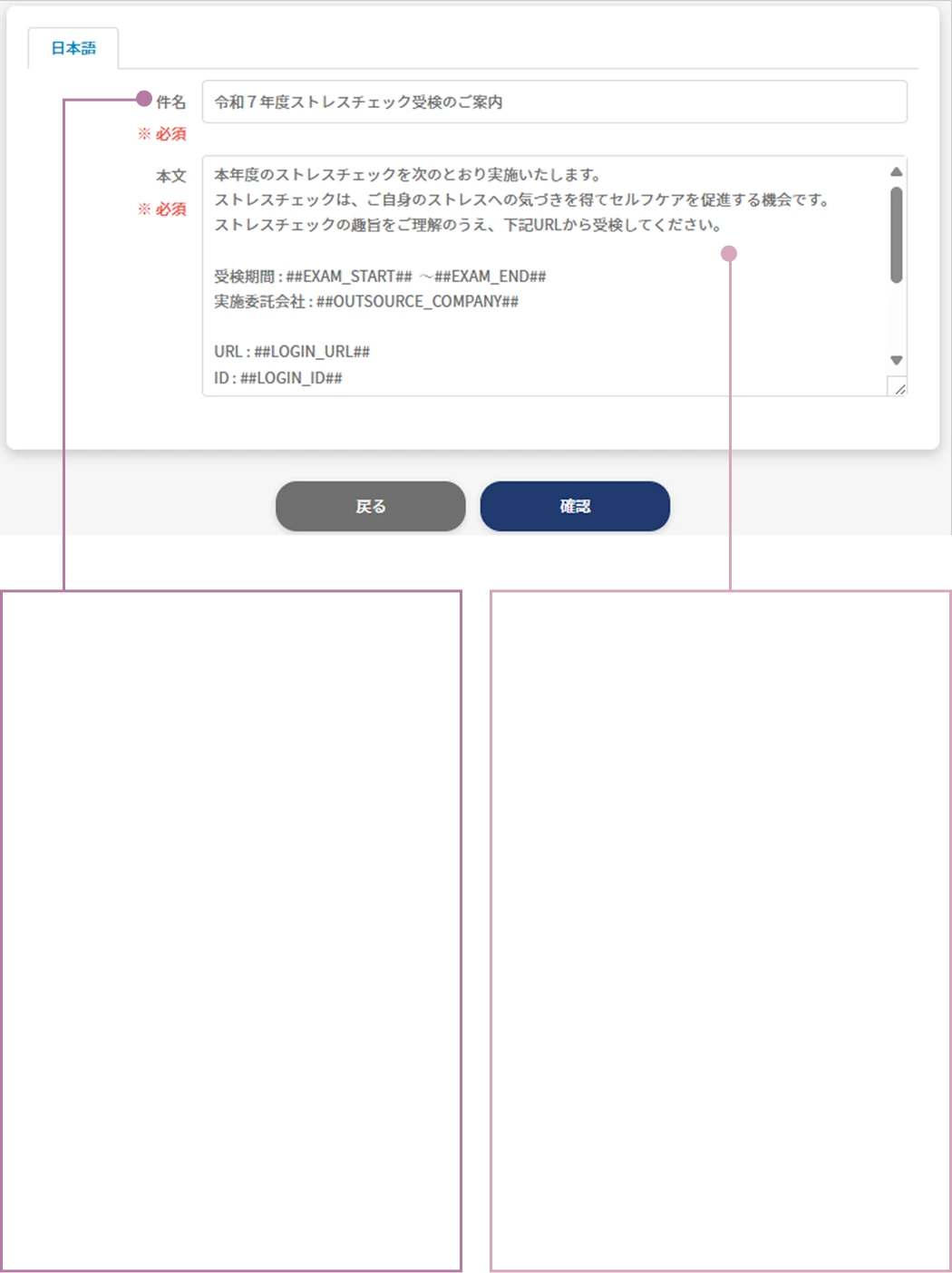
Hashtag feature

With hashtags, configured information such as the implementation year and test period is inserted automatically.
This greatly reduces the effort and errors of writing text from scratch. English can also be specified.

Safe and smooth information sharing
with the storage feature

With the storage feature, administrators can share and download assessment results and group analysis reports with each other.
Since permission settings let you control the viewing range, you can achieve efficient management while ensuring security.

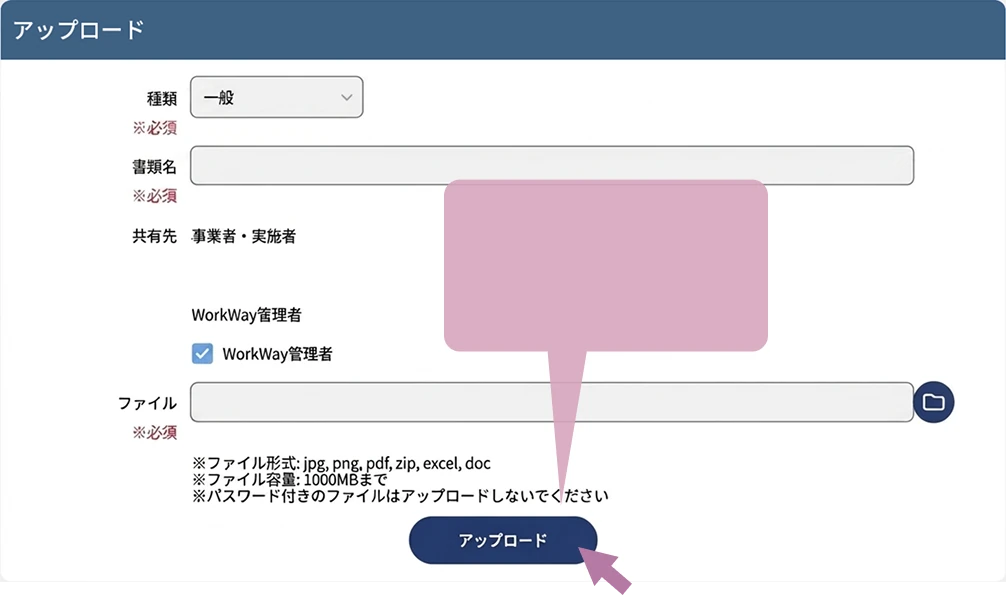
Prepare your data
and press
upload

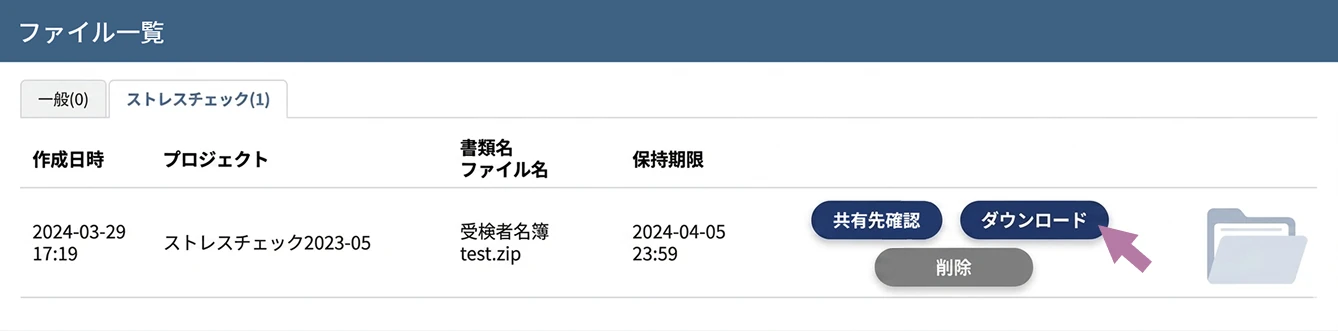
The recipient just
needs to press download!

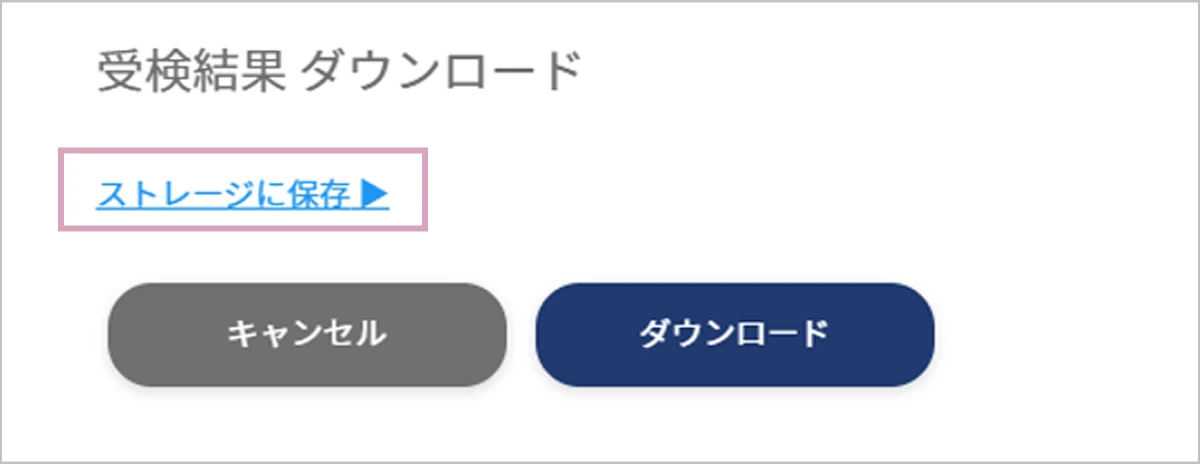
Instead of downloading the various data, you can also save it directly to the storage feature.

Conduct stress checks smoothly with
multilingual support(Japanese / English support)

You can use it with peace of mind even when there are English-speaking test takers or administrators.

  • For both
    test takers and administrators

    Full Japanese / English support from the test taker screen, question text, individual results, and group analysis to various email deliveries.

  • All results are
    aggregated in the system

    Regardless of the assessment method, such as paper, web, Japanese, or English, answer results are managed centrally.

  • Administration operations
    in English with peace of mind

    System settings, email delivery scheduling, individual result checks, and more can also be displayed in English.

Zero go-live anxiety,
thanks to test mode

In test mode, you can reproduce the same screens, navigation, and email behavior as test takers before going live.
Since you can check settings, emails, and screen transitions in advance, you can avoid first-day anxiety and configuration mistakes.

  • Full-screen check from
    the test taker's perspective

    Experience every step a test taker actually sees,
    exactly as it is.

    • Login method
    • Test screen wording
    • Unanswered-question alerts
    • Self-care display
    • Physician interview request screen, etc.
  • Pre-validation of email delivery

    Check in advance what the configured emails look like and
    what sender information they arrive with.

    • Test guidance email
    • Reminder email
    • Judgment notification email
    • Interview guidance reminder email, etc.
  • Also usable as-is for
    internal demos

    With test mode, you can use it as an internal demo to show the entire test flow as-is to stakeholders such as HR, managers, and occupational physicians.